
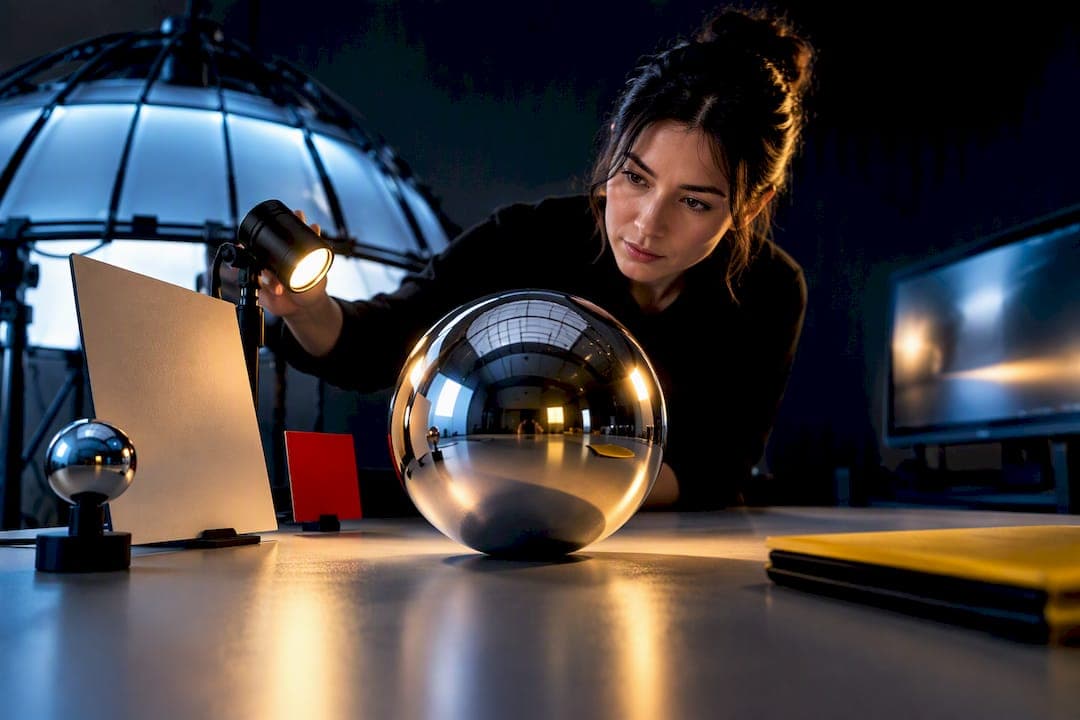
Use HDR image-based lighting for believable reflections and broad, physically consistent illumination, then layer in painted or local lights for precise art direction on the highlights that sell a product's finish. Keep the entire pipeline scene-linear through render and compositing, and apply the view transform only once, at output, so nothing gets baked in twice.
TL;DR:
- HDRI provides accurate luminance data, ensuring realistic reflections and highlights critical for conveying material quality and surface curvature.
- Maintaining a scene-linear pipeline and exporting EXR files prevents data loss and guarantees consistent color and lighting across stages.
- Different materials require customized lighting approaches, such as narrow highlights for metals or broad fill lights for plastics, to achieve believable realism.
- Editing HDRIs through painting or baking allows precise control over highlights without losing the environment's ambient integrity.
- HDR workflows are most beneficial for high-quality, reusable assets, while quick-turnaround projects may opt for simpler, non-HDR lighting setups.
Table of Contents
- How HDR lighting works for product CGI: radiance, reflections, and the scene-linear imperative
- Typical workflow and toolchain: setting up HDRI, dome lights, and local lights
- Color management and delivery targets: tone mapping, Filmic, and HDR versus SDR preview
- Lighting recipes for metals, glass, plastics, and packaging cylinders
- Editing and customizing HDRIs: paint, blend, and bake techniques
- Common pitfalls, diagnostics, and quick fixes
- Studio perspective: how 35milimetre applies HDR workflows in production
- When HDR lighting is worth the effort: a short decision guide
- 35milimetre services for HDR-lit product CGI
- Authoritative resources and documentation
- Sources
- FAQ
How HDR lighting works for product CGI: radiance, reflections, and the scene-linear imperative
An HDRI is not a prettier background. It is a radiance map, meaning it stores the actual brightness values of a real environment rather than compressing everything into a narrow, camera-ready range. That distinction is why HDR lighting changes how CGI materials read: the bright, small light sources that create specular highlights on a bottle cap or a phone frame survive in the file instead of getting clipped to white. HDR imaging research shows that this preserved luminance information concentrated in bright sources is what makes image-based lighting believable in the first place.
Product visualizers depend on those preserved highlights more than almost any other CGI discipline, because a viewer reads curvature, gloss, and material identity almost entirely from where highlights sit and how they taper.
- Scene-linear rendering keeps light values mathematically consistent from render through compositing, so grading and exposure changes behave predictably.
- EXR intermediates carry full radiance data across every pipeline stage, avoiding the repeated rounding that ordinary 8-bit formats introduce.
- HDR delivery targets like PQ and HLG define a completely different signaling range than SDR, so you need to know your target display before you start grading.
HDR displays can carry far more luminance headroom than standard monitors, and the ITU-R BT.2390 report explains how PQ and HLG define that expanded range specifically to preserve highlight detail that SDR pipelines would otherwise crush. Ignoring this early is the single most common reason product renders look flat on one screen and blown out on another.
Typical workflow and toolchain: setting up HDRI, dome lights, and local lights
The setup is the same in spirit whether you work in Blender, V-Ray, or another physically based renderer. Only the naming changes.
- Start every scene in scene-linear space with physically plausible units and camera exposure set deliberately, not left at defaults.
- Bring in your HDRI through a dome or environment light, the surface responsible for image-based lighting in most renderers.
- Set the dome's visibility, and its diffuse and specular contributions, separately, since a background you want visible to camera may need to be dialed down as a specular contributor to avoid overpowering hotspots.
- Add local area lights or painted highlights where the HDRI does not naturally place a reflection where the brief needs one, typically along a logo, a bezel, or a cap edge.
- Render separate passes, beauty, reflection or specular, diffuse, and ambient occlusion, so compositing can adjust each independently instead of re-rendering.
Chaos's dome light documentation describes exactly this separation of affects and visibility controls, along with sampling options built to keep noise down when a dome carries most of the scene's illumination. One practical V-Ray example uses very high-resolution dome textures for a daylight simulation that demanded accurate sampling, though that resolution is a case-specific choice, not a rule to copy blindly.
Pro Tip: Render your reflection pass separately from beauty even on simple products, since it is almost always the pass you will need to nudge in compositing without re-rendering the whole frame.
Color management and delivery targets: tone mapping, Filmic, and HDR versus SDR preview
Color management decisions made early save entire re-renders later. The rule that matters most: keep your working files in scene-linear space and choose a display transform only when you export, never as a permanent bake into your source files.
- For SDR web and marketplace imagery, a Filmic or PBR-neutral transform compresses highlights gracefully without the harsh clipping a naive tone curve produces.
- For HDR displays, target PQ or HLG explicitly and check your headroom against the actual signaling range those standards define, rather than guessing from how the render looks on a standard monitor.
- Preview on a monitor and OS combination that actually supports HDR, since a non-HDR display will quietly flatten your highlights and give you false confidence in a grade that will clip elsewhere.
Blender's own system configuration documentation confirms that the application does not perform automatic HDR tone mapping, and that accurate HDR preview depends on OS and monitor support, which means a render that looks correct on your desk may not match what a client sees on a genuinely HDR-capable screen. Blender's color management approach is built around exactly this separation of scene-linear data and display transform, precisely so the same EXR master can serve both SDR and HDR outputs without being re-lit. For a deeper walk-through of this pipeline end to end, our 3D product rendering workflow guide covers the Blender-specific settings in more detail.
Lighting recipes for metals, glass, plastics, and packaging cylinders
Different materials demand different relationships between HDRI and local lights, and treating every product the same way is where most HDR setups go wrong.
- Metal needs narrow, shaped highlights and soft gradients that trace the curvature of the surface, so reduce environment contrast in the HDRI itself to avoid busy, distracting reflections across brushed or polished finishes.
- Glass and liquids rely on the HDRI for environment reflections and any caustic behavior, then need a back or rim light added separately to give the silhouette clean edge separation from the background.
- Plastics and matte surfaces read best under broader, softer fills from a low-contrast HDRI, with a subtle rim light added only to keep the product's shape legible against the backdrop.
- Cylindrical packaging and labels usually need an elongated strip light, or a painted highlight added directly into the HDRI, so the reflection wraps evenly across the label instead of collapsing into one hot spot.
The shared thread across all four is that the HDRI supplies believable ambient truth, while local lights carry the intent. Chaos's reflection-driven lighting guidance frames this as designing where reflections land on the surface rather than rotating a whole environment map and hoping something useful appears. Our guide on material realism in CGI goes further into keeping shading and exposure decisions separate as you build these recipes.
Editing and customizing HDRIs: paint, blend, and bake techniques
Sometimes the environment map you have does not put a highlight where your product needs one, and you have two real options rather than one obvious answer.
- Edit the HDRI directly, painting an emissive shape into the panorama so the environment keeps its ambient realism while gaining a controlled bright source exactly where you need it.
- Add synthetic area lights instead and skip editing the map at all, which gives you full independent control but sacrifices some of the coherence a single unified environment provides.
- Rotate, scale, or duplicate existing bright sources within the HDRI when the map already has a usable highlight that just needs repositioning.
- Rebake the combined result into a new EXR so downstream lighting passes treat the edited map as a single, consistent source rather than juggling the original file plus patches.
Whichever route you take, preserve full radiance information in the EXR master and only export flattened preview files, JPEG or PNG, for client review rounds. That keeps the working file lossless while giving reviewers something they can open without specialized software.
Common pitfalls, diagnostics, and quick fixes
Most HDR lighting problems trace back to one of four causes, and each has a fast diagnostic.
- Clipped highlights usually mean your view transform is too aggressive or your EXR headroom ran out before the render did, so check the raw linear values before blaming the light itself.
- Muddy, low-contrast reflections often point to an HDRI whose bright sources are too diffuse or poorly distributed, which painted highlights can fix without re-lighting the whole scene.
- A render that looks right on your monitor but wrong to the client almost always comes down to a display mismatch, so render an SDR proof and check it on a reference screen before sign-off.
- Slow render times are frequently an HDRI resolution problem, and trading a lower-resolution dome texture against your sampling settings, or using importance sampling where your renderer supports it, recovers speed without losing fidelity.
Pro Tip: Keep a low-resolution HDRI ready for lighting tests and swap in the full-resolution version only for the final pass, since lighting decisions rarely need every pixel of environment detail to evaluate.
Studio perspective: how 35milimetre applies HDR workflows in production
Our team builds most product CGI around a single master asset, an EXR-based lighting and shading setup that can output stills, animation frames, or configurator renders without being relit from scratch for each format. That master asset approach is what lets a hero packshot and a 360-degree spin come from the same lighting decisions rather than three separate setups. We deliver EXR masters alongside a full pass set and SDR proofs as standard, because reviewing a proof against a reference display catches mismatches before a client ever sees a file that looks wrong on their end. It is a small discipline that removes most of the rework HDR lighting can otherwise generate.

When HDR lighting is worth the effort: a short decision guide
HDR pipelines earn their setup time on hero shots, configurators, and anything brand-critical, where reflections and finish need to hold up under close inspection. For tight deadlines or mobile-first deliverables where nobody will zoom in, a simpler keyed studio light setup gets you there faster with less risk. A reasonable rule of thumb: reserve full HDR workflows for assets that will be reused across multiple formats, and keep simpler lighting for single-use, fast-turnaround work.
— 35mm
35milimetre services for HDR-lit product CGI
If your team needs HDR-lit renders without building the pipeline in-house, our 3D Render service covers CGI packshots priced from $80 to $175 USD per image, with 3D Modeling available from $175 USD for assets you do not already have. We also handle the compositing and grading side through our photo compositing and retouching work, useful once your beauty, reflection, and AO passes are ready to combine.

Send us your model and a brief description of the finish you need, and we can return a sample lighting pass before you commit to a full project.
Authoritative resources and documentation

Consult Blender's color management docs for view transform details, and ITU-R BT.2390 for HDR signaling standards. For deeper background on radiance capture, see the HDR imaging overview, and for video-specific HDR deliverables, this rendering production guide covers practical considerations.
Sources
- Color management in Blender (blendergrid summary)
- Chaos documentation — Dome light and IBL patterns
- Report ITU-R BT.2390-11 — High dynamic range television for production and international programme exchange
- High Dynamic Range Imaging (Mantiuk et al.)
- Blender manual — system configuration and HDR
FAQ
What is the difference between HDRI lighting and regular studio lighting in CGI?
HDRI lighting uses a radiance-based environment map to provide ambient illumination and reflections, while traditional studio lighting relies on individually placed area or point lights. Most production pipelines combine both, using the HDRI for believable environment reflections and local lights for precise, art-directed highlights.
Why do my HDR renders look different on different screens?
This usually comes down to a display mismatch rather than a lighting problem, since HDR and SDR displays use different signaling ranges. Always render an SDR proof and check it on a reference monitor before treating a render as final.
What file format should I use for HDR lighting in product CGI?
OpenEXR is the standard choice because it preserves full radiance data without the clipping that 8-bit formats introduce. Keep your working files as EXR masters and only export flattened previews, such as JPEG, for client review.
Should I use a high-resolution HDRI for every render?
Not for every stage. Use a lower-resolution HDRI for lighting tests to save render time, then switch to the full-resolution map for your final pass once the lighting is locked.
Can 35milimetre create custom HDR-lit CGI for my product?
Yes, our 3D render service covers HDR-lit product CGI including metals, glass, and packaging, priced from $80 to $175 USD per image. Send us your product model and reference brief to get a sample lighting pass.