

Compositing is defined as the process of combining multiple visual elements from separate sources into a single, unified image. It is the foundational technique behind nearly every compelling visual in film, advertising, and digital art. Whether you are building a product campaign, directing a brand video, or crafting a CGI scene, understanding why use compositing in visuals gives you direct control over what your audience sees and feels. This guide covers the core benefits, key techniques, and practical workflow advantages that make compositing indispensable for creative professionals and marketers.
Why use compositing in visuals for storytelling and marketing?
Compositing expands creative possibilities by letting you combine separately shot or generated imagery into visuals too complex or impossible to capture in a single frame. A product floating against a dramatic sky, a car racing through a CGI cityscape, or a model placed in an environment that does not exist yet — all of these are compositing at work. The technique gives you full control over backgrounds, subjects, lighting, and effects, which means your creative vision is no longer limited by what a camera can physically capture.

For marketers, the advantages of compositing go directly to the bottom line. Building elaborate physical sets for every campaign is expensive and slow. Compositing lets you assemble those environments digitally, cutting production costs while maintaining or exceeding the visual quality of a traditional shoot. Ad agencies and brand teams use this approach to produce imagery that would otherwise require multiple location shoots, large crews, and significant post-shoot logistics.
Compositing also guides viewer attention with precision. By layering elements, you control depth, contrast, and focus in ways that a single photograph cannot. A foreground subject can be sharpened while the background is softened. Color grading can be applied to individual layers rather than the entire frame. These adjustments direct the eye exactly where you need it, which is critical for advertising where attention is measured in seconds.
- Combine CGI products with real-world environments for marketplace-ready imagery
- Replace flat or distracting backgrounds without reshooting
- Apply targeted color grading to individual elements, not the whole image
- Integrate 3D renders with live photography for hybrid visuals
- Correct lighting mismatches between separately captured elements
Pro Tip: When planning a campaign shoot, capture your subject against a clean, evenly lit background. This gives your compositor maximum flexibility to place that subject into any environment during post-production, without costly reshoots.
What are the main compositing techniques used in visuals?
Professional compositing draws from a specific set of techniques, each suited to different creative challenges. Knowing which method to apply, and when, separates average work from photorealistic results.
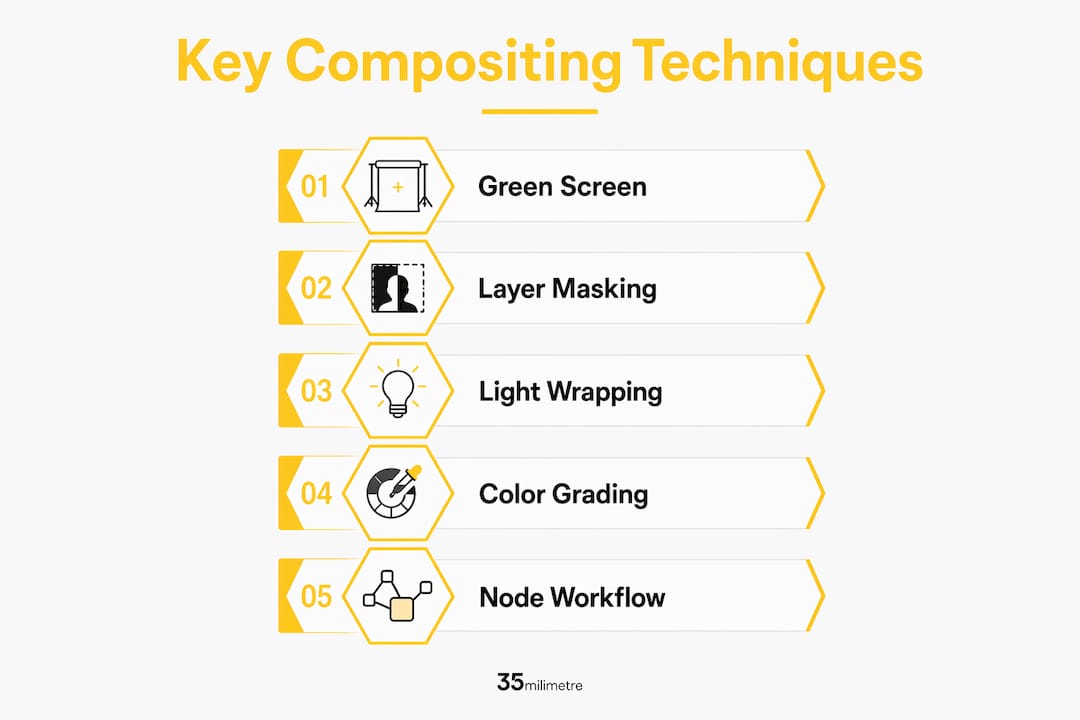
- Green screen and blue screen keying — The most recognized technique. A subject is filmed against a solid color background, which is then removed digitally and replaced with any environment. Film productions like those from Marvel Studios and advertising campaigns for automotive brands use keying constantly.
- Rotoscoping — Frame-by-frame masking of a subject to isolate it from its background. Rotoscoping is slower than keying but produces cleaner edges, especially when no controlled background was available during the shoot.
- Multi-pass compositing — Professional compositors rebuild CG images from multiple render passes including diffuse, specular, shadow, and reflection layers. Each pass is adjusted independently, giving fine control over how light and shadow behave across the final image.
- Color matching and grading — Matching the color temperature, contrast, and saturation of separate elements so they appear to exist in the same light. Without this step, even technically perfect composites look artificial.
- Light wrapping — A technique that blends background light softly onto the edges of foreground elements. It prevents the "pasted-on" look that exposes a composite as fake.
| Technique | Best use case | Skill level |
|---|---|---|
| Green screen keying | Controlled studio shoots | Intermediate |
| Rotoscoping | Footage without clean backgrounds | Advanced |
| Multi-pass compositing | CGI and 3D render integration | Advanced |
| Color matching | Any multi-element composite | Intermediate |
| Light wrapping | Photorealistic foreground/background blending | Advanced |
Node-based workflows, used in tools like Nuke and Blender's compositor, organize these techniques as a visual network of operations. Each node performs one function, and you can adjust any step without affecting the rest of the chain. This structure is what makes professional compositing both powerful and repeatable.
Pro Tip: Always apply light wrapping as one of your final steps. Adding it too early in your node tree can make it harder to adjust color grades applied later, which forces unnecessary rework.
How does compositing improve workflow efficiency for creatives?
The workflow advantages of compositing are as significant as the visual ones. Non-destructive, node-based workflows let creatives make iterative adjustments without losing previous work or degrading image quality. This flexibility is critical in professional post-production pipelines where client feedback arrives in rounds and revisions are constant.
Working with separate render passes is one of the most practical benefits. When a client requests a change to the shadow depth or the reflection intensity on a 3D product render, a compositor using multi-pass layers can adjust those elements independently without re-rendering the entire scene. That single capability can save hours on a single revision cycle. Across a full campaign with multiple assets, the time savings compound quickly.
- Adjust lighting, shadows, and reflections without re-rendering from scratch
- Swap backgrounds or environments in minutes rather than hours
- Correct color space mismatches between elements at any stage
- Deliver multiple versions of the same visual for different formats or markets
- Maintain a clean revision history through node-based organization
Building a high-efficiency workflow for ad agency visuals depends heavily on this kind of structured compositing approach. When every element lives on its own layer or pass, the entire team can work faster, with fewer errors and cleaner handoffs between artists.
Digital compositing also eliminates the quality degradation that plagued pre-digital methods. Digital matting avoids halos and edge artifacts found in analog compositing and allows complex multi-layered images without any loss in image quality. The result is pixel-perfect alignment across every element in the frame.
What challenges must artists navigate for believable composites?
The most common misconception in compositing is that you can "fix it in post" regardless of what happened on set. Success depends on consistent color space, black levels, and contrast across every element from the start. A compositor can do extraordinary work, but they cannot manufacture information that was never captured. Proper planning on set is not optional — it is part of the compositing process.
Lens characteristics are one of the most overlooked details. Real cameras produce distortion, chromatic aberration, film grain, and depth-of-field blur. When CG elements are added to live footage, those elements are mathematically perfect by default. Adding lens imperfections to CG layers to match the live-action footage is what separates a believable composite from one that looks artificial despite correct lighting and color.
"The best compositing is invisible. When an audience notices the effect, the illusion has already failed. The goal is not to impress with technique — it is to make the viewer forget technique exists."
Light wrapping addresses another common failure point. Without it, foreground elements sit on top of backgrounds rather than existing within them. The technique uses alpha matte manipulation to wrap background light into the edges of the foreground subject. The result is that both elements appear to share the same light source, which is the single most convincing signal of a real photograph.
Color space management is the technical discipline that holds all of this together. Working in a consistent color space, such as ACES or a linear workflow, across every element prevents subtle shifts in tone that accumulate across layers. These shifts are often invisible on individual elements but become obvious in the final composite. Catching them early, before the final grade, saves significant rework.
Key Takeaways
Compositing is the single most powerful tool for expanding creative control in visual production, combining separate elements into unified, photorealistic images that no single camera shot can achieve.
| Point | Details |
|---|---|
| Core definition | Compositing merges separate visual elements into one unified, controlled image. |
| Storytelling power | It enables visuals impossible to capture in reality, expanding narrative and marketing options. |
| Technique variety | Methods like keying, rotoscoping, and light wrapping each solve specific integration challenges. |
| Workflow efficiency | Node-based, multi-pass workflows allow targeted revisions without re-rendering entire scenes. |
| Technical discipline | Matching color space, lens artifacts, and lighting across elements is what makes composites believable. |
What 20 years of compositing has taught us at 35milimetre
The thing most people get wrong about compositing is that they treat it as a rescue operation. They shoot first, plan loosely, and expect post-production to solve problems that were created on set. After more than two decades of work at 35milimetre, we can tell you that the best composites start with the most deliberate setups. The compositor's job is not to fix bad footage. It is to take well-prepared elements and make them indistinguishable from reality.
We have also seen the industry shift dramatically toward hybrid workflows, where 3D renders, AI-generated elements, and live photography all end up in the same composite. That complexity makes technical consistency even more critical. A single element with the wrong color profile can throw off an entire image, and tracking that down across 20 render passes is not where you want to spend your time.
The other lesson that took years to fully absorb: the invisible details matter most. Chromatic aberration, subtle grain, the faint glow of a background light wrapping around a subject's shoulder — these are the things audiences never consciously notice. But remove them, and something feels off. The craft of compositing lives in those details. Mastering them is what separates work that looks produced from work that looks real.
For anyone building their compositing skills, our advice is to study real photographs obsessively. Learn how light actually behaves. Then learn how to fake it convincingly. Those two skills, combined with a disciplined node-based workflow, will take you further than any software tutorial. You can find more on visual storytelling through post-production in our blog.
— 35mm
How 35milimetre can take your compositing further
Professional compositing requires more than software knowledge. It demands years of experience matching light, color, and lens characteristics across complex multi-element scenes.

At 35milimetre, our team of post-production artists, 3D specialists, and graphic designers handles the full compositing pipeline for commercial and creative projects. From CGI product integration to full-scale advertising campaigns, we deliver expert visual post-production that meets the standards of major technology and automotive brands. Whether you are working with a raw photography set or a fully rendered 3D scene, we bring the technical precision and artistic judgment to make every element feel like it belongs. Reach out to explore what professional compositing can do for your next project.
FAQ
What is compositing in visuals?
Compositing is the process of combining multiple visual elements from different sources into a single, unified image. It is used across film, advertising, digital art, and marketing to create visuals that could not be captured in a single photograph or shot.
What are the main benefits of compositing for marketers?
Compositing reduces physical production costs, gives full control over backgrounds and lighting, and allows rapid iteration across multiple asset versions. It lets marketing teams produce high-quality imagery without expensive location shoots or large production crews.
What tools do professional compositors use?
Professional compositors commonly work in Nuke, Adobe After Effects, and Blender's node-based compositor. Each tool supports multi-pass workflows and non-destructive editing, which are standard requirements in commercial post-production.
Why does light wrapping matter in compositing?
Light wrapping blends background light softly onto the edges of foreground elements, preventing the "pasted-on" look that exposes a composite. Without it, even technically correct composites fail to look like a single, unified photograph.
Can compositing fix problems from a bad shoot?
Compositing can correct many issues, but success depends on consistent color space and contrast across all elements from the start. Poor set planning creates limitations that even skilled compositors cannot fully overcome.