
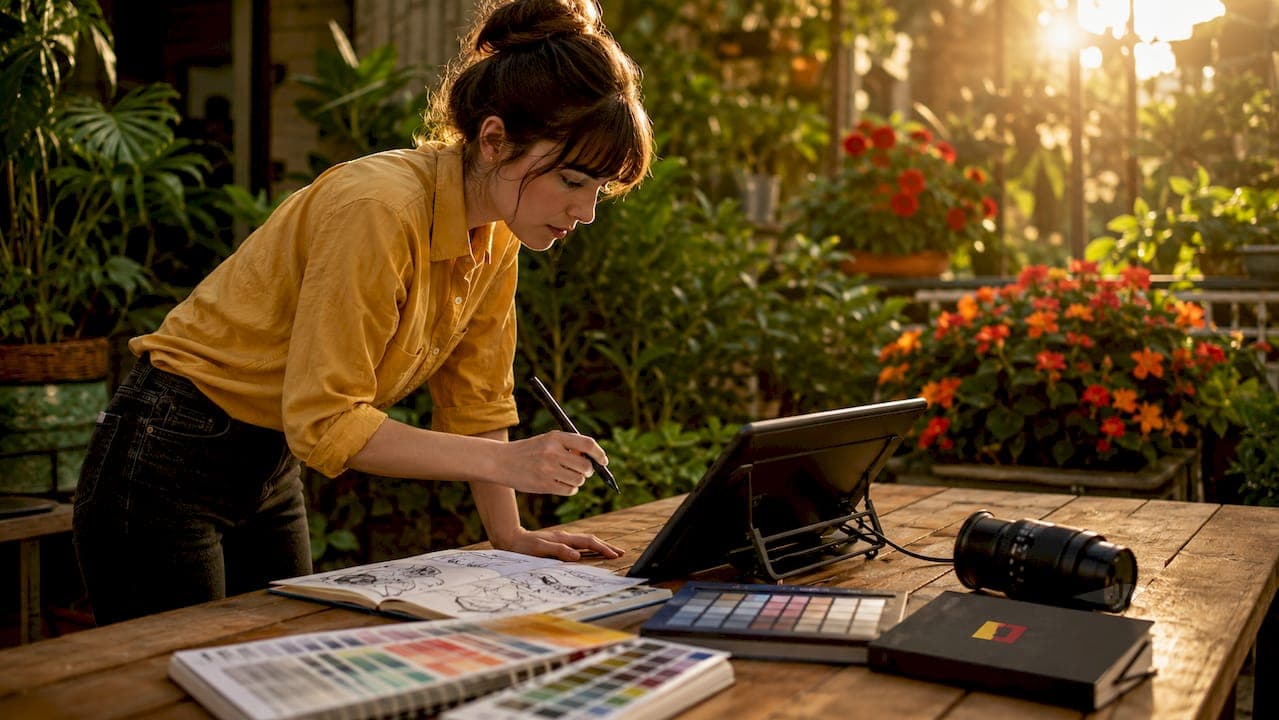
Creative image editing is defined as the artistic process of transforming and enhancing photographs or digital images to craft compelling visual narratives through techniques such as compositing, color grading, masking, and AI-assisted manipulation. It goes well beyond basic corrections like exposure or white balance. Where standard retouching fixes flaws, creative editing builds worlds. Tools like Adobe Photoshop, Google Gemini, and Lightroom sit at the center of this practice, giving artists the means to blend imagination with reality and produce imagery that communicates mood, story, and concept in a single frame. For creative professionals, understanding this discipline is the foundation of every strong visual project.
What is creative image editing and why does it matter?
Creative image editing, known in professional circles as photo manipulation or post-production compositing, is the deliberate reshaping of an image's visual reality to serve a specific narrative or aesthetic goal. It is not a corrective process. It is a constructive one. A retoucher fixes a blemish; a creative editor builds a cinematic sky from three separate photographs, matches their light sources, and grades the result to feel like a single moment captured at golden hour.
The distinction matters because it changes how you approach every project. Advertising campaigns, editorial spreads, and brand identity visuals all depend on creative editing to carry emotional weight that a straight photograph rarely achieves on its own. One still frame must stand in for an entire physical experience, and the editing is what makes that possible. Artistic image enhancement at this level requires both technical fluency and a clear visual concept before you open a single file.
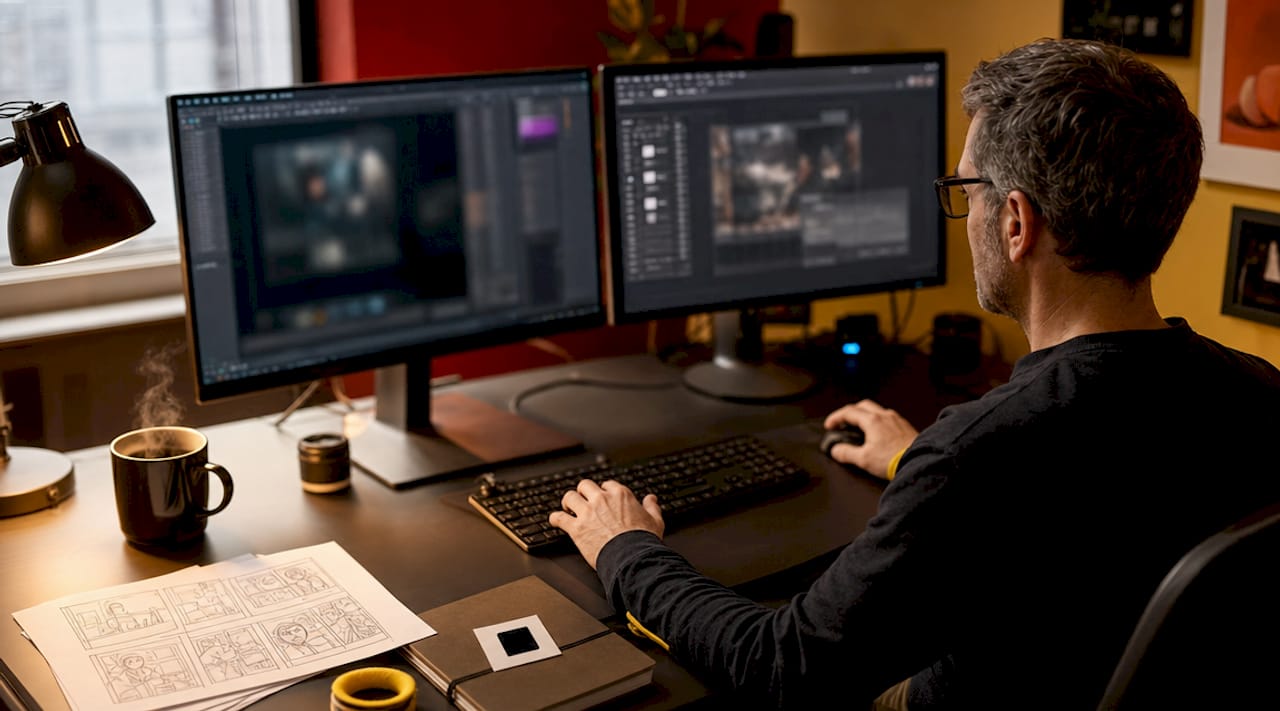
Creative editing also draws from disciplines well outside photography. Artists take inspiration from film color science, video game concept art, and graphic design to develop styles that feel genuinely original. That cross-disciplinary thinking is what separates work that looks polished from work that looks authored.
How do professionals approach creative image editing workflows?
A professional workflow for creative image editing follows a clear sequence, and skipping steps is where most projects go wrong. Here is how experienced artists structure the process.
1. Concept and planning. Before touching any software, define the visual goal. What story does the image tell? What mood should it carry? Sketch the composition if needed. For composites especially, planning perspective and lighting compatibility across source images is non-negotiable. Mismatched horizon lines or conflicting light directions will undermine even technically perfect masking.
2. Asset selection and preparation. Choose source images that share compatible focal lengths, lighting angles, and color temperatures. The closer your raw materials are to the final vision, the less corrective work the editing must carry.
3. Non-destructive editing setup. Open your workspace in Adobe Photoshop and build with named layers and masks from the start. Non-destructive workflows mean every decision stays reversible. Adjustment layers, smart objects, and layer groups keep the file organized and allow fine-tuning at any stage without degrading pixel quality.
4. Compositing and masking. Combine elements using precise selections and layer masks. Blend modes like Multiply, Screen, and Luminosity let you merge textures and light effects without harsh edges. Matching the grain structure of composited elements is a small detail that makes a significant difference in realism.
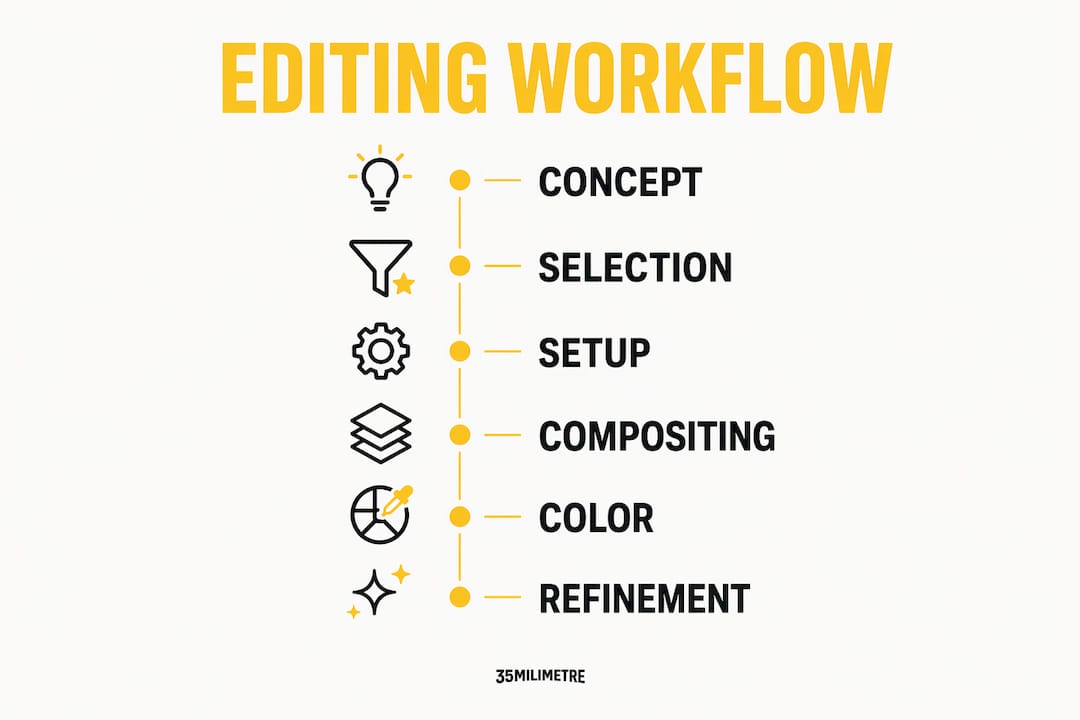
5. Color and light matching. Grade shadows, midtones, and highlights separately for each composited element before applying a global grade to the whole image. This is the step most beginners skip, and it is the reason their composites look assembled rather than captured.
6. Final refinement and output. Review at 100% zoom for artifacts, halo edges, or inconsistent noise. Export according to the delivery specification, whether that is a high-resolution TIFF for print or an optimized JPEG for digital.
Pro Tip: Name every layer as you create it. A file with 60 layers labeled "Layer 1" through "Layer 60" will cost you an hour of confusion during revisions. A file with layers named "sky base," "foreground shadow," and "color grade" takes 30 seconds to navigate.
What advanced techniques and tools enable creative photo manipulation today?
Advanced creative editing sits at the intersection of manual craft and AI-assisted speed. Understanding both gives you the flexibility to choose the right tool for each stage of a project.
AI-assisted editing has matured significantly. Google Gemini enables fast, prompt-driven edits including background removal, object replacement, and relighting, with typical workflows completing in minutes rather than hours. Photoshop's Generative Fill uses Adobe Firefly to extend backgrounds, remove objects, and generate contextually accurate fill content directly on a layer. These tools excel at concept exploration and rapid iteration. Their limitation is precision. For production-ready, high-resolution commercial work, pixel-level control still belongs to manual techniques in Photoshop.
Manual color grading remains the most powerful tool for mood. Grading shadows, midtones, and highlights with separate Curves or Color Balance adjustments creates depth that global filters cannot replicate. A cool shadow tone paired with a warm highlight creates the kind of cinematic contrast you recognize from feature films.
Conceptual compositing combines multiple photographs into surreal or narrative scenes. This technique powers advertising campaigns, album covers, and editorial photography alike. The key is not technical complexity but visual coherence. Every element must feel like it belongs to the same world.
Here is a comparison of the two primary editing approaches for creative work:
| Approach | Strengths | Best for |
|---|---|---|
| AI-assisted (Gemini, Generative Fill) | Speed, concept exploration, ease of use | Ideation, quick iterations, background work |
| Manual (Photoshop, Lightroom) | Precision, full control, production quality | Final output, commercial delivery, complex composites |
Selective adjustments for grain, clarity, and color manipulation help guide the viewer's eye without announcing themselves. Selective masking for grain or dehaze adjustments shifts mood subtly, keeping the main subject sharp while softening peripheral areas. This technique is used constantly in editorial and beauty retouching.
Pro Tip: When using AI tools like Google Gemini or Generative Fill, break complex edits into separate, sequential prompts rather than one all-in-one instruction. Stepwise AI editing produces cleaner, more controllable results every time.
How to maintain authenticity and subtlety in creative edits?
The most common mistake in creative editing is doing too much. Over-editing reduces artistic impact because it draws attention to the process rather than the story. When a viewer notices the editing before they notice the image, the communication has failed.
Professionals who consistently produce compelling work share one habit: they edit to enhance what is already present, not to replace it. Avoiding the over-edited look produces more authentic, engaging photographs. This means preserving fine detail in skin, fabric, and texture rather than smoothing everything to a digital finish. It means using color grades that feel like a natural consequence of the light rather than a filter applied afterward.
Several specific techniques support this philosophy:
- Selective clarity adjustments sharpen only the areas that need visual emphasis, leaving softer regions to recede naturally and create depth.
- Targeted grain application adds film-like texture to composited elements so they match the noise structure of the base image, making the join invisible.
- Tone mapping for nuance compresses dynamic range in a way that feels organic rather than HDR-processed, preserving the tonal relationships that make an image feel real.
- Narrative-driven color choices tie every grade decision back to the story. If the image is meant to feel cold and isolated, the grade should support that. If it should feel warm and intimate, the shadows should carry a hint of amber.
For guidance on visual storytelling authenticity, editorial photographers consistently emphasize that restraint is a skill, not a limitation. The goal is always to serve the image's narrative, not to demonstrate technical range. Creative editing styles that prioritize mood and coherence over visual complexity tend to age better and communicate more clearly across different audiences and media.
What are practical applications of creative image editing in professional media?
Creative image editing applies across a wider range of professional contexts than most people initially consider. Advertising is the most visible application. Automotive campaigns, for example, routinely composite vehicles into environments that were photographed separately, then grade the entire scene to match a specific brand tone. Technology product launches use creative editing to place devices in lifestyle contexts that communicate aspiration without a single location shoot.
Editorial photography uses creative editing to amplify the emotional register of documentary images. A portrait graded with split tones and selective clarity tells a different story than the same image with a flat correction. The editing becomes part of the editorial voice. For post-production in visual storytelling, the creative edit is not decoration. It is content.
Branding and packaging design depend on artistic image enhancement to create product visuals that perform in digital environments. A product photograph that looks accurate in a studio often looks flat on a white e-commerce background. Creative editing adds shadow, depth, and environmental context that makes the product feel tangible to an online buyer.
Personal projects and portfolio development benefit from creative editing because they give artists the freedom to experiment without client constraints. Developing a recognizable editing style through personal work is how most professional retouchers build the visual identity that attracts commercial clients. Social media platforms reward visual consistency, and a defined creative editing style is the most direct path to that consistency.
Pro Tip: For portfolio work, pick one creative editing style and execute five to ten images in that style before moving on. Depth of practice in a single direction builds skill faster than experimenting with a different approach on every image.
Key takeaways
Creative image editing is the practice of building visual narratives through compositing, color grading, and selective manipulation, where subtlety and narrative coherence consistently outperform technical complexity.
| Point | Details |
|---|---|
| Definition and scope | Creative editing transforms images into visual narratives, going well beyond basic correction or retouching. |
| Non-destructive workflow | Named layers, masks, and smart objects are the foundation of every professional-grade creative edit. |
| AI vs. manual tools | AI tools like Gemini accelerate ideation; Photoshop delivers the precision required for commercial output. |
| Subtlety as craft | Selective grain, targeted clarity, and narrative-driven color grades produce more compelling results than heavy-handed effects. |
| Broad application | Advertising, editorial, branding, and personal portfolio work all depend on creative editing to communicate mood and story. |
Why subtlety is the hardest skill to teach in creative editing
After more than two decades working in post-production at 35milimetre, the single observation that holds true across every project is this: the edits that move people are almost always the ones you cannot fully explain. A viewer looks at a finished composite and feels something. They do not see the 47 layers, the separate color grades for each element, or the three hours spent matching grain structure. They just feel like the image is real.
That invisibility is the goal, and it is genuinely difficult to teach. Most artists learn restraint the hard way, by over-editing work, presenting it, and watching the reaction fall flat. The technical skills come relatively quickly with practice. The judgment about when to stop takes years.
We have watched the AI tools mature rapidly over the past year, and we use them regularly now for concept exploration and background work. They are genuinely useful. But we have also noticed that the artists who get the most out of AI assistance are the ones who already have strong manual editing foundations. They know what a good composite looks like, so they know when the AI output needs correction and when it is ready to use. The role of AI in creative studios is growing, but it amplifies skill rather than replacing it.
The advice we give to anyone serious about this craft: spend time on manual techniques first. Learn to match light by eye. Grade a composite until it looks like a single photograph. Build that foundation, and every tool you pick up afterward, AI or otherwise, will produce better results because of it.
— 35mm
Take your creative vision further with professional post-production
When a project demands more than your current workflow can deliver, working with a specialist studio changes the outcome.
At 35milimetre, we bring over two decades of hands-on experience in compositing, retouching, and creative post-production to every project we take on. Whether you are an ad agency building a campaign, a photographer looking to push a series further, or a brand that needs imagery that genuinely stands out, our team handles the full production pipeline. From concept to final delivery, we work closely with clients to make sure the editing serves the story. Explore our professional retouching and post-production services and see what a dedicated post-production partner can do for your visual work.
FAQ
What is creative image editing in simple terms?
Creative image editing is the process of artistically transforming photographs or digital images through techniques like compositing, color grading, and masking to tell a visual story or convey a specific mood, going well beyond basic photo correction.
What tools are used for creative photo manipulation?
Adobe Photoshop is the industry standard for professional compositing and pixel-level control, while AI tools like Google Gemini and Photoshop's Generative Fill accelerate concept exploration and background work with prompt-driven edits.
How do I edit images creatively without over-editing?
Work non-destructively with layers and masks, apply adjustments selectively rather than globally, and grade shadows, midtones, and highlights separately. The goal is to enhance the image's existing qualities rather than replace them with effects.
What are the most important advanced image editing techniques?
Conceptual compositing, separate tonal color grading, selective clarity and grain application, and non-destructive layer management are the techniques that most consistently separate professional-grade creative edits from amateur work.
How does creative editing differ from standard photo retouching?
Standard retouching corrects flaws and improves technical quality. Creative editing constructs a visual narrative, often combining multiple images, applying cinematic color grades, and using artistic image enhancement to produce a result that communicates mood and story beyond what the original photograph captured.