

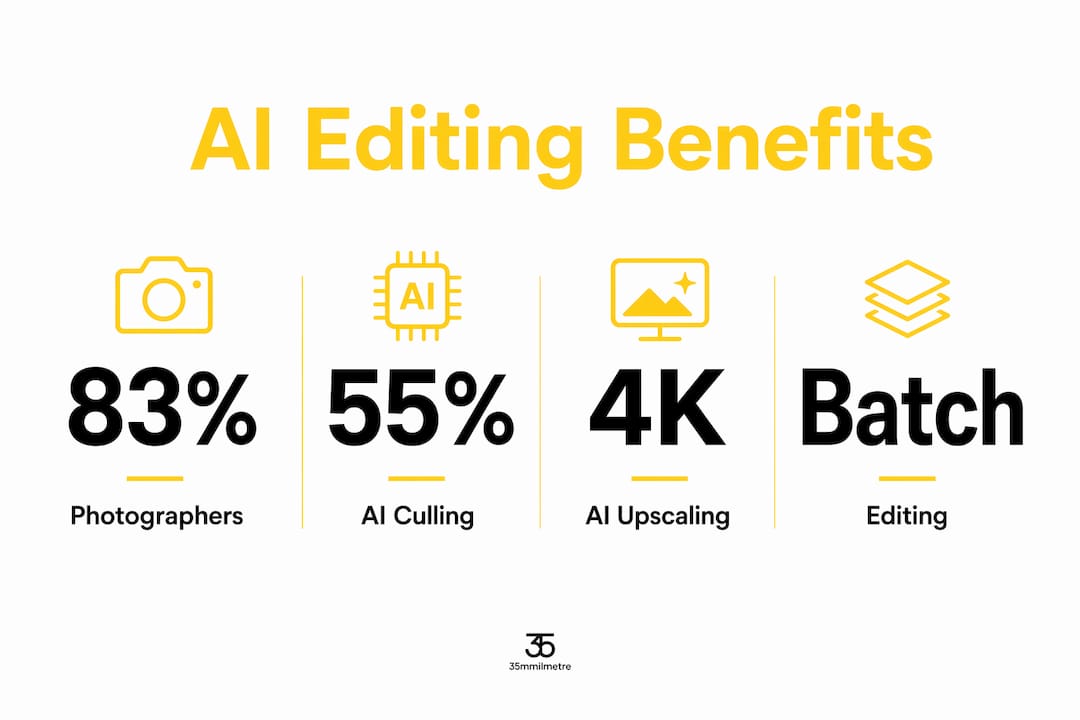
Artificial intelligence in image editing is defined as the application of machine learning models to automate, enhance, and accelerate visual post-production tasks that once required hours of manual work. The role of AI in image editing has moved well past novelty. 83% of photographers now incorporate AI into their workflows, with 68% of professionals using it at least weekly. That number signals a profession-wide shift, not a trend. For digital artists, graphic designers, and marketers, AI is now the most consequential change to hit post-production since the move from darkrooms to digital. At 35milimetre, we have spent the past year expanding our AI capabilities precisely because the tools have reached a level of maturity that makes them genuinely useful on commercial projects.
How does AI automate and enhance core image editing tasks?
AI editing tools handle the most time-consuming parts of post-production by recognizing patterns across thousands of images and applying corrections at a speed no human can match. The industry term for this process is AI inference, where a trained neural network predicts the best adjustment for a given pixel region based on learned visual data. That is fundamentally different from traditional rule-based filters, which apply the same math regardless of image content.
The most direct application is culling and batch editing. 55% of photographers use AI specifically for editing, culling, and post-production automation. AI culling tools score images by sharpness, exposure, and expression, cutting a 500-shot shoot down to the top 80 selects in minutes rather than hours.
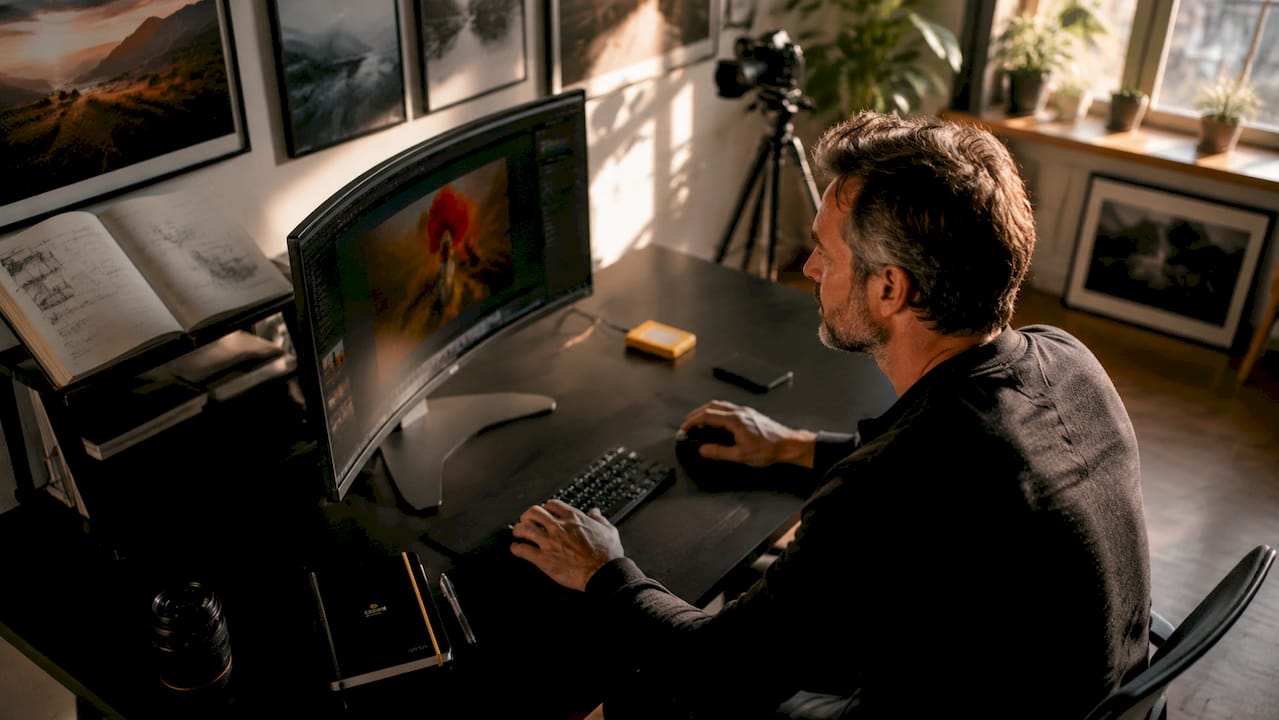
AI upscaling is another area where the technology genuinely outperforms older methods. Advanced AI upscaling reconstructs fine texture and sharpness at the pixel level, enabling enlargement up to 4K or 56MP without blur. Traditional bicubic resampling simply interpolates between existing pixels. AI prediction preserves natural edges and detail, making the output print-ready in a way that older upscaling never could.
Color correction, exposure adjustment, and AI image retouching follow the same logic. The model reads the scene, identifies skin tones, sky regions, or product surfaces, and applies targeted corrections. The result is consistent across an entire batch without the drift that comes from manual editing fatigue.
- Culling: AI scores and ranks images by technical quality, reducing selection time dramatically.
- Batch color grading: One reference edit applied consistently across hundreds of frames.
- AI upscaling: Resolution enhancement without quality loss, suitable for large-format print.
- Retouching: Skin smoothing, object removal, and background replacement guided by scene understanding.
- Exposure and tone mapping: Automatic adjustments that respect the image's original mood.
Pro Tip: Before adopting any AI editing feature, map it to a specific bottleneck in your current workflow. AI culling saves the most time on high-volume shoots. AI upscaling matters most when a client needs a web image repurposed for print. Matching the tool to the problem prevents you from adding complexity without gaining speed.
How is the creative professional's role evolving alongside AI?
AI shifts the creative role rather than eliminating it. AI reduces time spent on routine retouching, freeing photographers and designers to focus on directing, composing, and building client relationships. The professional's value moves upstream, toward creative judgment and vision, not downstream toward pixel-level corrections.
The distinction between AI assisting and AI generating matters enormously here. When AI removes a distracting background or smooths a product surface, the creative made every meaningful decision. When AI generates an entirely new image from a text prompt, authorship becomes genuinely ambiguous. Most professional workflows sit firmly in the first category, where the human directs and the machine executes.
Data privacy is a real concern that many designers overlook. Local AI processing protects client data and adapts AI learning to user-specific editing patterns rather than broad public datasets. Cloud-based AI tools send image data to external servers, which creates exposure for confidential client work. For studios handling brand assets or unreleased product photography, local processing is not optional.
"The camera creates. AI assists. The professional's irreplaceable contribution is the creative intent behind every frame. AI tools that respect that boundary earn their place in the workflow. Those that blur it create more problems than they solve."
AI-enhanced studio workflows that integrate iteration and client collaboration show the clearest return. Real-time AI-assisted iteration allows designers to present multiple consistent visual variants during a live client feedback session, compressing what used to be a multi-day revision cycle into a single meeting.
Pro Tip: Protect your creative signature by keeping AI in the execution layer. Use it to apply decisions you have already made, not to make decisions for you. The moment AI starts choosing the direction, you lose the authorship that clients are actually paying for.
What practical AI tools are reshaping digital art, graphic design, and marketing visuals?
Prompt-driven local editing is the most significant practical development for design studios right now. Studios using prompt-based AI editing maintain visual consistency and accelerate client iteration cycles without regenerating entire scenes. A designer can isolate a product's surface, change its material finish, and preview the result in seconds. That kind of targeted, consistent change used to require a full compositing session.
For product photography and advertising, AI image enhancement has become a production standard. Marketers running campaigns across multiple formats need the same hero image to work at social media resolution, billboard scale, and e-commerce thumbnail size. AI upscaling and format adaptation handle that without a separate shoot for each output size.
AI-generated moodboards and animated photos help photographers and clients visualize concepts before a shoot begins. These tools improve client communication and reduce the number of reshoots caused by misaligned expectations. A moodboard built with AI-generated reference images communicates a visual direction far more clearly than a written brief.
| AI capability | Primary use case | Workflow benefit |
|---|---|---|
| AI culling | High-volume shoots | Cuts selection time from hours to minutes |
| Prompt-driven local editing | Product and advertising visuals | Fast, targeted changes without full re-renders |
| AI upscaling | Print and large-format output | Enlarges images to 4K or 56MP without quality loss |
| Batch color grading | Campaign consistency | Uniform look across hundreds of images |
| Moodboard generation | Pre-production planning | Aligns client expectations before the shoot |
Scalability is where AI's impact on AI-driven graphic design becomes most visible. Batch AI editing combined with creative oversight maximizes output quality while reducing repetitive labor. For a marketing team producing 200 product images per week, that combination is the difference between a sustainable workflow and a constant backlog. You can read more about AI enhancement techniques that apply directly to these production scenarios.
Pro Tip: For agencies managing large visual libraries, the ROI on AI batch editing compounds quickly. AI tools for agencies show measurable productivity gains when applied to repetitive visual tasks. Start with your highest-volume, most repetitive editing task and measure time saved before expanding AI use across the full pipeline.
What are the limitations and ethical considerations of AI in image editing?
AI has real limits in complex creative decision-making. A model trained on existing images cannot invent a genuinely new visual language. It can recombine, refine, and accelerate, but the original creative direction still requires a human with taste, context, and a client relationship.
Data harvesting is the most underreported risk in AI editing adoption. Many cloud-based AI tools use uploaded images to retrain their models. For a studio handling unreleased automotive designs or confidential brand campaigns, that is an unacceptable exposure. Transparency about data usage is a non-negotiable requirement when evaluating any AI editing tool for professional use.
Authorship and originality raise harder questions. When an AI generates a background, retouches a face, or creates a product variant, who owns the result? Current copyright frameworks in most jurisdictions do not protect purely AI-generated content. Professionals who use AI as an execution layer, applying their own creative decisions, maintain clearer ownership than those who rely on AI for generative output.
Responsible AI use in professional environments comes down to three practices. First, choose tools with clear, published data policies. Second, keep generative AI in the concept phase, not the final deliverable. Third, document your creative decisions so the human contribution to any image is clear and defensible.
- Evaluate data policies before connecting any client image to a cloud AI service.
- Separate AI-assisted editing from AI-generated content in your client contracts.
- Maintain a creative brief for every project so your directorial decisions are documented.
- Audit AI outputs before delivery. Models make confident mistakes that a trained eye catches immediately.
Pro Tip: Ask every AI tool vendor one direct question: "Does my uploaded content train your model?" If the answer is yes or unclear, use a local processing alternative for any client work that is not yet public.
Key Takeaways
AI in image editing is most valuable when it executes human creative decisions at scale, not when it replaces the judgment behind those decisions.
| Point | Details |
|---|---|
| AI adoption is widespread | 83% of photographers use AI in their workflows, making it a professional standard, not an experiment. |
| Upscaling quality is genuinely superior | AI upscaling preserves edge detail and texture at 4K or 56MP, outperforming traditional bicubic resampling for print output. |
| Local processing protects client data | AI tools that process images locally prevent data exposure and adapt to your specific editing patterns over time. |
| Prompt-driven editing accelerates iteration | Targeted, prompt-based edits maintain visual consistency and compress multi-day revision cycles into a single session. |
| Authorship stays with the creative | AI works best in the execution layer. Creative direction, client judgment, and original vision remain the professional's core value. |
AI as a collaborator, not a replacement: our view at 35milimetre
We have been working with AI-enhanced workflows at 35milimetre for over a year now, and the clearest lesson is this: the studios that get the most from AI are the ones that already have strong creative processes. AI amplifies what you bring to it. If your brief is vague and your retouching decisions are inconsistent, AI will scale that inconsistency efficiently.
The tools that have earned a permanent place in our pipeline are the ones that handle execution without touching direction. AI culling, batch color grading, and upscaling fit that description exactly. Generative AI for final client deliverables is a different conversation, one we approach with more caution and always with explicit client awareness.
The future of AI in editing will not look like a single tool that does everything. It will look like a collection of specialized models, each trained for a specific task, integrated into a workflow that a skilled creative controls. The professionals who thrive will be the ones who understand what each model does well and where human judgment is still the only reliable option.
For designers and marketers reading this, the practical advice is simple. Pick one AI capability that addresses your biggest current bottleneck. Learn it deeply. Measure the time it saves. Then expand from there. Wholesale adoption without that discipline produces noise, not efficiency.
— 35milimetre
Professional post-production that puts AI to work for your visuals
35milimetre integrates AI-enhanced workflows into every stage of commercial post-production, from high-volume batch retouching to compositing and CGI for major brand campaigns.

Our team of post-production artists, graphic designers, and 3D artists uses AI as a production layer, not a shortcut. That means faster turnaround on large image sets without sacrificing the quality that technology and automotive clients expect. Whether you need professional retouching services for a product launch, a full compositing build, or AI-enhanced imagery that holds up at billboard scale, 35milimetre delivers work that stands out. Explore our post-production ideas to see how we approach visual storytelling for brands that need more than a standard edit.
FAQ
What is the role of AI in image editing?
AI in image editing automates repetitive tasks like culling, color correction, and retouching while enhancing image quality through techniques like upscaling. It acts as an execution layer that speeds up post-production without replacing the creative decisions behind it.
Does AI replace photographers and graphic designers?
AI does not replace creative professionals. It shifts their role toward creative direction and client collaboration by reducing time spent on manual editing tasks, which expands rather than shrinks the professional's contribution.
How does AI upscaling differ from traditional methods?
AI upscaling reconstructs fine texture and edge detail at the pixel level, enabling enlargement to 4K or 56MP without blur. Traditional bicubic resampling interpolates between existing pixels and loses detail at high magnification.
Is cloud-based AI editing safe for client work?
Cloud-based AI tools send image data to external servers, which creates risk for confidential client assets. Local AI processing protects client data and adapts to your specific editing patterns without exposing images to third-party servers.
How do I start using AI in my editing workflow?
Identify your highest-volume, most repetitive editing task and apply a single AI tool to that task first. Measure the time saved before expanding AI use across your full pipeline.