
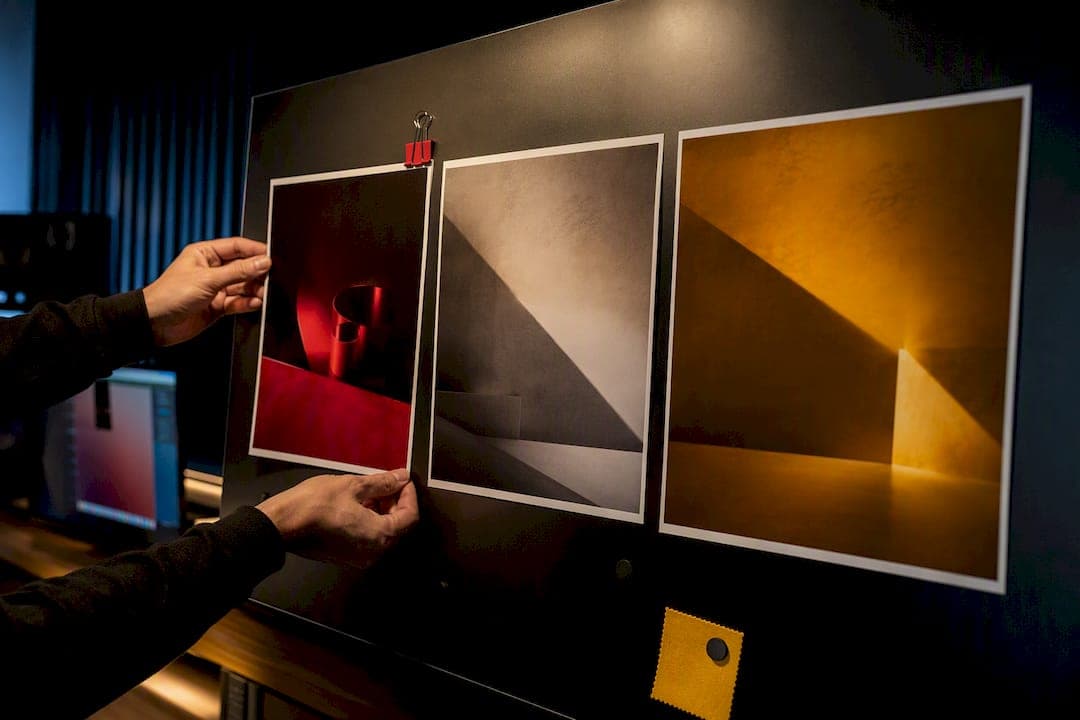
A styleframe is a single, finished-quality image that locks a campaign's visual language before production starts, and using it after your storyboard is what saves budget and prevents rework. It defines color, type, lighting, and composition so everyone signs off on the look, not the motion. This guide covers how to build them, how many you need, and how to pitch them so approvals actually stick.
TL;DR:
- Most campaigns only require two to three styleframes, with additional frames necessary only for major visual shifts or specific channel adjustments.
- Building a styleframe should focus on the hero image that best represents the campaign's feel, color, typography, and lighting fundamentals.
- Present styleframes with multiple contextual mockups and clear, specific approval requests to streamline feedback and avoid unnecessary revisions.
- Tight deadlines benefit from minimal deliverables, with a focus on visuals that showcase the most visual risk to ensure faster approval.
- Incorporating AI tools can accelerate production, especially for backgrounds and variations, but human design judgment remains crucial for key visual elements.
Table of Contents
- What Is a Styleframe, and How Does It Differ From a Storyboard or Moodboard?
- How Many Styleframes Does a Campaign Actually Need?
- How Do You Build a Campaign-Ready Styleframe?
- How Do You Present Styleframes to Get Useful Feedback?
- A Studio's Take on What Actually Holds Up Under Deadline
- When Restraint Wins Over Spectacle
- How 35milimetre Turns Styleframes Into Campaign-Ready Assets
- Where to Study Real Styleframe Examples
- Sources
- FAQ
What Is a Styleframe, and How Does It Differ From a Storyboard or Moodboard?
A styleframe is a single still image rendered to full visual quality that fixes a project's look before anyone touches animation or shoots a frame. That fidelity is the whole point. A rough version invites feedback on the wrong things, like line weight or a placeholder logo, instead of the decisions that actually matter.
Storyboards, moodboards, and styleframes solve three different problems, and mixing them up wastes review cycles.
- Moodboard: a loose collage of references that establishes mood, energy, and rough visual territory. Nobody approves final color here.
- Storyboard: a sequence of rough panels that locks story beats, pacing, and shot order. It answers "what happens," not "what does it look like."
- Styleframe: a single, finished frame that locks color palette, typography, lighting, and composition. It answers "what does this campaign actually look like."
The workflow order matters as much as the artifacts themselves. Moodboards come first to align on territory, storyboards come next to lock story structure, and styleframes come last, right before you commit to full production. Skipping straight from moodboard to production is how teams end up relitigating color choices halfway through a shoot. Our earlier piece on the role of storyboards in advertising campaigns goes deeper on that handoff.
How Many Styleframes Does a Campaign Actually Need?
Campaign work rarely needs a large deck of frames, and producing too many is often the real problem. A small set of two to three styleframes usually covers a short spot, because the count should track how often the visual language genuinely shifts, not how long the piece runs.
- Short-form spots: a few frames, typically the hero moment, a supporting beat, and an end card or logo lockup.
- Longer-form or multi-scene work: one frame per distinct visual section, for example a new location or lighting setup, but not every simple camera move.
- Multi-channel campaigns: add frames only where a channel forces a real visual change, like a different crop or composition, not just resized versions.
- Localized rollouts: add extra frames only if language length or cultural context requires layout changes, not just for translated copy.
Sequence matters more than volume. Lock the storyboard first, then move into styleframes once story beats are approved, then move into full production once the frames themselves are signed off. Building styleframes before the storyboard is settled almost always means redoing them once the story shifts.
How Do You Build a Campaign-Ready Styleframe?
Start with the hero moment, the single frame that has to justify the entire visual direction on its own. If a stakeholder saw only this one image, it should tell them what the campaign feels like, who it's for, and why the visual choices work. Pick the frame with the most visual complexity, usually where product, talent, and environment intersect, because if the system holds up there, it holds up everywhere else.
From there, resolve the fundamentals inside that single frame:
- Color palette: lock primary, secondary, and accent colors, and check contrast ratios so type stays legible against every background you plan to use.
- Typography: pick the display and body pairing now, not during production, and test it at the smallest size the campaign will actually run.
- Composition: build for hierarchy and motion-readiness, respecting safe zones for the eventual aspect ratios (9:16, 1:1, 16:9) even in a still frame.
- Lighting and texture: render depth convincingly, whether that means photographic light falloff or a graphic shadow system, because flat lighting is the fastest way to make a frame look unfinished.
- Recurring graphic device: define one repeatable element, a shape, a texture, a framing device, and test whether it still reads once you drop it into a different composition.
Production toolchains vary by look. Photographic and CGI-heavy frames often move through Cinema 4D with Octane or Redshift for rendering, then into After Effects for compositing, while type-led or illustrative frames may stay entirely inside a design tool. Match the tool to the look you're proving, not the other way around.
Pro Tip: Before you open any software, run through the five storytelling questions Motionographer recommends: audience, protagonist, story, mood, and visuals. Answering those in a sentence each keeps the frame anchored to a message instead of becoming a design exercise for its own sake.
Package the handoff with layered source files, a short color and type rationale, and at least one channel mockup so stakeholders see the frame in context, not floating in isolation. Our guide on developing visual assets covers how to scale that single look across formats once it's locked.
How Do You Present Styleframes to Get Useful Feedback?
Package variations side by side rather than one at a time, and show at least one contextual mockup, a phone screen for social, a billboard crop, a landing page hero, so stakeholders judge the frame the way a customer actually will.
Pitch verbally using a tight structure: state the claim (this is the direction), show the evidence (here's why it fits the brief), name the risk (here's what could go wrong with this look), and propose the next step (approve, or approve with one specific change).
- Show, don't narrate. Let the mockups carry the context instead of describing what the audience is supposed to imagine.
- Ask for specific approvals. Request sign-off on palette, type, and hero moment separately, not a single yes/no on the whole frame.
- Separate subjective notes from directional ones. A comment like "make it feel more premium" needs translation into a specific lever, lighting, color saturation, type weight, before it's actionable.
- Set an iteration limit up front. Two rounds of revision is reasonable; a third round usually signals the brief itself needs revisiting, not the frame.
- Document exceptions instead of relitigating them. If a stakeholder overrides a decision against your recommendation, note it and move forward rather than reopening the debate later.
| Sign-off item | What "approved" means |
|---|---|
| Color palette | Primary, secondary, and accent colors locked across all shown contexts |
| Typography | Display and body pairing approved at production size |
| Hero moment | Composition and lighting approved as the campaign's visual anchor |
| Recurring device | Confirmed to hold up across at least two different compositions |
Extended rollouts benefit from turning that locked frame into a broader toolkit. One cross-Europe prebunking campaign built a 52-page social toolkit and localized assets straight off its approved styleframes, which is what kept the rollout consistent across regions instead of drifting market by market.
A Studio's Take on What Actually Holds Up Under Deadline
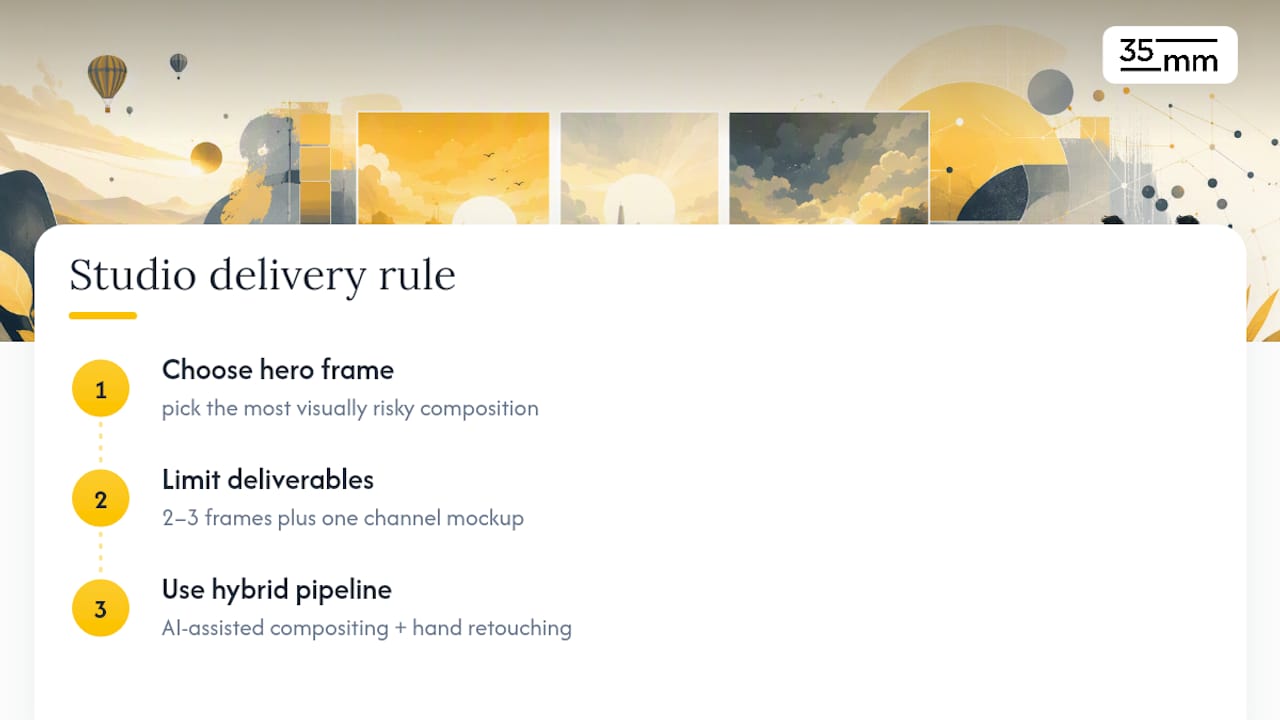
After two decades in post-production, the team at 35milimetre treats the hero frame as a bet: pick the composition with the most visual risk, because if the palette and lighting system survives contact with the hardest shot, everything simpler downstream is safe. Minimal deliverable sets, usually two or three frames plus one channel mockup, tend to get approved faster than large decks, because stakeholders can actually hold the whole direction in their heads at once.
Tight campaign timelines are the norm, not the exception, and knowing how to integrate AI tools for marketers can help speed up production without losing human craft. Getting frames to final quality fast usually means leaning on a hybrid pipeline, AI-assisted compositing for speed on backgrounds and variations, combined with hand-finished retouching where the product or hero subject needs to look flawless.
When Restraint Wins Over Spectacle
A frame that quietly reinforces a brand's voice usually outperforms one that shows off. A soft directional light on a product tells a calmer story than a lens flare stacked on a particle effect, and it reads as intentional rather than decorative. The decision rule is simple: if an effect doesn't change what the audience understands about the brand, cut it.
— 35mm
How 35milimetre Turns Styleframes Into Campaign-Ready Assets
The option for teams who need a locked visual direction turned into finished, channel-ready deliverables without staffing up an internal team. A small core team usually handles the full arc from concept frame to final compositing and 3D rendering, bringing in extra talent when a campaign's scope calls for it. That structure means experienced oversight on every frame, not a hand-off through account layers.

Ad agencies, startups, and photographers commissioning campaign work bring 35milimetre in for photo compositing and retouching, 3D renders, and AI-assisted compositing when timelines are tight, and the studio has built that experience largely across technology and automotive brands where visual precision carries the campaign. If you need a quote on a specific deliverable set, 3D rendering pricing runs $80 to $175 per one-off render, and other project types get a custom quote through the studio's conversion page. Reach out with your storyboard and brief, and the studio will scope the frame count and turnaround from there.
Where to Study Real Styleframe Examples
For technical breakdowns and craft references, browse 24 working-designer styleframes, study the 3D title sequence breakdown for toolchain detail, and check the Behance COPA MUNDIAL frames for a cinematic sports campaign example.
Sources
- What Is a Styleframe? Definition, Examples, and the Build
- EU elections prebunking campaign portfolio
FAQ
What Are Styleframes?
A styleframe is a single, production-quality still image that locks a project's color, typography, lighting, and composition before animation or full production begins.
What Is the Difference Between Style Frames and Storyboards?
A storyboard sequences rough panels to lock story beats and pacing, while a styleframe is one finished-quality image that locks the visual look, color, type, and lighting, that the storyboard's beats will eventually be shot or animated in.
Can You Provide Examples of Styleframes?
Galleries like Styleframe Examples: 24 Frames From Working Designers show a range of approaches, from cinematic photographic looks to type-led graphic frames, and campaign case studies like the EU elections prebunking portfolio show how a single frame extends into a full toolkit.
Will Motion Designers Be Replaced by AI?
AI tools are speeding up parts of the pipeline, like background generation and compositing variations, but the creative judgment behind a hero frame, palette decisions, and campaign storytelling still comes from a human designer directing the process.
How Much Does 35milimetre Charge for Campaign Visuals?
Pricing depends on the deliverable. 3D rendering runs $80 to $175 per render, 3D modeling starts from $175, and services like compositing, retouching, and illustration are quoted per project through the studio's conversion page.