
A render pass, or AOV (Arbitrary Output Variable), is a single component of a rendered image, like diffuse, reflection, depth, or shadow, exported as its own file so you can adjust that one element in compositing instead of re-rendering the whole frame. This distinction changes how a team works day to day:
- Faster iteration — tweak a reflection or shadow in seconds instead of waiting on a full re-render.
- Targeted corrections — fix one problem area in comp without touching anything else.
- Flexible handoffs — deliver OpenEXR multilayer files with Cryptomatte so clients and other artists can make their own calls later.
At 35milimetre, we build almost every commercial CGI job around this principle. It allows teams to cut revision times from hours to minutes.
Key Takeaways
Render passes let compositors adjust individual image components, such as reflections, shadows, or depth, without re-rendering the entire scene.
| Point | Details |
|---|---|
| AOVs are components, not extras | Each pass isolates one element (diffuse, specular, Z-depth) for independent adjustment in comp. |
| Multilayer OpenEXR is the standard | It preserves 32-bit float precision and metadata across every channel in one file. |
| Cryptomatte beats old ID passes | It produces clean, anti-aliased masks automatically for object and material isolation. |
| Enable only what the job needs | Extra AOVs add render time and storage cost without improving the final comp. |
| 35milimetre defaults to EXR plus Cryptomatte | The studio builds client handoffs around this pairing to cut revision turnaround. |
Table of Contents
- What Is a Render Pass in 3D Rendering?
- What Are the Most Common Render Passes?
- What Is the Standard Render-to-Composite Workflow?
- How Do You Combine Render Passes in Compositing?
- What Are the Performance and File-Size Tradeoffs?
- How Do Passes Differ Across Render Engines?
- What Are the Most Common Render Pass Mistakes?
- How Does a Studio Prepare Render Passes for Handoff?
- Why We Default to Multilayer EXR and Cryptomatte
- Get a Compositing Quote From 35milimetre
- Frequently Asked Questions About Render Passes
- Sources
What Is a Render Pass in 3D Rendering?
An AOV, render element, and render pass are largely interchangeable terms for the same idea: a single data stream pulled out of the renderer's internal math, rather than the final blended image. A render layer groups a set of objects or lights so they render as an isolated unit; a multilayer EXR packages many passes into one file, organized by named channels.
The final image you see, the "beauty" or "combined" pass, is really diffuse plus specular plus reflection plus a handful of other layers added together. Split those apart and you might get a diffuse-color pass, a specular pass, and a raw Z-depth pass as three separate outputs instead of one flattened picture.
OpenEXR multilayer is the production standard because it holds 32-bit float precision (critical for a linear workflow), keeps every channel and its metadata in one file, and survives round trips through multiple compositing applications without banding or clipping.
What Are the Most Common Render Passes?
Most renderers expose a similar core set, even when the naming varies slightly between engines. Here's what each one actually contains and why you'd reach for it:
- Combined/Beauty — the full flattened render; your reference image, not your working material.
- Diffuse Color — flat, unlit surface color, useful for recoloring objects without relighting them.
- Direct/Indirect — light arriving straight from a source versus light bounced off other surfaces.
- Specular and Glossy/Reflection — highlight and reflection contributions, isolated so you can dial intensity independently.
- Shadow — shadow density and softness on its own, handy for deepening contact shadows.
- Ambient Occlusion (AO) — contact darkening in corners and crevices, often multiplied back in for extra grounding.
- Z-depth — raw camera-space distance, unbounded and often hard to grade directly.
- Mist — the same distance data remapped to a 0 to 1 range, easier to use for atmospheric falloff.
- Normal — surface direction encoded as color, used for relighting tricks in comp.
- Vector — per-pixel motion data for post-render motion blur.
- Cryptomatte / Object / Material ID — masks for isolating specific objects or materials after the fact.
- Emission, Alpha/Mask, and denoising support passes (albedo, normal variance) round out most delivery packages.
Z-depth and Mist solve the same problem differently. Depth gives you precise, unclamped distance values ideal for technical depth compositing; Mist gives you a graded, ready-to-use falloff for atmospheric haze without extra math. Reach for Mist when you want speed, Depth when you need precision.
Cryptomatte has largely replaced old-style Object ID passes because it produces clean, anti-aliased edges automatically, though index passes still show up in pipelines built around older render engines or fixed-function shaders.

What Is the Standard Render-to-Composite Workflow?
A clean pass workflow follows a fixed order, and skipping steps is the single biggest cause of late-stage re-renders.
- Plan the comp job first. Decide what corrections a client or compositor is likely to request before you touch render settings.
- Enable only the passes that job requires. More AOVs mean longer render times and bigger files for no real benefit.
- Set up view layers and light groups so you can isolate specific lights or object groups later.
- Choose your output format — multilayer OpenEXR for anything going into a real compositing package, separate EXRs only when a tool can't read multilayer, and PNG/JPEG reserved strictly for final client-facing plates.
- Configure render settings for data passes and denoising before you start the batch, not after.
- Export and package with a consistent naming scheme.
A dependable naming convention looks like shotID_layer_pass_v001_frame.exr, with the shot, layer, and pass name spelled out and version and frame number padded consistently. Include a short manifest or README stating color space, render engine, sample count, and denoise method.
For most compositing handoffs, package at minimum: Combined/Beauty, Cryptomatte or Object ID, denoising data passes, Vector, and Z or Mist, plus noisy and denoised variants where the compositor might need to reverse the denoise.
How Do You Combine Render Passes in Compositing?
These five recipes cover most of what you'll build day to day, whether you're working in Nuke, After Effects, or Blender's own node editor.
- Rebuild beauty from parts. Add direct and indirect diffuse, add specular, then multiply the result by AO to reintroduce contact shading without baking it in permanently.
- Isolate and tweak reflections. Pull the specular or reflection pass out, adjust it with a screen or add operation over the base image, and keep every operation in linear space so highlights don't clip unnaturally.
- Use Z or Mist for defocus. Feed Z-depth into a defocus or depth-of-field node; remap the range first since raw Z values are rarely usable straight out of the renderer.
- Apply Vector for motion blur. Feed the motion vector pass into a Vector Blur node to add blur after the fact. Never combine this with render-time motion blur; the two conflict and produce doubled or broken results.
- Watch your alpha. Confirm whether a pass carries premultiplied or straight alpha before compositing it over anything else, since mixing the two produces dark, halo-edged fringes.
Pro Tip: Do all of this math in linear space, then apply your display transform (sRGB or whatever your delivery spec calls for) last. Grading in a non-linear space first is the most common reason comped passes look "off" compared to the renderer's own preview.
What Are the Performance and File-Size Tradeoffs?
Every pass you enable costs something. Weigh it before you hit render:
- More AOVs mean more memory held in the frame buffer and longer render times per frame.
- 32-bit float EXR preserves full dynamic range but produces noticeably larger files than 16-bit or 8-bit formats.
- Enable only what the comp actually needs; a stack of unused passes is wasted render time.
- Export multilayer EXR for production work, and never enable render-time motion blur alongside a vector pass.
- Indirect light and other bounce-heavy passes tend to hold more noise than the beauty pass; lean on denoising AOVs or re-render just that pass if it's too dirty to use.
How Do Passes Differ Across Render Engines?
Terminology shifts slightly depending on the tool, though the underlying concepts stay consistent. Blender groups passes by data type and light contribution and ships native Cryptomatte support. Modo, from Foundry, calls the same concept "render elements" or "render passes" depending on the version and dialog you're in. At the interchange level, OpenUSD's RenderPass schema formalizes renderer and scene configuration as structured data, which matters if you're moving scenes between pipelines rather than just between artists.
One quirk worth knowing: Blender's viewport compositor only reads render passes when EEVEE is the active engine; switch to Cycles or another engine and those same viewport nodes come back empty. EEVEE builds its passes in three phases, allocating buffers, accumulating per-sample data, then postprocessing before final output, and some material-based passes actually re-render samples with different shader uniforms just to extract that one component. Check your engine's own documentation before assuming a pass behaves identically across tools.
What Are the Most Common Render Pass Mistakes?
A handful of errors account for most pass-related headaches:
- Wrong alpha handling — mixing premultiplied and straight alpha produces dark fringing at edges.
- Color-space mismatches — grading a linear pass as if it were already in display space blows out highlights.
- Missing passes in delivered EXRs — always verify layers in an EXR viewer before sending a package out.
- Noisy AOVs after denoising — re-render the specific pass rather than trying to patch it in comp.
- Inverted or missing motion vectors — usually a render-setting mismatch, not a comp bug.
How Does a Studio Prepare Render Passes for Handoff?
A minimal first-delivery package usually covers Combined/Beauty, Cryptomatte, Z or Mist, and basic denoising data, which is enough for a client to approve color and composition without waiting on a full re-render for every note. Optional passes like separated specular, AO, and individual light groups get added once a client starts asking for finer control.
We name every file with the same pattern: shotID_layer_pass_v001_frame.exr, paired with a short README covering color space, render engine, sample count, and denoise method used. When 35milimetre quotes a compositing or retouching job, we ask for sample frames, the multilayer EXRs or layered PSDs involved, the render settings used, and a short brief describing what needs to change. Previews go out through a secure, access-limited link rather than open file-sharing.
Pro Tip: Always include both the denoised combined image and the raw noisy version alongside your denoising AOVs. If a client asks to reverse or reapply denoising later, you'll need the original noisy data on hand, not just the polished output.
Why We Default to Multilayer EXR and Cryptomatte
Passes exist to save you from the worst part of production: waiting hours for a re-render because a client wants a reflection dimmed by ten percent. A well-organized pass package turns that into a five-minute comp adjustment, and it keeps the door open for a client or another artist to make their own small calls without coming back to the render farm.
Our default recommendation for nearly every VFX or product-visualization handoff is multilayer OpenEXR paired with Cryptomatte masks. It's not the only valid setup, but after two decades of client handoffs at 35milimetre, it's the one that causes the fewest support emails.
Get a Compositing Quote From 35milimetre
If you're staring at a stack of AOVs and wondering who actually assembles them into a finished, client-ready image, that's the exact gap 35milimetre fills. We handle pass-based compositing, targeted retouching, and delivery prep for advertising and product visuals, without you needing an in-house compositor on payroll for every campaign.

To get a quote, send over a few sample frames, your multilayer EXRs or layered PSDs, the render settings you used, and a short brief describing what needs to change. We'll tell you exactly what's achievable in comp versus what genuinely needs a re-render. Start by requesting a quote through 35milimetre's post-production services.
Frequently Asked Questions About Render Passes
What is the difference between a render pass and an AOV? None, in practice. AOV is the more common term in production shading language, while render pass is the more general term used across engines like Blender and Modo.
Do I need multilayer EXR, or are separate files fine? Multilayer EXR is preferable for production because it keeps every channel, its precision, and its metadata in a single file. Separate EXRs work when a specific tool in your pipeline can't read multilayer files.
Why does my motion blur look wrong when I use a Vector pass? You likely have render-time motion blur enabled at the same time. Use one or the other; combining them produces doubled or broken blur.
Should I always render AO separately? Only if you need to adjust its intensity in comp. If your lighting is already close to final, baking AO into the beauty pass at render time saves an extra layer to manage.
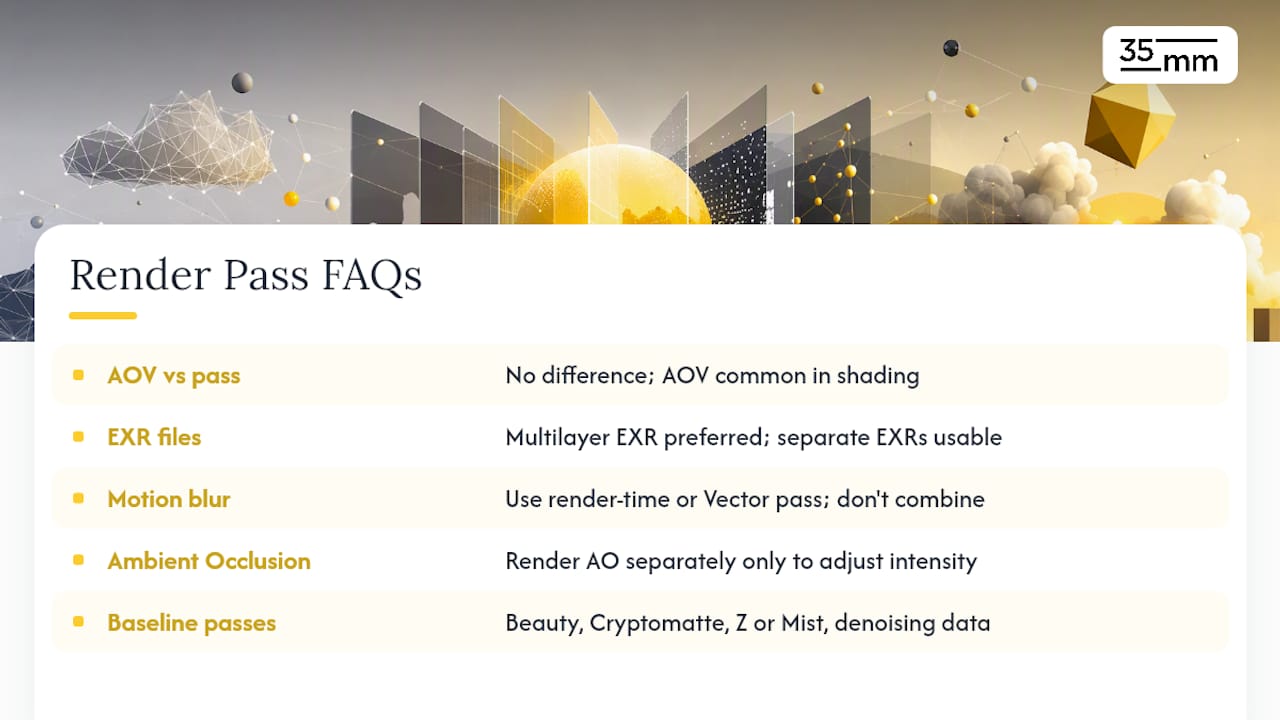
How many passes should a typical delivery include? A solid baseline is Combined/Beauty, Cryptomatte, Z or Mist, and denoising data. Add specular, AO, or light-group passes only when a client's revision needs demand that level of control.
Sources
- Passes - Blender Manual