
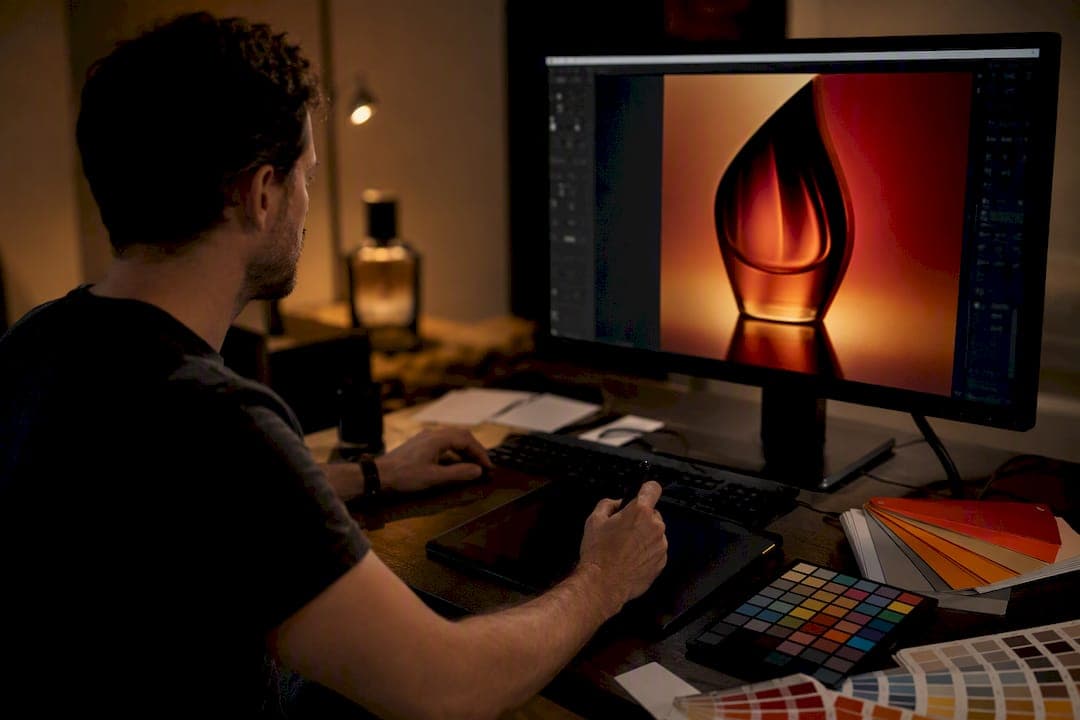
Packshot retouching is the process of correcting and refining product-only photography (background removal, color correction, shadow work, and shape fixes) so the final image matches the physical product with commercial precision. Hire a professional for catalog hero shots, zoom-capable marketplace listings, and any high-volume brand launch where consistency matters. Quick marketplace thumbnails can often survive on lightweight automated tools instead. A studio like 35milimetre typically handles the former; the latter rarely needs one.
TL;DR:
- Professional retouching is essential for high-volume product images that demand exact color, shape, and background consistency, especially for catalogs and ads.
- Common tasks include background removal, color correction, shape fixes, shadow work, and frame-to-frame spin consistency, with advanced jobs involving CGI reconstruction.
- Choosing a retouching service requires reviewing portfolios, requesting sample edits, clarifying file formats, and setting clear revision policies before committing.
- A structured workflow from capture to delivery, including layered masters and batch processing, ensures quality and efficiency for large-volume projects.
- Clear and detailed briefs with physical color samples, reference images, and explicit specifications save time and reduce costly rework.
Table of Contents
- What Does Packshot Retouching Actually Include?
- What Tasks Fall Under Packshot Editing Techniques?
- How Does Packshot Retouching Improve Ecommerce Results?
- How Do You Choose a Packshot Retouching Service?
- What Does the Packshot Workflow and File Handoff Look Like?
- How Much Does Packshot Retouching Cost?
- What Do Experienced Retouchers Wish Photographers Knew?
- Why the Retouching Conversation Usually Starts in the Wrong Place
- How 35milimetre Handles Packshot Retouching for Brands and Agencies
- Sources
What Does Packshot Retouching Actually Include?
A "packshot" is a clean, isolated shot of a product, usually against white or a neutral backdrop, built for catalogs, ads, and marketplace listings rather than lifestyle storytelling. The editorial standard is accuracy: the retouched file has to represent the product's true color, shape, and material honestly, not an idealized version of it.
This is where packshot retouching splits from general photo editing or creative compositing. A lifestyle image can bend reality for mood. A packshot cannot. If a jacket is navy, the retouched file needs to be navy, not "close enough" navy under warm studio light.
Common use cases include ecommerce catalog pages, advertising hero shots, print catalogs, and marketplace compliance work where a platform enforces exact background and framing rules. Retouching in this category is a finishing step. It sharpens and corrects what strong product photo retouching work already captured on set, not a fix for a bad shoot.
What Tasks Fall Under Packshot Editing Techniques?
Ask any retoucher what fills their day, and the list is fairly consistent across studios. Routine packshot editing techniques include:
- Background removal and white background creation — isolating the product cleanly, with attention to edge detail on fabric, hair, or fine mesh.
- Dust, scratch, and seam cleanup — removing sensor spots, fingerprints, and packaging seams that a camera catches but a shopper shouldn't see.
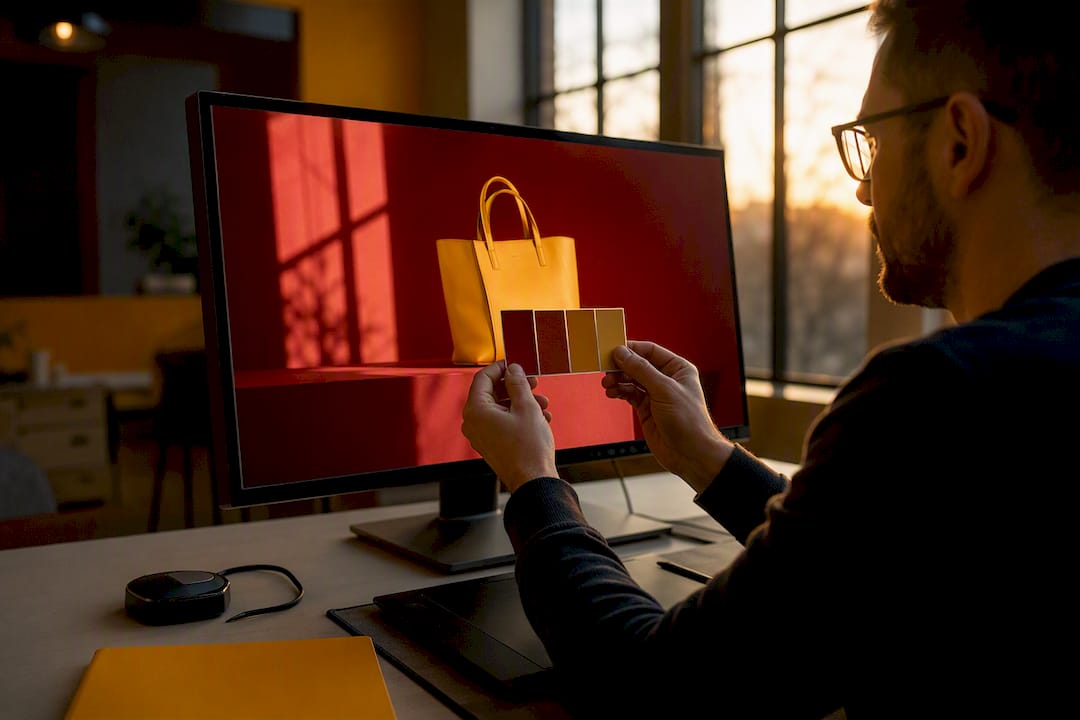
- Color correction against reference targets — matching label color, fabric tone, and finish to a physical swatch or Pantone reference.
- Shape correction and perspective fixes — straightening lens distortion on bottles, boxes, and electronics so edges read true.
- Shadow and reflection work — building a natural-looking drop shadow or reflection rather than a flat, pasted-on gray blob.
- 360° spin cleanup — matching frame-to-frame consistency across dozens of images so a product doesn't flicker or shift color mid-rotation.
Advanced jobs sometimes call for light CGI, rebuilding a chipped edge or reconstructing a missing label logo digitally rather than reshooting, which the complete guide to product photo retouching also flags as standard advanced work alongside dodge-and-burn and complex compositing.
Pro Tip: Bring a physical color swatch or reference product to every retouching handoff. Retouchers working from screen color alone will match what they see, not what the product actually is, and that gap shows up fastest under a store's overhead lighting.
How Does Packshot Retouching Improve Ecommerce Results?
Clean, color-accurate packshots convert better because they close the gap between what a shopper sees and what arrives at their door. A washed-out or color-shifted product photo is one of the fastest ways to inflate return rates. Shoppers trust their eyes, and when the eyes are wrong, refunds follow.
Consistency also carries weight across channels. A brand running the same product across its own site, a marketplace listing, and a paid social ad needs those images to look like they came from the same shoot, even when they didn't. That visual continuity is part of what builds brand consistency through professional retouching, and it's harder to fake than most teams expect.
Then there's compliance. Most marketplaces enforce specific rules: pure white backgrounds, minimum resolution for zoom, no watermarks or props in the frame. Packshots that miss those specs get flagged, delayed, or ranked lower in search, which turns retouching into an SEO lever as much as a visual one.
How Do You Choose a Packshot Retouching Service?
Start with the portfolio, not the price sheet. A studio's past work should show product categories similar to yours, whether that's reflective electronics, transparent glass, or soft-textured apparel, since each material behaves differently under retouching.
Run through this before signing anyone:
- Ask for a sample edit on one of your actual images, not a stock example from their site.
- Confirm file types and color profiles they deliver in (layered PSD or TIFF masters plus web-ready exports).
- Get the revision policy in writing (how many rounds, what counts as a revision versus a new request).
- Check turnaround time against your actual volume, not their advertised "fast" number.
- Ask how batch naming works if you're sending more than a handful of SKUs.
Your brief should hand over more than raw files. Include reference images or physical samples, explicit color tolerances, background and shadow rules, and the exact final specs you need (resolution, format, color space). Vague briefs produce vague quotes.
Watch for a few red flags. If a vendor won't provide layered master files, that's a lock-in problem later. If turnaround is described only as "fast" with no day range, that's a scheduling risk. And "unlimited revisions" sounds generous until you realize it usually means no defined scope, which drags jobs out for weeks. A studio with clear image manipulation techniques documented in their process tends to also have clearer QA steps behind the scenes.
What Does the Packshot Workflow and File Handoff Look Like?
A well-run packshot job moves through five stages: capture, selection, retouching, quality assurance, and export. Skipping the selection step (picking the sharpest, most usable frames before retouching begins) is a common way projects run over budget, since retouchers end up fixing frames that should have been reshot instead.
Deliverables worth requiring in every contract:
- Layered PSD or TIFF master files, so future edits don't require starting over.
- Web-ready exports in sRGB, delivered as JPEG or WebP for site and marketplace use.
- Print-ready files at 300ppi in TIFF or PSD when catalogs or packaging inserts are involved.
- Clear ICC profile documentation attached to every export batch.
For catalog-scale work, batch processing with consistent naming conventions (SKU plus angle plus version number, for example) saves hours downstream. Many providers now support bulk photo editing workflows built specifically for this kind of volume.
Soft-proofing before final delivery, checking a rendered file against your monitor's calibrated profile, catches color mismatches before they reach a live listing. Photographers managing large shoots often lean on structured capture-to-delivery pipelines to keep this handoff organized rather than improvising it project by project.
How Much Does Packshot Retouching Cost?
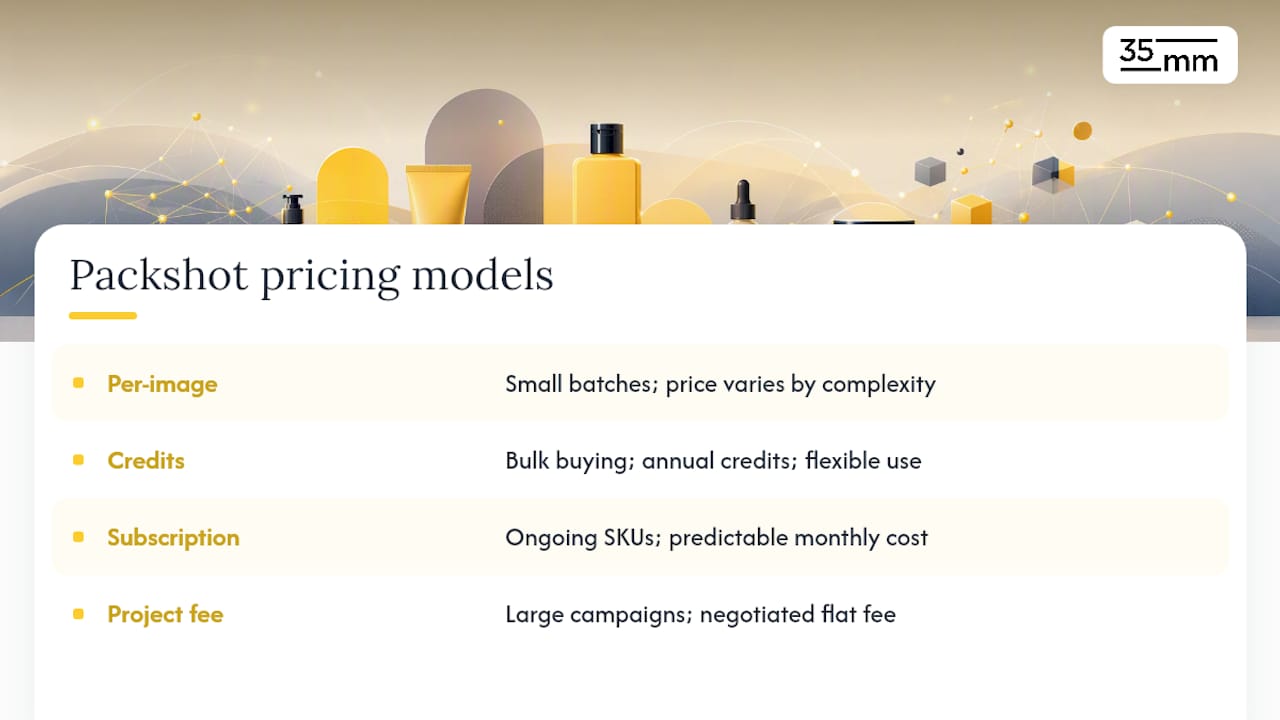
Pricing generally falls into four models: per-image rates, credit packages, monthly subscriptions, and project-based flat fees for larger campaigns. Credit-based pricing, often sold with annual validity, has become common among ecommerce-focused retouching services because it lets brands buy in bulk and draw down credits as new SKUs launch.
Complexity is what actually moves the price. A flat-lay product on a plain background costs far less to retouch than a reflective bottle, a transparent jar, or a 360° spin set requiring frame-to-frame color matching. Label accuracy work, matching a printed logo's exact Pantone value, adds time that simple background removal doesn't.
Basic cleanup and background work sit at the lower end of most rate cards; heavy reflection work, shape correction, and multi-angle consistency push jobs toward premium pricing. Turnaround windows shift accordingly: simple batches often move faster, while rush requests or highly detailed hero shots carry longer timelines or rush fees. Bulk orders frequently earn a per-image discount, which is worth negotiating upfront rather than after the first invoice.
What Do Experienced Retouchers Wish Photographers Knew?
The single biggest time-saver happens before retouching starts: clean labels, consistent lighting across a shoot, and a color reference card in at least one reference frame per setup. Retouching supports strong photography. It cannot fully fix poor lighting or badly prepared products no matter how many hours go into the file afterward.
Good retouching also means restraint. The goal is correction, not reinvention. A product should look like itself, just without the dust, the seam line, or the lens distortion getting in the way. That distinction, subtle correction versus rebuilding, is often what separates a packshot a brand can trust from one that draws a return.
Minor imperfections (a slightly soft shadow edge, for instance) are sometimes fine to accept rather than paying for heavy compositing to chase perfection nobody will notice. What isn't worth skipping is a sample approval step early in the process, agreeing on tolerances for color and shape on one or two images before a full batch runs, which cuts back-and-forth dramatically once volume production begins.
Pro Tip: Send a single "hero" image through full revision before approving a full batch. Catching a color mismatch on one file costs you a day. Catching it across three hundred SKUs costs you a week.
Why the Retouching Conversation Usually Starts in the Wrong Place
Most guidance on this topic starts with software, which tool, which plugin, which AI feature, and treats the human judgment as an afterthought. That's backwards. AI-assisted editing genuinely speeds up background swaps and basic color shifts, and it's a legitimate part of a modern workflow. But it still needs manual review on anything with complex shape or reflective surface, because automation optimizes for speed, not for whether a bottle's curve reads correctly at full zoom.
The overlooked variable is briefing quality, not software choice. A vague brief produces a vague result regardless of whether a human or an algorithm executes it. Brands that get consistently strong packshots aren't necessarily paying more. They're specifying more: reference swatches, tolerance ranges, exact file specs, before the first edit ever happens.
If there's one habit worth adopting immediately, it's treating the sample approval step as non-negotiable rather than optional. Approve one image fully before a batch runs. That single checkpoint prevents more rework than any tool upgrade will.
— 35mm
How 35milimetre Handles Packshot Retouching for Brands and Agencies
35milimetre works as a project-based partner for brands and agencies that need product images to hold up at full zoom, not just at thumbnail size. The studio's work spans commercial retouching, color correction against physical references, compositing, and AI-enhanced workflows where speed matters without sacrificing accuracy on complex shapes or materials.

Engagements start with a sample edit on your actual product, so you see the studio's color and shape handling before committing to a full batch, with a clear revision policy built into every quote instead of vague "unlimited edit" language. For teams weighing packshot retouching services against automated tools alone, that sample-first approach is the practical difference: you know what you're getting before volume production begins. Visit the 35milimetre landing page to request a quote and share a reference image for your next batch.
Sources
For hands-on tool comparisons, see Photoroom's AI editing tools and the in-depth product photo retouching guide referenced throughout this piece.