
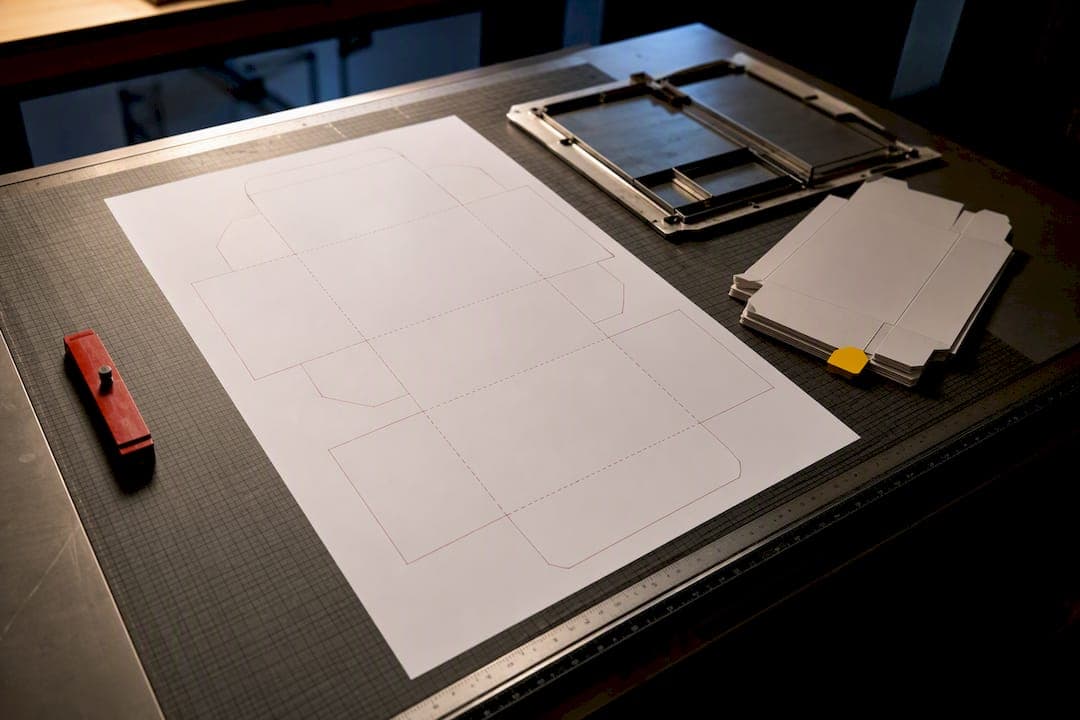
A packaging dieline is the flat, two-dimensional production template that shows exactly where a box or label gets cut, folded, glued, and printed. It's the technical blueprint the printer follows, not a design suggestion. Before you place a single logo or line of text, request the production-approved dieline from your supplier. Everything else in packaging design happens after that file lands in your inbox.
TL;DR:
- A dieline must be approved by your supplier before any design work begins, as it defines all cut, fold, and glue points accurately.
- Ensure critical text and logos are within the safe zone and extend backgrounds to the bleed to prevent trimming issues or unintended clipping.
- Save and export dielines in vector formats like AI or EPS, with all fonts outlined and images embedded, to ensure precision in manufacturing.
- Verify that the final dieline dimensions match the structural specifications, especially inner and outer measurements, to prevent costly reprints.
- Running physical prototypes and double-checking panel alignment, text orientation, and closure fit before mass production can save significant costs and delays.
Table of Contents
- Packaging Dieline Basics: Reading the Anatomy
- How to Use a Dieline When Building Your Artwork
- How Dielines Get Created and Exported for Print
- Pre-Submission Checklist and the Mistakes That Cause Reprints
- Prototyping and Getting Supplier Approval
- How 35milimetre Handles Dieline-Based Artwork
- How Dielines Affect Your Printing Budget
- Industry Standards and Where Templates Come From
- Why Beginners Underestimate the Dieline
- Get Production-Ready Dieline Artwork From 35milimetre
- Where to Go Next
- Sources
Packaging Dieline Basics: Reading the Anatomy
Every dieline speaks in a handful of visual codes, and once you learn them, the whole file stops looking like a tangle of lines. A dieline is a flat map of every surface and panel your package will have once it's assembled, and each line type tells you something different about what happens to that spot on press.
Here's what you're looking at:
- Cut/trim lines (usually solid black or red) mark where the die actually slices through the material.
- Crease or score lines (often dashed) show where the board folds. Nothing critical should sit directly on top of one.
- Perforation lines (dotted) indicate tear points, common on tuck flaps or coupon sections.
- Bleed is the margin where background art must extend past the cut line, so no white sliver shows up after trimming. The industry standard sits around 0.125 in (3 mm), though some suppliers ask for more on larger structures.
- Safe zone pulls inward from the cut line, typically 3 to 5 mm, and it's where your important text and logos need to live so nothing gets clipped.
- Glue tabs and window cutouts are functional areas, not canvas. Keep dense ink and text off them entirely.
Panel labels matter more than beginners expect. A dieline will usually mark front, back, top, bottom, and side panels, and confirming their orientation before you design saves you from a printed box where your headline ends up on the inside flap.
How to Use a Dieline When Building Your Artwork
Treat the dieline as scaffolding, not decoration. Once you understand what each zone means, using it correctly comes down to a short sequence you repeat on every project.
- Import the dieline into your design software and lock it as a reference layer so it can't shift or get deleted by accident.
- Build your actual artwork on separate layers stacked above the locked dieline.
- Keep every critical element (logos, claims, barcodes) inside the safe zone.
- Extend background colors and imagery all the way to the bleed line, never stopping short at the trim.
- Leave glue tabs and fold areas free of dense ink or fine text.
- Set your document to CMYK and 300 DPI before you design a single pixel, and ask your supplier how they want spot colors converted.
It takes thirty seconds and catches the one stray tagline that's about to get trimmed off the corner of the box.*
Adobe Illustrator remains the standard tool for this workflow: open the supplier's dieline as a locked layer, build on top, and you'll rarely run into alignment surprises later. If you want to see how that flat file eventually becomes a 3D preview, this dieline to 3D mockup pipeline walks through the transition.
How Dielines Get Created and Exported for Print
Two different tools usually touch a dieline before it reaches your desk. Structural engineers use CAD software like ArtiosCAD to generate the precise geometric cut and crease paths, accounting for material thickness, fold tolerances, and how the box actually folds flat for shipping. Designers then take that structural file into Adobe Illustrator to build the printed artwork around it.
When it's time to hand files back to a manufacturer, a few export rules aren't optional:
- Save as AI, editable PDF, or EPS. These are vector formats, which die-cutting machinery requires for mathematically precise lines, unlike a flattened JPEG or PNG.
- Keep the dieline itself as a non-printing vector layer, clearly separated from the artwork layers.
- Outline every font so nothing reflows or substitutes on someone else's machine.
- Embed all linked images rather than leaving them referenced externally.
- Set the document to CMYK, confirm your panel dimensions match the structural spec, and label your layers (Dieline, Artwork, Bleed, Notes) so anyone opening the file understands it at a glance.
A clean naming convention on the file itself, something like ProductName_Dieline_v2.ai, saves a surprising amount of back-and-forth email when a project has three revisions in flight.
Pre-Submission Checklist and the Mistakes That Cause Reprints
Run this list before any file leaves your hands:
- Bleed extends fully to the typical industry margin past the trim line, commonly about 0.125 in (3 mm).
- All critical text and logos sit inside the safe zone.
- Every font is outlined or converted to a curve.
- Images are embedded, not linked, and shot at 300 DPI minimum.
- Document color mode is CMYK, not RGB.
- Panel dimensions match the supplier's inner or outer measurement (this trips up more beginners than anything else).
- Glue tabs and fold lines are free of dense ink and small text.
The single most common mistake is placing a logo or barcode directly on a fold or glue tab, where it either cracks visually or gets covered entirely during assembly. The second is designing in RGB and being blindsided when colors shift on the CMYK press run. The third is confusing inner and outer dimensions, which quietly throws off every panel on the box.
Prototyping and Getting Supplier Approval
A dieline that looks perfect on screen can still fail once it's folded. That's why testing a physical folded sample catches orientation, fit, and panel errors that digital previews simply miss. Request the production-approved dieline and a short-run structural prototype before committing to a full print run.
Run through this when the sample arrives:
- Confirm panel alignment matches your digital layout.
- Check that text orientation reads correctly once the box is assembled, not just flat.
- Scan the barcode to confirm it reads at full size and contrast.
- Test the closure or assembly behavior by hand, tuck flaps, glue seams, window fit.
Pro Tip: Photograph the prototype from every angle and mark up problems directly on the print. It's a faster way to communicate a fix to your supplier than a paragraph of email describing "the flap on the left side."
If something's off, request a documented engineering update rather than a quick verbal fix. Verbal changes tend to disappear by the next revision.
How 35milimetre Handles Dieline-Based Artwork
At 35milimetre, the dieline stays locked as a reference layer through every revision, with artwork built cleanly on layers above it so nothing shifts during handoff. The studio builds 3D mockups and short-run prototype checks to catch orientation or print-effect issues before they become expensive reprints.
Getting a dieline right isn't about artistic judgment. It's about respecting a file that already encodes exactly how a box folds, glues, and closes. Once designers see it that way, far fewer projects need a second print run.
To get a fast, accurate preflight, send the supplier's dieline, product dimensions, and material or finish specs upfront. Skipping any of those three usually means a round-trip delay later.
How Dielines Affect Your Printing Budget
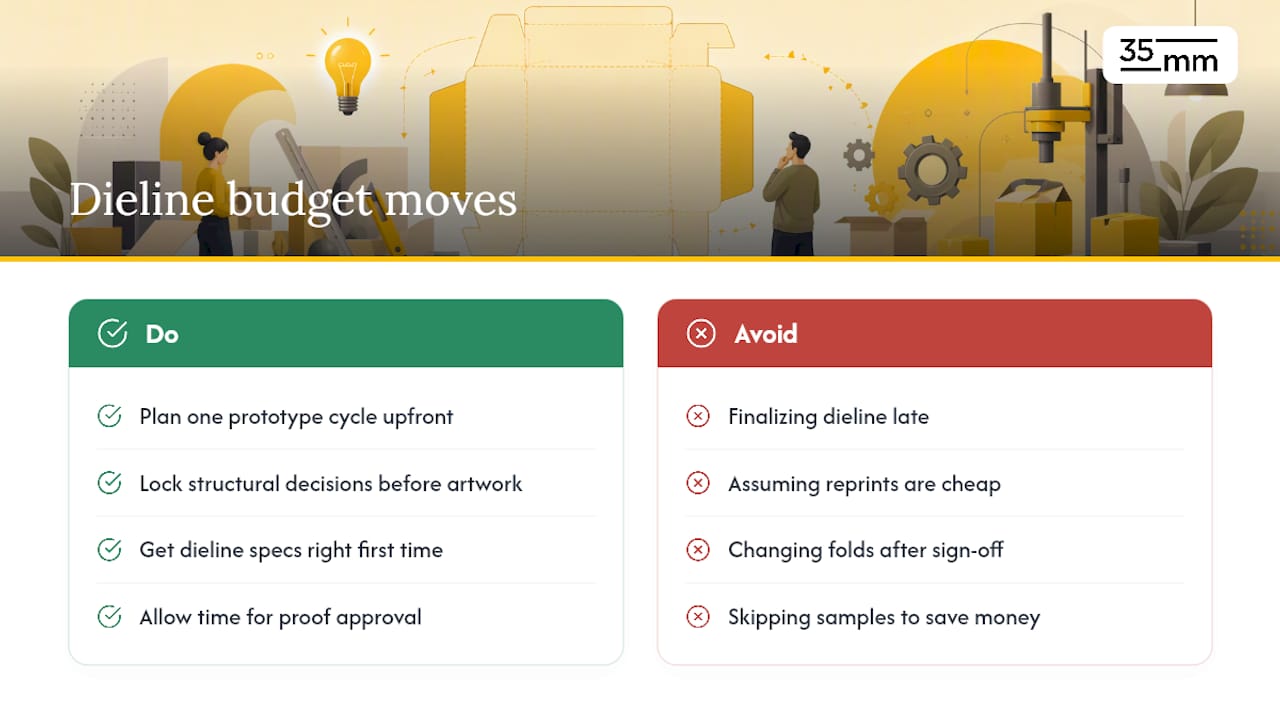
A wrong or late dieline is one of the more expensive mistakes in packaging production, and the cost rarely shows up where beginners expect it. Reprints from misaligned artwork, logos landing on glue tabs, or safe-zone violations don't just cost the reprint itself. They cost the press downtime, the rush shipping to hit a launch date, and often a renegotiated timeline with a retailer or distributor waiting on inventory.
Structural changes made after a dieline is finalized carry a different kind of cost. Every adjustment to a fold line or panel dimension can require the manufacturer to cut a new physical die, which is a hard tooling cost, not a soft design fee. That's why locking structural decisions early, before artwork begins, keeps a project on budget far more reliably than trying to fix things during proofing.
There's a volume side to this too. Getting dieline specs right the first time lets a print run move straight from proof approval to production without a second sample cycle. On large runs, that single skipped cycle can shave real time off a launch schedule. For smaller brands ordering shorter runs, the savings show up less in raw dollars and more in avoided delays, which matter just as much when a retail placement date is fixed.
The safest budget move for a beginner is simple: build in one prototype cycle as a planned cost, not an unplanned one. Suppliers price a sample round far more reasonably than they price a rush reprint.
Industry Standards and Where Templates Come From
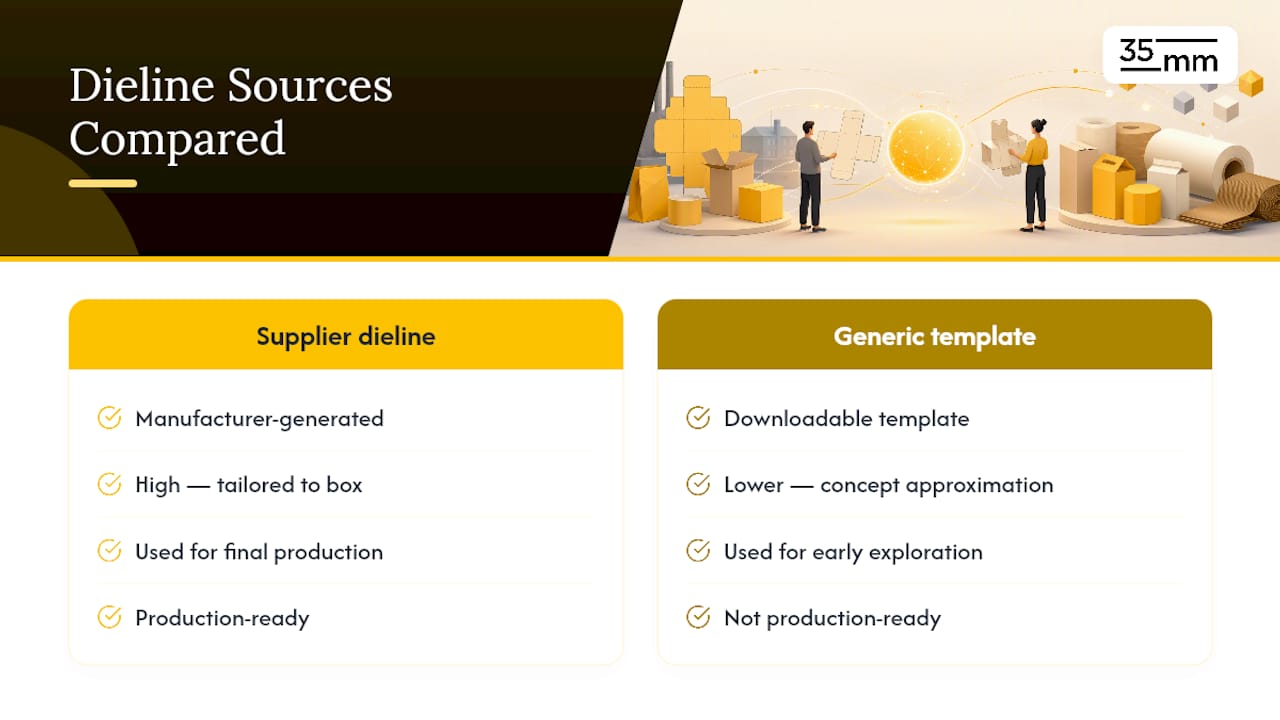
There's no single global regulatory body issuing "official" dieline standards the way there is for, say, electrical safety. What exists instead is a strong practical consensus across the packaging industry: consistent line conventions (solid for cuts, dashed for creases), standard bleed and safe-zone allowances, and vector file formats as the accepted delivery standard.
Most dielines you'll work with as a beginner come from one of two places. Either your packaging manufacturer generates a structural dieline specific to your exact box style, material, and dimensions, or you start from a generic downloadable template to rough out a concept before production specs exist. Generic templates are useful for early creative exploration, but they should never be treated as production files. A supplier's actual dieline accounts for material thickness, fold tolerance, and machine-specific cutting behavior that a free template simply can't guess at.
The geometric precision underlying every dieline traces back to the same engineering discipline used in architectural blueprints: exact vector paths, consistent scale, and zero tolerance for ambiguity. That's worth remembering when a downloaded "packaging dieline template" looks close enough. Close enough on a blueprint isn't close enough once a die-cutting blade is involved.
Why Beginners Underestimate the Dieline
The most common beginner mistake is treating the dieline as optional scaffolding once the artwork looks finished on screen. It isn't. A screen preview flatters bad structural decisions that a folded prototype exposes instantly. Building visualization and a physical sample check into your process early, before you're emotionally attached to a layout, saves real money. If you take one thing from this: request the dieline before you open your design software, not after.
— 35mm
Get Production-Ready Dieline Artwork From 35milimetre
If everything above feels like a lot to manage on your first packaging project, that's a gap that specialized studios can fill. Rather than hiring a full agency team or guessing your way through file setup, some studios handle dieline artwork prep, 3D mockups, and prototype validation as one continuous process, aiming to reduce layers of account management that can slow larger shops down.

To get started, send over your supplier's dieline, product dimensions, and material or finish choice. These are typically the key inputs needed to run an accurate preflight and produce artwork ready for press, not just for on-screen review. If you're still shaping the overall packaging design before a dieline even exists, the studio's packaging design services are a solid starting point for getting both the structure and the artwork right from day one.
Where to Go Next
For deeper reads on the surrounding workflow: see how packaging visualization reduces production risk, review FMCG packaging graphics priorities, and browse this visual storytelling guide for how strong dieline execution supports brand presentation.