

This guide gives designers, photographers, and marketing professionals the concise vocabulary they need to specify deliverables and give precise feedback without a second round of emails. The three terms to start using in every handoff right now: aliasing (as defined by ISO 12231-1:2025, artifacts from insufficient sampling), alpha channel (the transparency layer that controls compositing), and ICC profile (the color-space tag that keeps your colors consistent from screen to press). The UPDIG Coalition identifies inconsistent vocabulary as the primary driver of handoff errors, including color mismatches, metadata stripping, and failed reproduction. Getting these terms right before a project starts is the single fastest way to cut revision cycles.
Must-use terms for your next handoff:
- Aliasing / anti-aliasing — jagged edge artifacts from undersampling; request anti-aliasing in any resized asset
- Alpha channel — transparency mask, 0 (fully transparent) to 255 (fully opaque); required for compositing
- ICC profile — embedded color description; always request it be embedded or exported alongside the file
- PPI vs. DPI — pixel density for screens vs. dot density for print; specify both when a file goes to press
- Bit depth — color information per channel; 16-bit for print masters, 8-bit acceptable for web
Table of Contents
- What do the core image editing industry terms actually mean?
- Which file formats should you use for web, print, and archival work?
- What do AI-era terms mean for your workflow?
- Studio-grade handoff checklist: what to provide and what to request
- How to phrase feedback so retouchers act on it the first time
- Quick diagnostic guide for common artifacts
- Quick-reference table: core image editing terms at a glance
- Why these definitions can be trusted
- Key Takeaways
- The vocabulary gap is the real bottleneck
- What 35milimetre delivers to the standard in this guide
What do the core image editing industry terms actually mean?
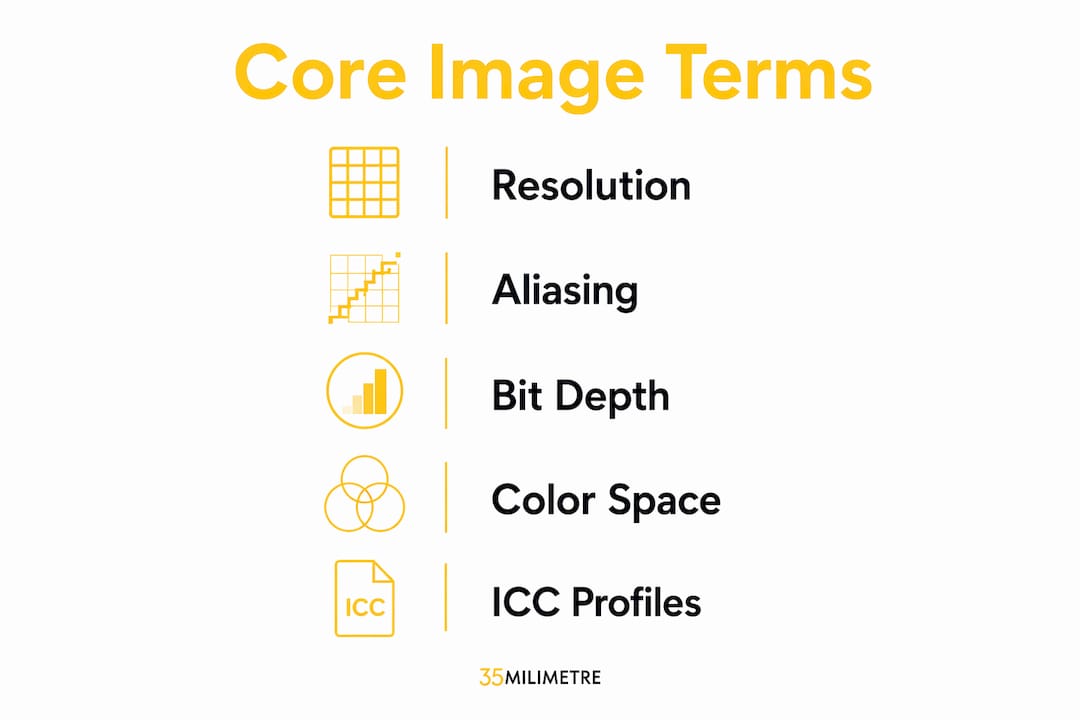
Resolution is the number of pixels in an image, typically stated as width × height (e.g., 3000 × 2000 px). It is not the same as PPI. PPI describes pixel density for screens; DPI describes physical printer dot density — confusing them is one of the most common causes of failed print expectations. When you send a file to a press vendor, specify both: "3000 × 2000 px at 300 PPI."
Aliasing, per ISO 12231-1:2025, refers to output artifacts produced when an image is sampled at too low a frequency — visible as moiré patterns, jagged edges ("jaggies"), or stair-step lines. Anti-aliasing is the correction applied during rendering or resizing to smooth those artifacts. Measurable resolution quality is expressed through MTF (Modulation Transfer Function) and SFR (Spatial Frequency Response), which quantify how well a system resolves fine detail. You will encounter these metrics in lens and camera sensor specs, and occasionally in high-end print production QA.

Bit depth controls how many distinct color values exist per channel. An 8-bit image holds 256 values per channel; higher bit depths hold more values, enabling finer color gradations. The practical difference: 16-bit files retain enough gradation to survive heavy color grading without banding. Bit depth is not the same as dynamic range, which describes the ratio of the brightest to darkest tones a sensor or display can capture simultaneously.
Color space and ICC profiles work together. A color space (sRGB, Adobe RGB, ProPhoto RGB) defines the gamut of reproducible colors. An ICC profile is the file that encodes that definition and travels with the image so every application renders it consistently. Stripping an ICC profile during export is a leading cause of color shifts between proof and final output.
Layers, masks, and blending modes are the non-destructive architecture of any PSD or TIFF master. A layer holds a discrete element; a mask controls its visibility non-destructively; a blending mode determines how a layer's pixels interact with those below it (Multiply darkens, Screen lightens, Overlay increases contrast). An alpha channel stores per-pixel transparency values (0–255) and is what makes clean compositing possible.
Sharpening vs. clarity are distinct operations that professionals often conflate. Sharpening increases edge contrast to define fine edges; clarity adjusts midtone contrast to amplify texture without touching fine detail. Over-sharpening creates halos; over-clarity creates a gritty, HDR-like texture. Both are separate sliders in Lightroom, Camera Raw, and Capture One.
Precise shorthand reduces round trips. Instead of "fix this area," say "remove banding in the sky gradient" or "reduce highlight clipping on the glass by half a stop." Retouchers confirm that exact artifact names and annotated areas cut approval cycles significantly.
Pro Tip: When writing a brief, always note the software platform alongside the term. "Clarity" in Lightroom and "Clarity" in Capture One behave differently; "Levels" in Photoshop and GIMP expose different controls. A brief that says "boost clarity in Lightroom to +30" is unambiguous; one that just says "add clarity" is not.
Which file formats should you use for web, print, and archival work?
The short answer: JPEG for web delivery, TIFF or PSD for print masters and layered handoffs, PNG for transparency-required web assets, RAW for capture archives, and HEIF for modern mobile-optimized delivery.
| Format | Best use case | Compression | Layers/Alpha |
|---|---|---|---|
| RAW | Capture archive, source file | None (lossless) | No |
| PSD | Layered master, agency handoff | Lossless | Yes |
| TIFF | High-end print, archival master | Lossless (LZW optional) | Yes |
| PNG | Web with transparency | Lossless | Yes (alpha) |
| JPEG | Web delivery, client proofs | Lossy | No |
| HEIF | Mobile, modern web | Lossy (efficient) | Limited |
For client proofs, use the highest practical JPEG quality setting; low-quality JPEG compression introduces irreversible artifacts — blocking, ringing, and color smearing — that are visible in commercial print. For final high-end print, always preserve a layered PSD or TIFF master and deliver a flattened proof separately.
Compression artifacts to flag in reviews:
- Banding — visible steps in gradients, caused by insufficient bit depth or aggressive compression
- Posterization — loss of tonal gradation, producing flat color blocks; often a sign of over-editing an 8-bit file
- Moiré — interference pattern from aliasing, common when fine textures are resampled incorrectly
- Blocking / ringing — JPEG-specific artifacts around edges and in smooth areas at low quality settings
Export settings to specify in every handoff: color profile (embedded ICC), bit depth, resolution in PPI, JPEG quality level, and whether layers and alpha channels are included. A sample naming convention: ProductName_v02_RGB_300ppi_CMYK-proof.tif communicates version, color space, resolution, and proof intent in one filename.
What do AI-era terms mean for your workflow?
Generative AI has added a new layer of photo editing vocabulary that every creative professional needs to understand before writing a brief or reviewing a deliverable.
Generative fill uses AI to synthesize new content within a selected area, replacing or extending a subject or background based on a text prompt or surrounding context. Generative expand extends the canvas beyond the original image boundaries using the same synthesis approach. Inpainting is the underlying technique: the model fills a masked region by predicting plausible pixel content from surrounding data. Upscaling (or AI super-resolution) increases pixel dimensions while inferring detail, producing sharper results than traditional bicubic interpolation. Batch automation applies a consistent edit sequence across multiple files, often combining traditional adjustments with AI-driven steps. For a deeper look at how these features reshape creative production, AI photo effects are evolving fast enough that terminology shifts between software versions.
When a deliverable includes generative edits, request these alongside the final file: the seed value (the random number that makes a generation reproducible), the mask used for inpainting, and edit history or nondestructive layers so the output can be revisited. Without these, a generative result is effectively a one-way render. The role of AI in modern editing workflows makes provenance tracking a practical necessity, not an optional extra.
Pro Tip: When approving AI-assisted deliverables, always ask whether the edit is on a separate layer or merged. A merged generative fill cannot be revised without regenerating from scratch; a layered version keeps the original pixels intact beneath it.
Studio-grade handoff checklist: what to provide and what to request
A minimal review package and a full final package have different requirements. Here is what each should contain.
For a quick review proof:
- Flattened JPEG at maximum quality, sRGB color profile embedded
- Resolution stated in PPI (e.g., 150 PPI for screen review, 300 PPI for print proof)
- Version number in the filename
For a full final delivery package:
- Layered PSD or TIFF master with all masks and adjustment layers intact
- Embedded ICC profile matching the delivery intent (sRGB for web, Adobe RGB or CMYK profile for print)
- Resolution at final output PPI/DPI, confirmed against press or screen specs
- Alpha channel or transparency layer preserved if compositing is required
- Metadata intact: copyright, creator, caption, and color space tags (EXIF/IPTC)
- Edit history or generative provenance (seed, mask) if AI tools were used
- Export preset or settings summary (bit depth, compression, quality level)
- Versioned filename with color space and resolution noted
The UPDIG Coalition specifically flags metadata stripping and missing ICC profiles as the most frequent handoff failure modes. Both are easy to prevent: embed the profile on export and verify it survived with a free tool like ColorSync Utility (macOS) or ExifTool.
Pro Tip: Always export a test JPEG from your TIFF master and open it in a browser to check color rendering before sending to a client. A browser uses sRGB by default; if your file is tagged Adobe RGB and the profile is missing, colors will look desaturated on delivery.
How to phrase feedback so retouchers act on it the first time
Vague feedback costs everyone time. The fix is to name the artifact, locate it, and quantify the change.
Template: "[Artifact or issue] in [specific area]; [direction and degree of change]; [reference or proof condition]."
Examples:
- "Reduce highlight clipping on the bottle shoulder by roughly half a stop; preserve midtone detail in the label."
- "Neutralize the green cast in shadow areas; proof against sRGB for web delivery."
- "Remove banding in the background gradient; the transition should read smooth at 100% zoom."
Do not use / use instead:
- "Make it pop" → "Increase midtone contrast using Clarity +20 in Lightroom"
- "Fix the color" → "Neutralize the warm cast in the highlights; target a neutral gray on the product surface"
- "It looks blurry" → "Apply output sharpening for web at 72 PPI; use Unsharp Mask, Amount 80%, Radius 0.8 px"
- "The background is wrong" → "Replace the background with a pure white (#FFFFFF); deliver with alpha channel on a separate layer"
For non-technical clients, translate the same instruction: "The product color looks slightly orange on screen; we need to correct it so it matches the actual product color." Then add the technical note for the retoucher separately. When feedback involves multiple areas, attach a visual annotation (a marked-up JPEG or PDF) alongside the text. Precise shorthand removes ambiguity that text alone cannot always resolve.
Quick diagnostic guide for common artifacts
Moiré appears as a wavy interference pattern, most often in fabric, fine print, or repeating textures. The cause is aliasing from insufficient sampling during capture or incorrect resizing. Fix: re-shoot at a slightly different angle or distance, or apply a targeted moiré-reduction filter in Camera Raw / Lightroom before any sharpening.
Banding shows as visible steps in a gradient. The cause is usually an 8-bit file that has been pushed too hard in color grading, or aggressive JPEG compression. Fix: request the 16-bit master and re-grade from there; if only a JPEG exists, reduce the gradient range and apply a small amount of dithering.
Over-sharpening produces visible halos around edges. The cause is excessive Unsharp Mask radius or Amount, or stacked sharpening passes. Fix: reduce Amount and Radius, or mask sharpening to edges only using a luminosity mask.
Color shifts between proof and print almost always trace to a missing or mismatched ICC profile. Fix: confirm the profile is embedded in the file, matches the press profile, and has not been stripped during export.
Troubleshooting flow for proofing:
- Open the file in a color-managed application (Photoshop, Affinity Photo).
- Check the document color profile (Edit > Assign Profile in Photoshop).
- Soft-proof against the target output profile (View > Proof Setup).
- Identify artifacts at 100% zoom before applying any corrections.
- Request the layered master if the flattened proof shows banding or posterization.
- Decide: re-shoot if the artifact is in the capture data (moiré, noise); fix in post if it is a processing artifact (banding, color cast, halos).
Quick-reference table: core image editing terms at a glance
| Term | Definition | When to use |
|---|---|---|
| Aliasing | Artifacts (jagged edges, moiré) from undersampling | Capture specs, resizing review |
| Resolution / MTF / SFR | Pixel count and measurable sharpness metrics | Capture brief, QA proofing |
| PPI | Pixel density for screen output | Screen and web deliverables |
| DPI | Printer dot density for physical output | Press and print specs |
| Bit depth | Color values per channel (8-bit = 256, 16-bit = 65536) | Master file specs, grading |
| Color space / gamut | Range of reproducible colors (sRGB, Adobe RGB) | Export settings, proof setup |
| ICC profile | Embedded color description for consistent rendering | Every file handoff |
| Alpha channel | Per-pixel transparency (0–255) for compositing | Compositing, PNG/PSD delivery |
| Lossless / lossy | Compression that preserves vs. discards pixel data | Format selection |
| Generative fill | AI synthesis of new content within a masked area | AI-assisted edit briefs |
| Upscaling | AI-inferred resolution increase | Enlargement requests |
| Sharpening vs. clarity | Edge contrast vs. midtone texture enhancement | Post-production review |
Why these definitions can be trusted
Definitions in this guide follow ISO 12231-1:2025 where the standard applies, particularly for aliasing and resolution metrics. UPDIG Coalition guidance informs the handoff checklist and the emphasis on ICC profiles and metadata. 35milimetre's two-plus decades of commercial post-production work, spanning automotive and technology campaigns for major brands, grounds the practical studio notes throughout.
Software labels are not universal. The same operation may appear as "Clarity" in Lightroom, "Microcontrast" in Capture One, and "Local Contrast Enhancement" in GIMP. Always specify the platform alongside the term in a brief to prevent misinterpretation across tools.
Readers should verify software-specific behavior against the current documentation for their platform, since feature names and slider ranges change between major versions. The ISO standard and UPDIG guidelines are the stable reference points; everything else should be checked against the tool in use.
Key Takeaways
Shared vocabulary is the single most effective way to reduce revision cycles and prevent deliverable failures in commercial image work.
| Point | Details |
|---|---|
| Use ISO-standard terms | Aliasing, MTF, and SFR have precise ISO 12231-1:2025 definitions; use them in capture briefs and QA. |
| Always embed ICC profiles | Missing color profiles are the leading cause of color shifts between proof and final output. |
| Specify PPI and DPI separately | PPI governs screen output; DPI governs print; conflating them causes failed press expectations. |
| Request provenance for AI edits | Ask for seed values, masks, and edit history whenever generative fill or inpainting is used. |
| 35milimetre standard | 35milimetre applies this checklist and vocabulary in every commercial handoff, from brief to final delivery. |
The vocabulary gap is the real bottleneck
Most revision cycles in commercial image work are not caused by poor retouching. They are caused by imprecise language on both sides of the handoff. A creative director who writes "the skin looks off" sends a retoucher on a guessing game; one who writes "neutralize the yellow cast in the midtones, proof against sRGB" gets the result in one pass. The same principle applies to file specs: "send me a high-res JPEG" is ambiguous in ways that "3000 × 2000 px, sRGB embedded, JPEG quality 12" is not.
What this guide argues, and what 35milimetre's studio practice confirms, is that the investment in shared terminology pays back immediately. The terms are not gatekeeping; they are shorthand that compresses a five-email thread into one clear sentence. The professionals who use them consistently, on both the creative and client side, run tighter projects.
What 35milimetre delivers to the standard in this guide

35milimetre is a commercial post-production studio with over two decades of hands-on experience in retouching, compositing, color grading, and AI-assisted image production. Every deliverable leaves the studio with an embedded ICC profile, a layered master, and export specs that match the checklist in this guide. That is not a policy document; it is how the work is done on every project, whether the client is an ad agency, a technology brand, or a product photographer preparing a campaign.
The studio handles the full range of commercial visual work: photo retouching, compositing, 3D rendering, CGI, packaging design, AI-enhanced imagery, and final deliverable packaging for web, print, and archival use. If you would rather hand the post-production off to a team that already speaks this language fluently, request a quote and describe your deliverable. 35milimetre will come back with a clear scope, a timeline, and files that arrive ready to use.