

A high-end visual effects tutorial is a structured, step-by-step guide that teaches professional-grade VFX techniques using industry-standard workflows, tools, and color science. The term "high-end VFX" refers to what the industry formally calls production-grade visual effects, the kind used in feature films, broadcast commercials, and streaming content. Mastering this craft means understanding the full pipeline: from pre-production planning through simulation, compositing, and final rendering. This guide covers each phase with the depth that working professionals rely on, including ACES color space, multi-pass compositing, Houdini's Pyro solver, and AI-based denoising. 35milimetre has applied these exact workflows on real commercial projects, and what follows reflects that hands-on experience.
What are the key stages of a professional VFX pipeline?
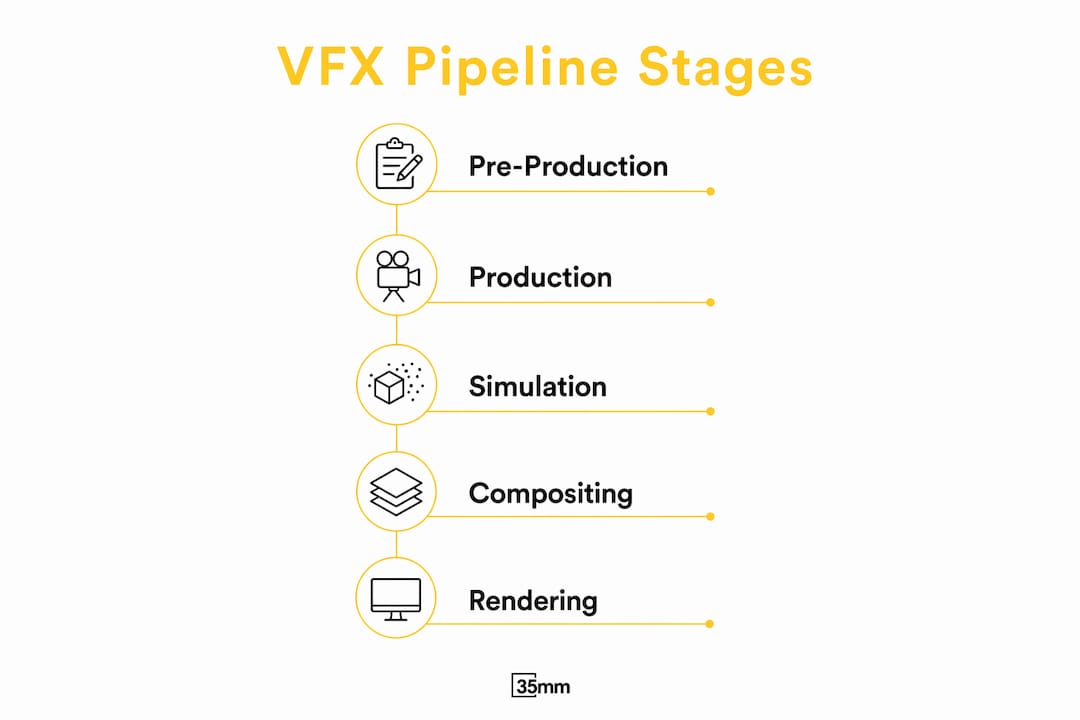
Professional VFX pipelines structure projects into four distinct phases: pre-production, production, post-production, and rendering. Each phase has defined inputs and outputs, and skipping any handoff step creates compounding delays downstream.
Pre-production is where you lock camera tracking data, establish the ACES color space, and define your asset list. Production covers modeling, rigging, simulation, and lighting. Post-production handles compositing, color grading, and final integration. Rendering runs in parallel with post-production, feeding finished passes back into the composite.
- Pre-production: Camera solve, lens distortion data, reference plates, asset brief
- Production: Modeling, rigging, animation, simulation, lighting, shading
- Post-production: Multi-pass compositing, color grading, grain matching, final output
- Rendering: Pass management, render queue, format output (32-bit EXR sequences)
The data formats you choose at each stage matter as much as the software. Alembic (.abc) handles geometry caches between applications without data loss. VDB stores volumetric data like smoke and fire with spatial efficiency. OpenEXR carries multi-channel render passes in a single file, preserving full floating-point color data.
| Stage | Key Format | Purpose |
|---|---|---|
| Production | Alembic (.abc) | Geometry and animation cache |
| Simulation | VDB | Volumetric smoke, fire, fluid |
| Rendering | 32-bit EXR | Multi-pass compositing output |
| Compositing | ACES .exr | Color-accurate final grade |
Pro Tip: Lock your lens distortion data before any CG work begins. Correcting it after renders are done costs far more time than solving it in pre-production.
For a deeper look at how compositing fits into this structure, the guide on digital compositing in film covers the creative and technical reasoning behind each phase.
How to simulate realistic fire, explosions, and fluid effects
Houdini's Pyro solver is the industry standard for fire and explosion simulation. Studios like ILM, Weta, and DNEG use it for every production-grade pyro effect. No other tool at the entry or mid-tier level produces the same physical fidelity for hero shots.
The reason Houdini dominates this space is its control over physical parameters. You can tune vorticity to create the turbulent rolling motion of real fire. You can adjust buoyancy to control how fast heat rises. You can layer separate simulations for smoke, shockwave, and debris, then merge them in compositing for full control over each element.
- Vorticity: Controls the swirling, chaotic motion that makes fire look alive rather than flat
- Buoyancy and gravity: Determines how fast smoke rises and how debris falls realistically
- Shockwave simulation: Requires a separate pressure solve layered over the primary pyro sim
- Debris and particle systems: Simulated independently and cached as Alembic or VDB for compositing
- Scale reference: Always simulate at real-world scale. A car explosion at 1-meter scale looks like a campfire.
Half-measure approaches in fire and explosion sims are immediately noticeable to trained eyes. Respecting physical principles is not optional at the professional level. Cinema 4D and After Effects can produce passable motion graphics fire, but neither handles the fluid dynamics required for a believable hero explosion in a film context.
Pro Tip: Cache your simulations to disk as VDB before lighting. Re-simulating during lighting iterations wastes hours and introduces inconsistency between takes.

What are advanced compositing techniques for seamless VFX integration?
Multi-pass compositing isolates lighting components like diffuse, specular, ambient occlusion, and shadows so you can adjust each independently in post. This is the single most important workflow shift you can make as a VFX artist. Rendering a beauty pass alone gives you a finished image with no flexibility. Rendering passes separately gives you a fully adjustable composite.
The ACES color space is the professional standard for physically accurate compositing. It preserves highlight detail and shadow latitude that standard sRGB workflows crush. Working in linear light throughout your pipeline means every blend mode, color correction, and light wrap behaves the way physics dictates.
- Light wrapping: Blends background light into the edges of CG elements. Use directional variation so the wrap follows the background's actual light sources, not a uniform glow.
- Grain and noise matching: Sample the grain structure of your plate footage and apply it to CG elements. Mismatched grain is one of the most common tells in amateur compositing.
- Despill: Removes color contamination from green or blue screen edges. Apply it before any color correction to avoid compounding errors.
- Contact shadows: Add a subtle shadow where CG objects meet the ground plane. Without it, elements appear to float regardless of how good the render looks.
- Atmospheric integration: Add haze, depth fog, or heat distortion to match the environmental conditions of the plate.
Proper lighting anchors the believability of a shot more than a perfect render or model details. Studios prioritize physically accurate units: nits, lumens, and Kelvin scales in every lighting setup, paired with HDR image-based lighting to ground CG elements in the real environment of the plate.
Pro Tip: Always composite in 32-bit floating point. Dropping to 16-bit mid-pipeline introduces banding in gradients that becomes visible after color grading.
The professional mindset shift from beauty rendering to multi-pass compositing fundamentally improves both flexibility and quality. Once you work this way, single-pass rendering feels like painting with one color.
How to optimize rendering workflows for high-end VFX in 2026
AI-based denoising tools reduce render samples from over 2,000 per pixel down to 32–128, cutting total render times by 70–90%. That is not a marginal improvement. It changes what is feasible on a project budget and timeline. Tools like OptiX (NVIDIA), OIDN (Intel), and Altus are now standard in production pipelines at every scale.
GPU render farms outperform CPU farms on ray-traced scenes with complex lighting. Hybrid approaches, where CPUs handle simulation and GPUs handle rendering, give the best overall throughput. Render queue management matters as much as raw hardware. Poorly sequenced dependencies cause idle nodes and wasted compute time.
| Approach | Samples per Pixel | Relative Render Time |
|---|---|---|
| Traditional CPU (no denoise) | 2,000+ | Baseline |
| AI denoising (OptiX/OIDN) | 32–128 | 10–30% of baseline |
| Hybrid GPU + AI denoise | 64–256 | 15–35% of baseline |
For artists working on AI-assisted workflows, the guide on AI image enhancement techniques covers how these tools integrate into broader post-production pipelines. Studio-level insights on AI denoising for VFX pipelines are also covered in depth at VEU Media.
Pro Tip: Render your most complex shots first in the queue. If a render fails overnight, you want to know about your hardest shot before your deadline, not after.
What are common mistakes in high-end VFX production?
The most costly mistakes in VFX production are not creative. They are technical workflow errors that compound across every subsequent stage.
- Skipping linear light color space: Compositing in gamma-corrected space causes every blend operation to produce physically wrong results. The errors accumulate and become unfixable in the grade.
- Rendering to 8-bit formats: 8-bit formats lack the color latitude required for high-end compositing. Always render to 32-bit EXR sequences to preserve every stop of dynamic range.
- Ignoring contact shadows: CG elements without contact shadows look pasted on. This is one of the first things a compositor or director will flag in a review.
- Incorrect lens distortion handling: Lens distortion requires an undistort-render-redistort workflow. Skipping this step causes CG elements to drift from their tracked positions, especially at frame edges.
- No multi-pass workflow: Rendering a single beauty pass removes all post-production flexibility. If a client requests a lighting change, you re-render everything from scratch.
Rendering to 8-bit formats for compositing is the single most common technical mistake in entry-level VFX work. It causes irreparable color and brightness issues that no amount of grading can fix. Always use 32-bit EXR. There are no exceptions in professional production.
Poor grain matching and improper light wrap application are the two artistic mistakes that most often expose a composite as digital. Both are fixable with discipline and attention to the plate footage.
Key Takeaways
Professional VFX mastery requires pipeline discipline first and specialized tool knowledge second. Every other skill builds on that foundation.
| Point | Details |
|---|---|
| Pipeline structure is non-negotiable | Four-phase VFX pipelines prevent delays and ensure clean handoffs between departments. |
| Multi-pass compositing is the standard | Separating diffuse, specular, AO, and shadow passes gives full post-production control. |
| AI denoising changes the math | OptiX, OIDN, and Altus cut render samples from 2,000+ to 32–128, saving 70–90% of render time. |
| 32-bit EXR is the only format for compositing | 8-bit formats destroy color latitude and cannot be recovered in post. |
| Physical accuracy beats visual complexity | Correct lighting, contact shadows, and grain matching matter more than model detail. |
What working in VFX for two decades actually teaches you
The biggest myth in VFX education is that mastering one piece of software makes you a professional. It does not. What separates working artists from hobbyists is pipeline fluency. Knowing why data moves from Houdini to Nuke in a specific format, at a specific bit depth, through a specific color transform, is more valuable than knowing every shortcut in any single application.
We have seen talented artists produce technically beautiful renders that fall apart in compositing because they skipped multi-pass workflows. We have also seen modest renders become convincing shots because the compositor understood light, grain, and shadow. The render is a starting point. The composite is where the shot lives or dies.
The other thing worth saying plainly: physically based simulation and rendering are not trends. They are the correct model of how light and matter behave. Learning inverse-square light falloff, physically accurate glow, and real-world lighting units early in your career means you never have to unlearn bad habits later. The artists who resist this approach spend years fighting their own work.
Start with the pipeline. Learn the formats. Understand why ACES exists and what it solves. Then go deep on your chosen simulation or compositing tool. That sequence produces professionals. The reverse produces frustration.
— 35mm
35milimetre's post-production work for demanding VFX projects
35milimetre applies the same pipeline standards covered in this guide to every commercial project it takes on. The studio's work spans compositing, retouching, CGI integration, and AI-enhanced imagery for technology and automotive brands where technical accuracy is not optional.

If you need production-grade results without building an in-house pipeline from scratch, 35milimetre's post-production services cover the full range from multi-pass compositing to final delivery. The team works directly with ad agencies, photographers, and brand teams to produce imagery that holds up at any scale. For a broader look at how these techniques apply to visual storytelling, the guide on developing high-end visuals is a strong next read.
FAQ
What software do professional VFX studios use for fire simulation?
Houdini's Pyro solver is the industry standard for fire and explosion simulation. Studios including ILM, Weta, and DNEG use it for all production-grade pyro work.
Why is 32-bit EXR required for high-end compositing?
32-bit EXR preserves the full dynamic range and color latitude needed for professional compositing. 8-bit formats lack that latitude and cause irreparable color and brightness errors.
How much does AI denoising reduce render times?
AI-based denoisers like OptiX, OIDN, and Altus reduce render samples from over 2,000 per pixel to 32–128, cutting render times by 70–90%.
What is multi-pass compositing?
Multi-pass compositing renders lighting components like diffuse, specular, ambient occlusion, and shadows as separate image sequences. This lets compositors adjust each element independently without re-rendering.
What is the undistort-render-redistort workflow?
This workflow removes lens distortion from the plate before matching CG, renders the CG in undistorted space, then reapplies the original distortion. It physically aligns CG elements with live-action footage and prevents edge drift.