

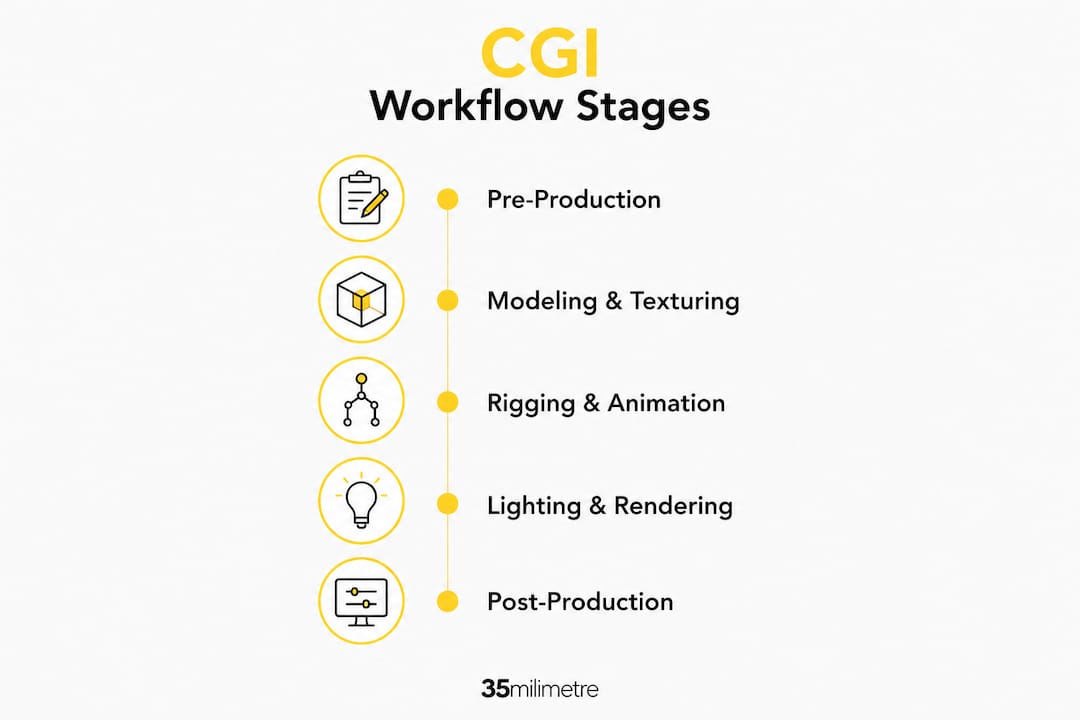
Computer-generated imagery (CGI) workflows are structured production pipelines that take a visual concept from initial sketch to finished digital image or animation. The process divides into three core phases: pre-production (planning, scripting, storyboarding), production (3D modeling, texturing, rigging, animation, lighting), and post-production (rendering, compositing, final editing). Each phase feeds the next in a deliberate sequence designed to maintain visual consistency and prevent costly rework downstream.
Several key roles drive this pipeline. Modelers build the geometry of objects and characters. Riggers create the internal skeleton that animators then use to generate movement. Compositors blend CGI elements with live footage or other visual layers to produce the final frame. What makes CGI workflows particularly valuable for production teams is their repeatability: once assets are built and approved, they can be reused, adjusted, and scaled without starting from scratch.

One clarification worth making early: in creative media, "CGI" refers to computer-generated imagery. In web development, the same acronym stands for Common Gateway Interface, a protocol for running server-side scripts. The two have nothing in common beyond the letters, so context always matters when the term comes up in a technical conversation.
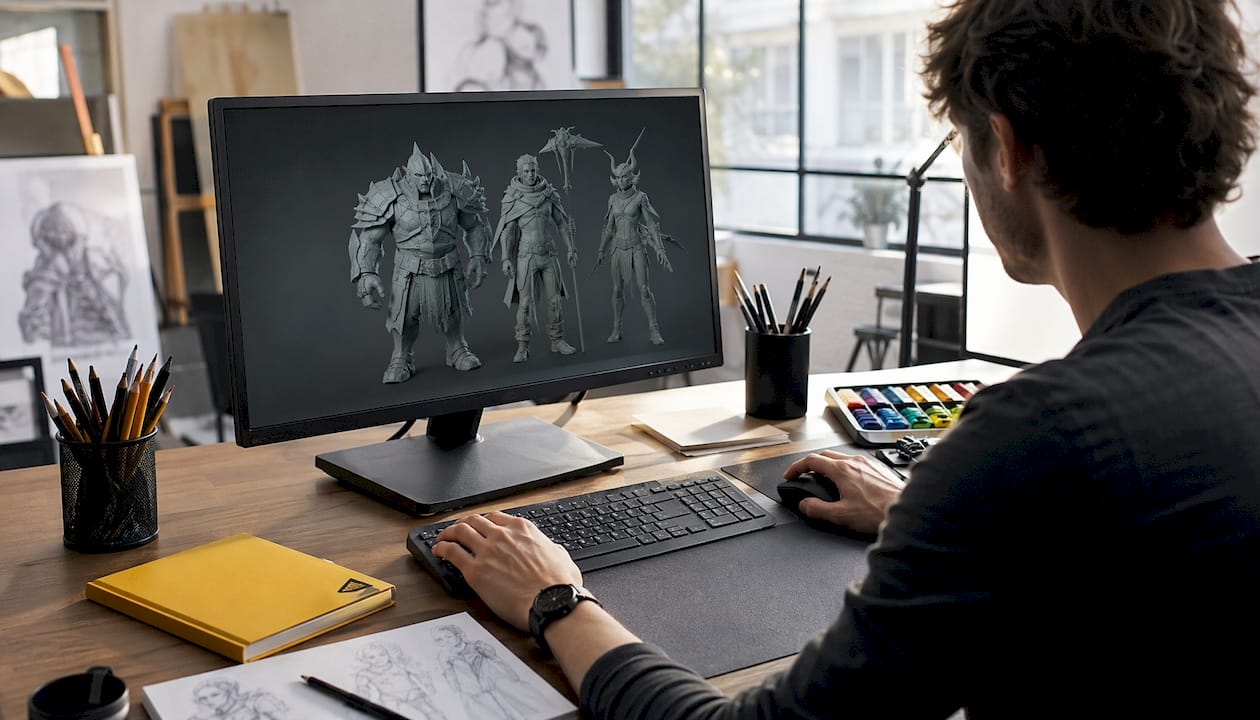
How CGI workflows move from concept to final image
The CGI production process is divided into three main phases, each with its own set of tasks, deliverables, and quality checkpoints. Understanding how these phases connect is what separates a smooth production from one that spirals into expensive revisions.
Pre-production is where the entire project gets defined before a single polygon is modeled. Tasks here include:
- Developing the creative brief, script, and shot list
- Producing storyboards and animatics to visualize camera angles and timing
- Selecting software and hardware based on project complexity
- Establishing asset naming conventions and folder structures
- Conducting planning reviews with clients or directors to lock the creative direction
Getting this phase right is not optional. Clients who approve a storyboard before production begins are far less likely to request major layout changes mid-render, which is where real budget damage happens.
Production is the technical core of the workflow. A typical CGI workflow includes 3D modeling, texturing, lighting, rendering, and compositing, each transforming digital concepts into finished images or animations. More specifically:
- 3D modeling defines the shape and structure of every object in the scene, from a product bottle to an entire cityscape
- Texturing applies materials, colors, and surface detail to make geometry look like real-world substances
- Rigging builds an internal skeleton for characters or mechanical objects so animators can pose and move them
- Animation creates the actual movement, whether a character walk cycle or a rotating product shot
- Lighting simulates how light interacts with surfaces, which is often the single biggest factor in whether a render looks photorealistic or flat
- Camera setup defines the framing, focal length, and movement that will carry the viewer through the scene
Pro Tip: Before committing to full-detail rendering, run a clay render pass. These untextured, white-material previews confirm camera angles and scene composition without the compute cost of a final render, and they catch framing problems that are far cheaper to fix at this stage.
Post-production closes the loop. Rendering is computationally intensive and commonly uses render farms to distribute the workload across multiple machines. Once frames are rendered, compositors layer CGI elements with live footage, add atmospheric effects, apply color grading, and deliver the final output. Iterative feedback loops run throughout all three phases, with test frames and client reviews acting as checkpoints that keep the project on track.
Where CGI workflows show up across industries
CGI's reach extends well beyond Hollywood. The same pipeline logic applies whether a team is building a game environment, visualizing a building that hasn't been constructed yet, or producing a product image for an e-commerce listing.
Film and television remain the most visible application. Productions use CGI to create characters, creatures, and environments that would be physically impossible or prohibitively expensive to film. A single feature film may involve hundreds of artists working across modeling, animation, and compositing departments simultaneously, all feeding into one shared pipeline.
Game development runs its own variant of the CGI workflow, with a critical difference: assets must perform in real time. Game artists build lower-polygon models and bake lighting into textures rather than calculating it dynamically, which demands a different set of optimization decisions at every stage of production.
Architectural visualization uses CGI to present buildings, interiors, and urban developments before construction begins. Architects and developers use photorealistic renders and virtual walkthroughs to communicate design intent to clients and stakeholders, replacing physical scale models with fully navigable digital environments. The CGI visualization guide from 35milimetre covers this application in depth.
Advertising and product marketing represent one of the fastest-growing areas. Brands use 3D product renders to produce marketplace-ready imagery without a physical photoshoot. A single approved 3D asset can generate dozens of image variations: different colors, backgrounds, lighting setups, and camera angles, all from one model. For e-commerce teams managing large catalogs, that flexibility is a genuine production advantage.
Real estate has adopted CGI for virtual tours and immersive property experiences, letting buyers explore spaces that exist only as architectural drawings. The workflow here typically combines CGI environments with interactive platforms, requiring close coordination between 3D artists and developers.
A useful end-to-end example: a consumer electronics brand commissions a product launch campaign. The workflow begins with storyboarding the hero shots, moves into modeling the device geometry and texturing its materials, then proceeds through lighting and rendering to produce a set of final images. Those same assets are then repurposed for a 360-degree web viewer and a short animation for social media, all without a single physical photoshoot.
How CGI differs from VFX, SFX, and traditional animation
These terms get used interchangeably in casual conversation, but they describe genuinely different things within a production pipeline.
| Technique | Definition | Typical application | Pipeline role |
|---|---|---|---|
| CGI | Digitally created imagery produced entirely by computer software | Characters, environments, product renders | Core asset creation |
| VFX (Visual Effects) | The integration of CGI and other digital elements with live-action footage | Film, broadcast, commercials | Post-production layer |
| SFX (Special Effects) | Physical, practical effects achieved on set without digital tools | Explosions, prosthetics, weather rigs | On-set production |
| Traditional 2D animation | Frame-by-frame hand-drawn or digitally painted imagery | Cartoons, motion graphics | Standalone or hybrid pipeline |
The relationship between CGI and VFX is the one that causes the most confusion. CGI is the content: the 3D models, environments, and digital characters. VFX is the discipline of compositing that content into a live-action scene so the two look like they belong together. A dinosaur is CGI. Placing that dinosaur convincingly into a filmed jungle sequence is VFX. You can have CGI without VFX (a fully animated film), but you cannot do VFX without CGI in most modern productions.
SFX operates entirely in the physical world. A practical explosion, a rain machine, or a prosthetic makeup appliance are all SFX. Productions often combine SFX and CGI deliberately: a practical fire on set gives CGI flames a real light source to match, making the composite far more convincing than a fully digital version would be.
Traditional 2D animation follows a different production logic altogether. Rather than building geometry in three-dimensional space, artists work frame by frame, either by hand or in software like Toon Boom Harmony. The result has a distinct visual character that 3D CGI cannot replicate without significant stylization effort.
Which tools do CGI professionals actually use?
The software stack for a CGI production depends heavily on the type of work, the studio's existing pipeline, and the complexity of the project.
- Autodesk Maya is the industry standard for character animation and rigging in film and television, with deep integration into most major studio pipelines
- Houdini by SideFX specializes in procedural effects: fire, water, destruction, and particle systems. Procedural modeling and rigging within Houdini enable adaptable, non-destructive asset creation, allowing changes to propagate automatically through the pipeline
- Blender is a free, open-source package that covers modeling, rigging, animation, rendering, and compositing, making it the go-to for independent artists and smaller studios
- Cinema 4D is widely used in motion graphics and advertising, particularly for its tight integration with Adobe After Effects
- Nuke by Foundry is the compositing tool of choice for high-end film and broadcast work
- Adobe After Effects handles compositing and motion graphics for shorter-form content and advertising
Beyond individual tools, modern pipelines increasingly adopt procedural, data-driven workflows using standards like USD (Universal Scene Description), developed by Pixar. USD allows multiple departments to work on the same scene simultaneously without overwriting each other's contributions, which is what makes large-scale productions manageable. Non-destructive workflows with procedural systems like Houdini or USD layers allow flexible iteration without rebuilding entire scenes from scratch.
AI is now reshaping asset creation at the front end of the pipeline. AI-powered text-to-3D and image-to-3D tools speed up CGI asset creation by generating usable 3D models from natural language descriptions or reference images. These tools do not replace skilled artists, but they compress the early modeling phase significantly, freeing artists to focus on refinement and detail work rather than building base geometry from zero.
What CGI workflows actually deliver for businesses
The business case for CGI workflows comes down to three things: cost control, creative flexibility, and production speed.
Traditional photoshoots require physical products, studio time, lighting equipment, photographers, and stylists. A single product shoot for a catalog of 50 SKUs can take days and cost tens of thousands of dollars. A CGI workflow builds the asset once and generates every variation from that master file: different colors, angles, environments, and formats, all without rebooking the studio. For brands managing large product lines, that difference in unit cost per image is substantial.
CGI production can be non-linear, with parts developed in parallel, enabling greater flexibility and efficiency in complex projects. A modeling team can build assets while the lighting team develops the scene environment and the animation team blocks out movement. That parallel structure compresses timelines in ways that sequential, shoot-based production simply cannot match.
Creative control is the third advantage, and it is often underestimated. With CGI, a client can request a lighting change, a color swap, or a camera angle adjustment after the fact, without reshooting. The asset exists in an editable state indefinitely. For brands that iterate frequently on their visual identity or run regional campaigns with localized imagery, that flexibility translates directly into faster go-to-market timelines.
The common integration challenge is the handoff between CGI production and the broader marketing or content pipeline. Teams that establish clear asset naming conventions, version control systems, and approved file formats at the pre-production stage avoid the confusion that typically slows delivery. Studios like 35milimetre address this by building review checkpoints into every phase, so clients see and approve work incrementally rather than encountering surprises at final delivery.
Expert insights on modern CGI production and what actually goes wrong
That perspective reflects a pattern that experienced CGI teams encounter repeatedly. Clients often misunderstand CGI's flexibility; major layout changes late in production cause cascading re-renders, so locking early stages is the professional standard. The solution is not to limit client input but to front-load it: thorough storyboarding and clay render reviews in pre-production give clients a genuine opportunity to shape the work before changes become expensive.
Clay renders as untextured, white-material previews confirm camera angles and scene composition, helping avoid expensive errors in final renders. This is an industry-standard quality assurance step that many clients never see but that every experienced studio uses internally.
Pro Tip: Version your assets at every major milestone, not just at delivery. A well-named version archive (v01_approved, v02_client-feedback, v03_final) means you can roll back to any approved state without reconstructing work. This is especially valuable when a project revisits earlier decisions weeks into production.
Modern data-driven pipelines allow multiple teams to work on scenes concurrently, reducing bottlenecks and accelerating delivery. At 35milimetre, this shift toward parallel, procedural production has been central to how the studio handles complex projects for automotive and technology clients, where asset counts are high and revision cycles are tight. The studio's recent expansion into AI-enhanced workflows, particularly for generating base geometry and texture variations, has further compressed early-stage production time without sacrificing the quality control that high-end clients expect. For teams looking to understand how visual effects integrate into these pipelines at a professional level, the production logic described here applies directly.
Key Takeaways
A well-structured CGI workflow, from locked pre-production through parallel production and quality-controlled post-production, is what separates on-budget delivery from costly revision cycles.
| Point | Details |
|---|---|
| Three-phase structure | Pre-production, production, and post-production each have distinct deliverables that feed the next phase. |
| Lock geometry early | Late-stage layout changes trigger cascading re-renders; client approvals in pre-production prevent this. |
| Clay renders save budget | Untextured preview renders confirm composition and camera angles before full rendering begins. |
| Parallel production is possible | Non-linear workflows allow modeling, lighting, and animation teams to work simultaneously on complex projects. |
| AI accelerates asset creation | Text-to-3D and image-to-3D tools compress early modeling phases, freeing artists for refinement work. |
35milimetre brings over two decades of post-production and CGI experience to brands that need imagery that performs. From 3D product rendering to full compositing pipelines, the studio delivers work built on the same workflow principles described here: structured, iterative, and built to avoid the rework that erodes budgets. If your next project needs visuals that stand apart, explore what 35milimetre offers.
