

The visual marketplace has never been more crowded. Brands, agencies, and photographers are all competing for the same fleeting seconds of audience attention, and a technically clean image is no longer enough to cut through. Post-production has evolved from a cleanup stage into the primary arena where brand stories are shaped, emotions are triggered, and creative identities are established. The techniques you apply after the shutter clicks or the render finishes can be the difference between imagery that blends in and imagery that gets remembered. This article walks through the most impactful creative post-production ideas available right now, from proven manual methods to AI-powered approaches that are reshaping how studios work.
Table of Contents
- Essential criteria for innovative post-production
- Double exposures, selective color, and advanced compositing
- Integrating AI tools for speed and creative power
- Next-level workflows: Lightroom, Photoshop, and batch editing
- Hardware breakthroughs: Unlocking 3D and real-time post-production
- The creative edge: Pushing beyond plug-and-play
- Bring your vision to life with expert post-production
- Frequently asked questions
Key Takeaways
| Point | Details |
|---|---|
| AI accelerates workflow | Smart AI tools save time and free you to focus on creative choices. |
| Workflow order matters | Apply denoising and exposure fixes before detailed adjustments for top-quality images. |
| Blend art and tech | Combine manual techniques and hardware advances to achieve unique brand imagery. |
| Choose the right tool | Select post-production options based on project scale, look, and brand story needs. |
Essential criteria for innovative post-production
Now that you know what's at stake, let's define the criteria that separate basic edits from transformative techniques. Not every creative tool deserves a place in your workflow. Before adding any new technique to a campaign, it helps to evaluate it against a clear set of standards.
Originality is the first filter. Techniques that rely on overused presets or template-driven color grades produce imagery that looks familiar, not distinctive. The goal is to develop a visual language your audience can recognize immediately. Alongside originality, scalability matters enormously. A technique that works beautifully on a single hero image but collapses under the pressure of a 200-asset campaign rollout is a liability, not an asset.
Consistency keeps a campaign feeling unified. Every deliverable, whether a social post or a print spread, should feel like it belongs to the same visual family. Efficiency is equally critical, and this is where AI tools are changing the game fast. AI automates 60-70% of labor in rotoscoping and color match tasks, which means your team spends more time making creative decisions and less time on repetitive manual work. You can also explore essential design assets to build a stronger creative foundation before production begins.
Finally, every technique must pass the story impact test. If an effect exists purely to look impressive without adding narrative weight, it weakens the work rather than strengthening it.
Pro Tip: Test new techniques on a sample batch of five to ten images before committing them to a full campaign rollout. Hidden workflow issues, like unexpected color shifts or masking errors, tend to surface early when you're not under deadline pressure.
Double exposures, selective color, and advanced compositing
With the evaluation criteria clear, let's dig into the most creative manual and software-driven techniques making headlines. These approaches have been used by leading photographers and advertising studios for years, but the ways they're being applied today are genuinely fresh.
Double exposures remain one of the most expressive tools in a post-production artist's kit. The technique involves blending two or more images into a single frame, allowing a brand's environment, product, or story to literally inhabit a human silhouette or landscape. As creative post-processing techniques demonstrate, this method is particularly effective for brands that want to communicate depth and narrative rather than just feature a product.
"Double exposures blend multiple images for storytelling in photography."
Selective color is a subtler but equally powerful technique. By desaturating everything except one hue or subject, you guide the viewer's eye with precision. It's the visual equivalent of a spotlight, and it works especially well in product advertising where the item needs to command attention without a busy environment competing for focus.
Advanced compositing takes this further by seamlessly merging disparate elements: a product shot taken in a studio, a sky captured on location, and a 3D-rendered environment can all coexist in a single frame that looks entirely natural. The craft lies in matching light direction, shadow behavior, and color temperature across every layer. Studios that elevate brand storytelling through compositing consistently produce imagery that feels cinematic rather than assembled.
Pro Tip: Combine panoramic stitches with HDR merges before compositing to give your base image a wider dynamic range. This makes it significantly easier to blend elements from different lighting conditions without losing realism.
Integrating AI tools for speed and creative power
Manual creativity is vital, but AI is a force multiplier. Here's how to add speed and scalability without losing innovation.
Color matching tools powered by AI reduce production time from days to hours, which is a shift that changes how studios can price and structure their work. AI rotoscoping, smart object removal using Generative Fill, and automated rough cuts are now production-grade capabilities, not experimental features.
| Tool | Strength | Best for |
|---|---|---|
| Google Flow | Rough VFX assembly, 56 min for 2-min film | Fast iteration, campaign proofing |
| Higgsfield | AI motion and style transfer | Social and branded content |
| Adobe Firefly | Generative Fill, background removal | Compositing, product retouching |
Here is a practical sequence for integrating AI into your post-production workflow:
- Run AI denoising and lens correction on all raw assets before any creative work begins.
- Use AI-powered color matching to establish a consistent grade across the entire batch.
- Apply rotoscoping or object removal using AI tools to handle repetitive masking tasks.
- Build rough composite assemblies using AI, then refine manually for final output.
- Review AI-generated outputs at the quality-control stage, not the production stage.
Understanding AI for storytelling helps you see where automation supports the narrative and where human judgment needs to stay in control. For a broader view of how this connects to campaign strategy, it's worth exploring design's impact in advertising.
Next-level workflows: Lightroom, Photoshop, and batch editing
AI accelerates the process, but advanced creative teams need repeatable workflows to scale standout results. A disciplined workflow order isn't a constraint on creativity. It's what makes creativity sustainable across high-volume projects.
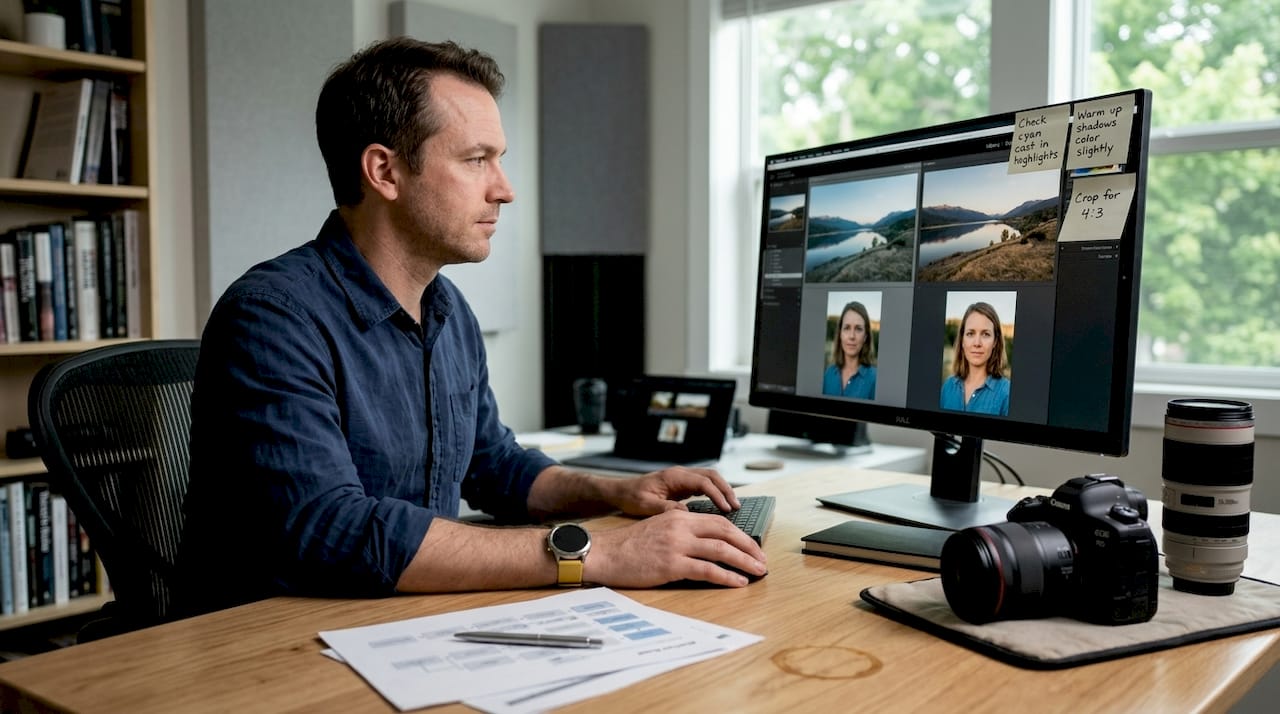
The Lightroom to Photoshop guide outlines a clear sequence: start with AI denoising, move to lens corrections, then exposure and tone adjustments, followed by healing and masking, and finish with sharpening before sending the file to Photoshop for compositing or retouching. Reversing this order creates compounding problems where sharpening artifacts interfere with masking and noise reduction undermines retouching work.
| Method | Benefits | Downsides |
|---|---|---|
| Batch sync | Consistent look, fast turnaround | Less control per image |
| Manual editing | Maximum precision | Time-intensive, harder to scale |
Here is a step-by-step workflow designed for creative teams handling campaign-level volumes:
- Import all assets into Lightroom and apply AI Denoise to the entire batch.
- Sync lens correction profiles across all images from the same shooting setup.
- Adjust exposure and white balance on a hero image, then sync to the batch.
- Use masking to isolate subjects for targeted adjustments.
- Apply sharpening as the final Lightroom step before export.
- Open selected files in Photoshop for compositing, retouching, or advanced layer work.
Studios running innovative creative workflows for FMCG brands understand that repeatability is not the enemy of originality. It's the infrastructure that makes originality possible at scale.
Hardware breakthroughs: Unlocking 3D and real-time post-production
With your workflow optimized, cutting-edge hardware and software are the final piece to unlocking new creative frontiers. The gap between what's creatively possible and what's practically achievable has narrowed dramatically in 2026.
After Effects 26.2 delivers up to 3.8x performance improvement on Apple, AMD, and Intel GPUs compared to NVIDIA-only configurations, which means studios running non-NVIDIA hardware now have real access to real-time 3D compositing. That's a significant creative unlock. Real-time feedback changes how artists make decisions because they can see the impact of every adjustment immediately rather than waiting through render cycles.
Here are the hardware upgrades that deliver the most meaningful creative returns for modern studios:
- Apple M5 Max chip: Delivers exceptional 3D render speeds and handles large compositing files without thermal throttling.
- High-end AMD GPUs: Now competitive in After Effects environments with the 26.2 update and well-suited for GPU-accelerated rendering.
- 64GB+ unified or system RAM: Essential when working with large-format composites, 3D scenes, and multi-layer Photoshop files simultaneously.
- NVMe SSD storage: Reduces asset load times and keeps batch editing pipelines moving without bottlenecks.
For branding work in particular, the ability to iterate quickly on 3D renders, augmented reality assets, and real-time composites means that clients can see and approve directions faster. This shortens the feedback cycle and keeps creative momentum alive throughout a project.
The creative edge: Pushing beyond plug-and-play
All the tools in the world can't replace the spark a unique creative mind brings to post-production innovation. This is something we've observed consistently across more than two decades of studio work.
Every major tool in this article is accessible to almost any studio willing to invest the time and budget. The software is commercially available. The hardware is purchasable. The tutorials are free. What isn't accessible is perspective, the specific creative instinct that decides when to break the workflow order, when to use a double exposure that nobody asked for because it's clearly the right choice, and when to strip everything back to simplicity because the image is already doing the work.
"It's not about the tools — it's about the perspective you bring to them."
The best post-production work doesn't announce itself. It creates an emotional response before the viewer has time to analyze how it was made. Techniques become invisible when they serve the story completely. That's the standard worth working toward, and it's a standard that requires artistic judgment, not just technical skill. Reviewing agency essentials for post-production is a useful starting point, but the real differentiator is the creative vision driving every decision.
Bring your vision to life with expert post-production
If you're ready to transform your projects with expertise and innovation, professional support makes all the difference. Knowing the techniques is one thing. Executing them at a level that genuinely elevates a brand is another.
At 35milimetre, we bring over two decades of hands-on compositing, retouching, and visual storytelling experience to every project. Our team combines advanced AI-enhanced workflows, custom creative direction, and deep technical skill to produce imagery that performs. Whether you're an agency building a campaign or a photographer looking to take your final images further, our professional retouching and post-production services are built around your specific goals. Reach out to our visual post production agency to see what's possible when craft and technology work together.
Frequently asked questions
What is the best order for post-production editing?
Start with AI denoising, then apply lens corrections and exposure adjustments, move through masking and sharpening, and save all compositing or retouching work for Photoshop as the final step.
How does AI speed up post-production?
AI handles time-intensive tasks like rotoscoping and color matching automatically, with AI automating 60-70% of the labor in those specific areas, freeing your team for higher-level creative decisions.
Are double exposures suitable for commercial branding?
Absolutely. Double exposures blend images to tell layered stories, making them a strong fit for brands with a narrative or artistic identity, though they require careful execution to feel intentional rather than gimmicky.
Which hardware upgrade gives the biggest creative boost?
The Apple M5 Max and the latest AMD GPUs deliver the most significant gains right now, particularly since After Effects 26.2 delivers 3.8x performance improvements on non-NVIDIA hardware, making real-time 3D compositing accessible to more studios than ever before.