
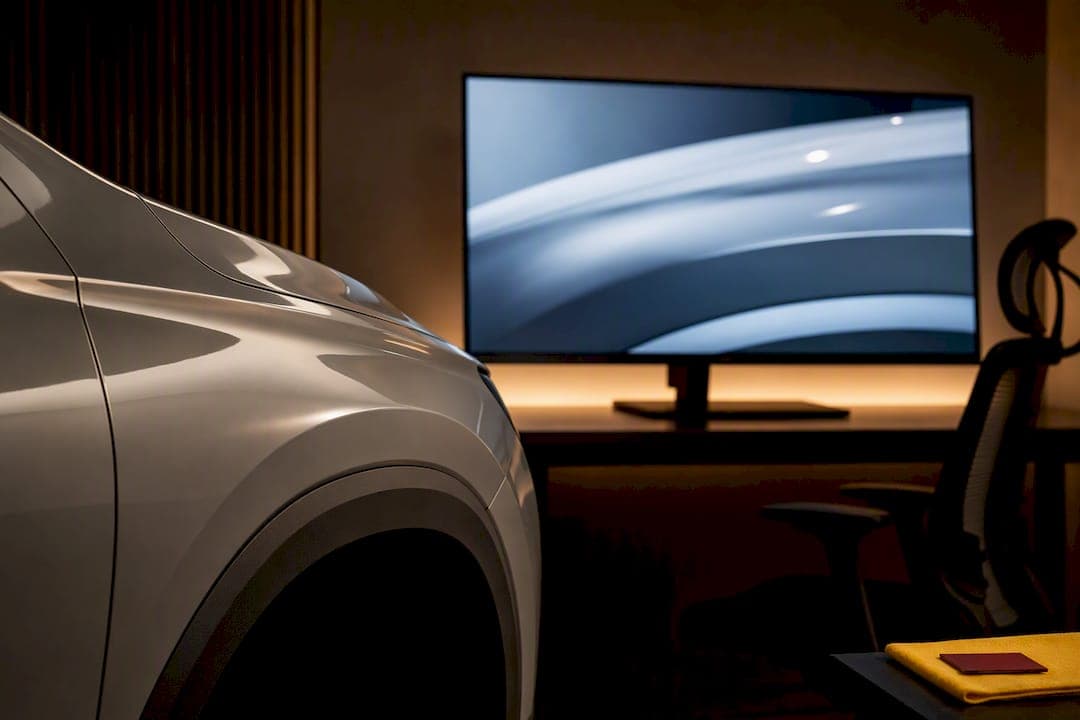
Automotive CGI creates photoreal vehicle stills, motion, and interactive assets that let design and marketing teams launch campaigns before a car exists. Studios build these visuals from CAD data using offline renderers like V-Ray or Arnold for cinematic polish, or real-time engines like Unreal Engine for configurators and rapid iteration. The payoff is speed and reuse: one well-built asset can generate a hero image, a launch film, and a web configurator without rebuilding anything from scratch, which is an example of the kind of pipeline discipline brought to automotive and tech clients by specialized post-production studios.
TL;DR:
- Using CAD data and a structured pipeline, producers optimize models for multiple deliverables, reducing duplication and minimizing rework.
- Hybrid workflows combining offline renderers and real-time engines are increasingly popular for cost-effective, high-quality outputs.
- Accurate paint materials, fixed lighting setups, and benchmarking against real photos are essential for achieving photorealism in CGI.
- Building one master asset from the start allows for faster reuse across print, motion, and interactive channels, saving time and budget.
- Collaboration between designers and CGI artists early in the process prevents costly revisions and ensures the final visual aligns with intent.
Table of Contents
- What Automotive CGI Covers and Core Use Cases for Marketers
- The Production Pipeline: From Brief to Final Render
- Choosing Engines: Offline Renderers vs Real-Time Platforms
- Materials, Lighting, and the Technical Levers Behind Photorealism
- Outputs, Deliverables, and Asset Reuse Across Channels
- Typical Cost and Timeline Factors for Automotive CGI Projects
- How 35milimetre Approaches Automotive CGI Projects
- Common Challenges and Solutions in Automotive CGI Production
- Blending CGI With Traditional Photography and Video
- Best Practices for Designer and CGI Artist Collaboration
- Quality Control and Benchmarking Photorealistic Renders
- Where Automotive CGI Is Heading Next
- Ready to Commission Automotive CGI Work
- Sources
What Automotive CGI Covers and Core Use Cases for Marketers
Automotive CGI production spans a wider range of deliverables than most marketing teams expect going in. A single vehicle model, once built correctly, can generate:
- Studio hero stills for print, digital ads, and dealership materials
- Lifestyle scenes placing the vehicle in environments no photo crew could realistically shoot
- Launch films and cinematic spots timed to unveil events
- Interactive configurators letting shoppers change color, trim, and wheels in real time
- AR and VR experiences for showroom kiosks or mobile apps
- Training simulations for dealership staff or service technicians
Design teams use early CGI builds for internal sign-off before tooling commits to a physical prototype. Marketing teams lean on the same assets to build pre-launch buzz months ahead of a vehicle's public debut, leveraging the proven impact of visual content in marketing to maximize engagement. Dealership networks get scalable imagery that doesn't require flying a physical unit to every market.
The core reason to choose CGI over traditional photography comes down to control and timing. A photo shoot needs a finished, painted vehicle in a specific location on a specific day. CGI needs CAD data and a render pipeline, which means work can start while the car is still being engineered. That timing advantage is often the whole business case, and it lets brands run approval cycles on a still image instead of a physical build.
The Production Pipeline: From Brief to Final Render
Automotive CGI follows a fairly consistent pipeline across studios, even though the tools vary. A structured workflow generally moves through six stages: brief and reference gathering, CAD optimization, material and PBR setup, lighting and scene build, rendering, and final post-production with color grading.
- Brief and reference collection. The client defines angle, mood, environment, and deliverable list. Reference imagery and brand guidelines get locked here.
- CAD cleanup and modeling. Raw CAD data from engineering teams rarely arrives render-ready. Artists rebuild geometry, fix UVs, and optimize polygon density for the target renderer.
- Material and texture setup. Paint, glass, chrome, rubber, and interior fabrics get built as physically based materials.
- Lighting and scene composition. Studio rigs or HDRI environments are placed to match the brief's mood and camera angle.
- Rendering. The scene renders through an offline engine for maximum fidelity or a real-time engine for speed and iteration, often using cloud-based render farms to handle high-poly automotive datasets on tight turnarounds.
- Compositing and color grading. Final polish, background integration, and color correction happen in post before delivery.
Version control matters more here than in most creative disciplines because a single vehicle model might feed a dozen deliverables. Studios that skip clear file naming and revision tracking end up rebuilding work that already existed.
Pro Tip: Ask for a locked CAD file before kickoff, not "final draft" geometry. Nothing wastes more budget than relighting and re-texturing a model after engineering swaps out a bumper design mid-project.
The most common pitfalls are poorly prepared CAD files, missing or overlapping UVs on painted panels, and review cycles with no clear approval owner. Any one of these can turn a two-week job into a six-week one.
Choosing Engines: Offline Renderers vs Real-Time Platforms
The renderer you choose shapes cost, timeline, and how easily assets get reused later. Offline renderers such as V-Ray, Arnold, and KeyShot remain production-proven for the highest tier of photoreal stills and cinematic commercial work, where render time isn't a constraint and every frame gets scrutinized. Real-time platforms like Unreal Engine, Unity, and Twinmotion serve a different job: interactive configurators, virtual showrooms, and situations where a client needs to see design changes in seconds, not hours.
That said, the line between the two has blurred considerably. Autodesk VRED is widely used specifically to evaluate automotive designs in real time while still producing high-fidelity images suitable for external presentations. And Unreal Engine 5's path tracer has closed much of the quality gap that used to separate real-time output from offline rendering.
Rotor Studios is a useful case study here. The visualization studio moved its entire pipeline to Unreal Engine 5 specifically to unify assets across stills, motion, and configurators, cutting the duplicated effort that comes from building separate models for separate deliverables. Industry practitioners increasingly frame the choice as output-driven rather than hierarchical: pick offline for a flagship hero shot that will run in print for two years, pick real-time when the client needs a hundred iterations before lunch.
The strongest approach for most brands is hybrid: build one master asset at spec-correct quality, then export from it in whichever direction the deliverable demands.
- Offline renderers for flagship stills, launch films, and anything printed at large scale
- Real-time engines for configurators, live presentations, and design review sessions
- A shared master asset feeding both paths to avoid rebuilding geometry and materials twice
Materials, Lighting, and the Technical Levers Behind Photorealism
Photorealism in automotive CGI comes down to a handful of technical decisions, and paint is usually where they matter most. High-fidelity car paint requires layered shaders that separately model basecoat color, metallic flake distribution, clearcoat depth, and anisotropic highlights. Skip any one of those layers and the paint reads as plastic instead of lacquer, no matter how good the lighting is.
Physically based rendering, or PBR, ties every material's behavior to measured real-world data rather than an artist's guess. That accuracy is what makes a render survive scrutiny at full resolution, on a billboard, or in a 4K commercial.
Lighting setup is the second major lever:
- Studio rigs with key, rim, and fill lights give full control over reflections on body panels, which is critical for showing off surface lines
- HDRI environment lighting places the vehicle in a realistic outdoor or urban setting with naturally consistent reflections
- Camera focal length and depth of field need to match real automotive photography conventions, or the render will look subtly synthetic even to a casual viewer
Pro Tip: Lock lighting direction and HDRI choice before final material review. Changing the light rig after paint has been approved forces a second round of client sign-off on color, since metallic flake and clearcoat both shift dramatically under different light angles.
Outputs, Deliverables, and Asset Reuse Across Channels
A well-built vehicle asset should never need to be built twice. The output format depends entirely on the channel: stills typically deliver as EXR or PNG at full resolution, motion work exports as ProRes or EXR sequences for grading, and real-time or interactive deployments need FBX, glTF, or USD files depending on the target platform.
This is where digital-twin thinking pays off. A correctly built master asset can serve marketing stills, a web configurator, and a VR showroom experience without separate modeling passes for each, which is dramatically faster than treating every channel as its own project.
Before handoff, agencies and in-house teams should confirm:
- File format and resolution match the target platform's specs
- Color space and grading are consistent across stills and motion deliverables
- The master asset and its texture library are archived with clear version numbers for future reuse
Typical Cost and Timeline Factors for Automotive CGI Projects
Budget and schedule swing on a few predictable variables. Model fidelity is the biggest one: a hero still with one hero angle costs and takes far less than a full 360-degree configurator with multiple trims and colors. Custom shader development for a unique paint finish, animation complexity for a launch film, and the number of total deliverables all add time.
Security matters too. Pre-release vehicles often require locked-down file transfer and restricted access, which adds process overhead that a published model doesn't need.
- Model fidelity and geometry complexity
- Custom material or shader development
- Animation length and camera choreography
- Security requirements for unreleased vehicles
- Total deliverable count and review cycles
A single hero still typically moves fastest, while a full configurator or catalog project takes considerably longer due to the sheer number of angle and trim combinations. Review cycles are the wildcard: unclear approval chains stretch any timeline regardless of technical scope. A real-time-first approach tends to compress iteration time significantly, since clients can review changes live instead of waiting for each new offline render pass.
How 35milimetre Approaches Automotive CGI Projects
Some studios have extensive experience in image manipulation, compositing, and visual storytelling, which shapes how they handle automotive work today. Teams often consist of a post-production artist, a graphic designer, and a 3D artist, scaling up with outside talent when a project needs it. Such studios have delivered high-end visuals for major technology and automotive brands, working alongside ad agencies, startups, and photographers who need imagery that holds up under scrutiny.
That range shows in the studio's automotive visualization work, and its ongoing investment in AI-enhanced imagery keeps the pipeline current as AI tools reshape parts of the visual production process. [Client case studies and project details to be added.]
Common Challenges and Solutions in Automotive CGI Production
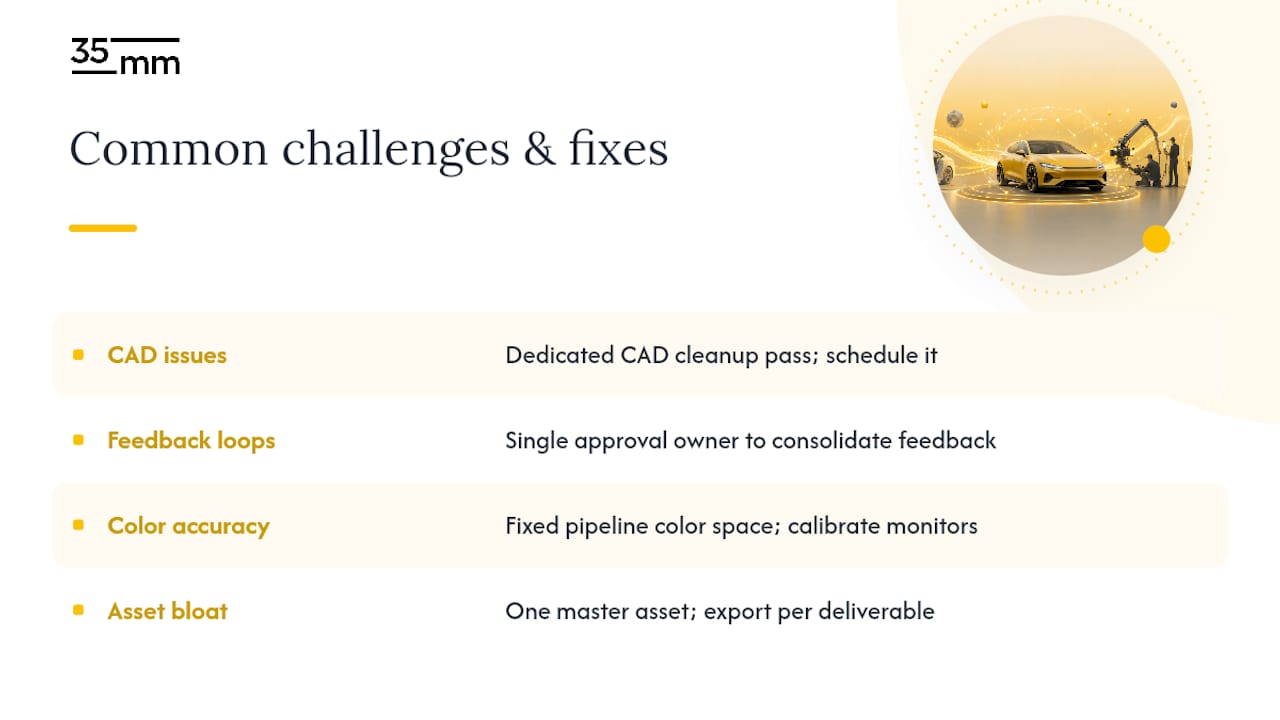
The most frequent production headache is mismatched expectations between CAD engineering data and what a render pipeline actually needs. Engineering CAD is built for manufacturing tolerances, not surface aesthetics, so seams, gaps, and hidden geometry that never matter on a factory floor become glaringly visible under studio lighting. The fix is a dedicated CAD cleanup pass before any texturing starts, treated as its own line item in the schedule rather than an afterthought.
A second recurring problem is unmanaged feedback loops. When five stakeholders each send separate notes on a render, artists end up chasing contradictory direction. Studios that assign a single approval owner, someone empowered to consolidate and prioritize feedback, cut review cycles dramatically compared to open-ended group critique.
Color accuracy across deliverables is a third challenge. A vehicle's paint can look correct in one render and slightly off in another if color management isn't locked at the pipeline level. Establishing a fixed color space and reference monitor calibration before rendering begins prevents costly late-stage corrections.
Finally, asset bloat is a quiet cost killer. Projects that generate a new model for every camera angle or every deliverable type multiply both the budget and the risk of inconsistency. The solution, again, comes back to building one master asset and exporting from it rather than starting fresh for each new request.
Blending CGI With Traditional Photography and Video
Automotive CGI rarely replaces photography and video outright. The more common approach blends the two, using CGI for the vehicle and photography or video for environment, people, and atmosphere. A composite might place a fully rendered car into a photographed street scene, or drop CGI wheels and trim options onto a photographed body for configurator variants.
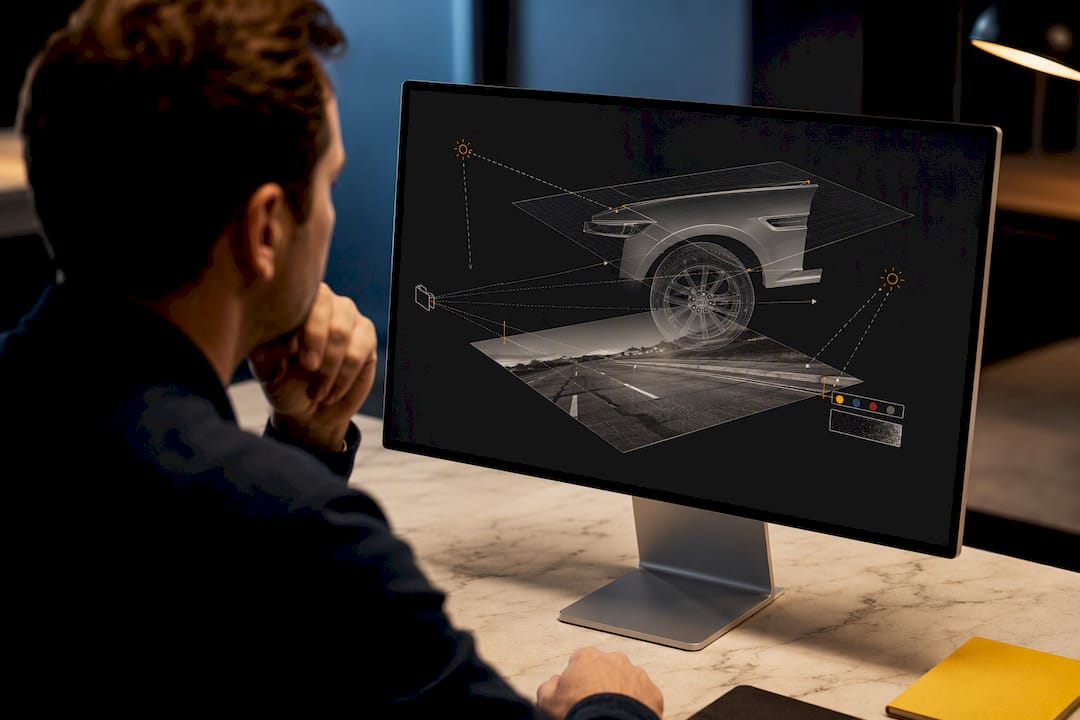
This hybrid approach solves a real production constraint: photographing a physical vehicle in every color and trim combination across every desired location is not realistic on most budgets or timelines. CGI fills the gap by generating variants from a single photographed or rendered base, while live-action footage supplies the human energy and environmental texture that fully synthetic scenes sometimes struggle to match.
Matching CGI to photographic plates requires careful attention to lens characteristics, lighting direction, and grain or noise structure. A render that's technically flawless but too clean will look pasted into a photographed scene. Compositors typically add subtle lens distortion, matched color grading, and even a touch of simulated grain to make the CGI element sit naturally inside the photographed frame. Getting this blend right is often what separates a composite that reads as real from one that reads as obviously synthetic, even to viewers who couldn't articulate why.
Best Practices for Designer and CGI Artist Collaboration
The strongest automotive CGI work comes out of close, ongoing collaboration between vehicle designers and the CGI team, not a one-way handoff of files. Designers understand intent, the specific curve or proportion they're trying to communicate, while CGI artists understand how light and material will actually render that intent on screen. When those two groups talk directly instead of through layers of brief documents, fewer revision cycles are needed.
Early involvement matters more than most teams expect. Bringing CGI artists into the conversation while a design is still evolving, rather than after it's locked, lets them flag rendering challenges before they become expensive fixes. A surface that looks perfect in a CAD viewer can behave unpredictably under studio lighting, and catching that early saves a full re-render later.
Shared reference libraries also help enormously. When designers and artists work from the same mood boards, competitor benchmarks, and material swatches from day one, the render is far less likely to drift from what the design team actually envisioned. Regular checkpoint reviews, even brief ones, keep both sides aligned as the asset moves from gray-shaded model to fully lit, fully textured final render.
Quality Control and Benchmarking Photorealistic Renders
Judging whether an automotive render is "good enough" requires more discipline than a quick visual gut check. Studios that consistently produce believable work benchmark renders against real photographic references at every major stage, not just at final delivery. Side-by-side comparison against a photographed vehicle in similar lighting conditions exposes flaws that are nearly invisible when a render is judged in isolation.
Paint accuracy is usually the first thing to check, since human eyes are extremely sensitive to how metallic flake and clearcoat behave under changing light angles. A second checkpoint is reflection accuracy: automotive bodywork is essentially a moving mirror, and any inconsistency in what's reflected on the surface breaks the illusion instantly.
Technical benchmarking matters just as much as the visual review. Render resolution, color space consistency, and noise levels all need verification before a file moves to the client, since issues that are invisible on a laptop screen can become obvious on a billboard or in a 4K commercial. Building a checklist for these technical specs, and applying it consistently across every deliverable, catches problems before they reach a client review rather than after.
Where Automotive CGI Is Heading Next
Real-time-first workflows are becoming the default rather than the exception, driven by the same build-once, reuse-everywhere logic that pushed Rotor Studios toward Unreal Engine. AI is accelerating specific pieces of that pipeline too, particularly background generation, material capture, and rapid iteration on lighting variants, without replacing the craft judgment that makes a render believable. For decision-makers, the practical move is investing in modular assets, cloud rendering capacity, and a single source of truth for every vehicle model rather than parallel versions scattered across teams.
— 35mm
Ready to Commission Automotive CGI Work
If your team needs photoreal vehicle imagery that holds up across print, digital, and interactive channels, Some post-production studios bring extensive experience to automotive and technology campaigns, often with a small dedicated team that handles CGI rendering, retouching, compositing, and AI-enhanced imagery under one roof, which can reduce handoffs and miscommunication. The team may handle CGI rendering, retouching, compositing, and AI-enhanced imagery under one roof, which can mean fewer handoffs and less time lost to miscommunication between vendors.

Before reaching out, it helps to have a short brief ready: target deliverables (stills, motion, configurator), reference imagery or mood boards, CAD or model availability, and your timeline. That is enough for 35milimetre to scope the work accurately from the first conversation. Visit the 35milimetre studio page to start a project or request a quote for your next automotive campaign.