

AI-generated models for ads let marketers create, test, and scale platform-ready creatives and audience recommendations far faster than manual workflows. When paired with brand controls and a validation workflow, these models can produce production-ready assets across images, video, and copy. If you're evaluating whether to adopt them, here's where to start:
- Prepare a 1-week pilot brief defining your objective, primary KPI, and creative constraints.
- Gather brand assets including your style guide, high-res product images, final URLs, and top-performing creative examples.
- Choose your pilot path: a self-serve tool for low-stakes volume tests, or a studio-managed pilot for flagship campaigns where off-brand output carries real cost.
For high-stakes campaigns, the single recommended move is a short managed pilot with brand-trained controls. It limits exposure, produces measurable outputs, and gives your team a calibrated baseline before scaling.
Key Takeaways
AI-generated models for ads produce measurable results when brand training, QA gates, and a structured pilot workflow are in place from the start.
| Point | Details |
|---|---|
| Two model families | Generative models create visible assets; recommendation models like Meta's GEM optimize delivery and drove a 5% conversion lift on Instagram. |
| Brand training is the differentiator | Fine-tuning on your own asset library and best-performing ads produces reliably on-brand outputs that generic models cannot match. |
| Pilot before scaling | A 30-day pilot with a holdout audience, creative scoring, and a manual QA gate gives you a calibrated baseline before committing full budget. |
| Managed studio for high stakes | When a failing creative exceeds your CPA buffer, a studio-managed pilot with foreground control and bespoke QA is the lower-risk path. |
| 35milimetre pilot option | 35milimetre offers brand-trained, studio-supervised pilots delivering platform-ready assets with a creative score report and post-launch optimization plan. |
Table of Contents
- What are AI-generated models for ads, exactly?
- What assets do AI ad models actually produce?
- How does the production workflow actually run?
- How do AI models plug into ad platforms?
- How do you measure success from AI-generated ad models?
- What does AI ad production actually cost, and how fast is it?
- What risks should you plan for before deploying AI-generated ads?
- Why does a specialist studio still win for high-stakes creative?
- The case for a hybrid approach, not a binary choice
- What 35milimetre offers for your first AI-powered campaign
- Sources
What are AI-generated models for ads, exactly?
The phrase "AI-generated models for ads" refers to two distinct model families that serve different functions in a campaign. Conflating them leads to mismatched expectations, so it's worth being precise.
Generative models produce creative assets: product images, lifestyle visuals, short-form video, and ad copy. They work from text prompts, reference images, or brand kits, and their outputs are directly visible to consumers. The quality ceiling for these models depends heavily on how well they've been trained on brand-specific assets. A unified autoregressive approach like Uni-AdGen, presented at CVPR 2026, jointly generates personalized image-text ad pairs from a single pipeline, improving visual and factual consistency compared to running separate image and copy models.
Recommendation models (sometimes called RecSys or ranking models) work behind the scenes. They score audiences, rank ad placements, and optimize delivery without producing any visible creative. Meta's GEM (Generative Ads Model) is the clearest public example: it functions as an LLM-scale ads foundation model that transfers learned knowledge to downstream ranking and targeting models across Meta's platforms.
A short glossary worth keeping handy:
- Foundation model: A large pre-trained model that can be adapted to specific tasks via fine-tuning.
- Fine-tuning / brand training: Retraining a model on your brand's assets and high-performing ads so outputs reflect your visual identity.
- Inpainting / foreground control: Techniques that lock a product or subject in place while the model generates the surrounding scene, preventing incorrect placement.
- Knowledge transfer / distillation: How a large foundation model passes learned representations to smaller, faster downstream models.
When evaluating a vendor or partner, ask: What foundation model powers the generation? Has it been fine-tuned on brand assets, or is it a generic off-the-shelf model? Who owns the training data, and what consent records exist? What controls prevent hallucinated product claims in copy?
What assets do AI ad models actually produce?
The deliverable list is broader than most marketers expect. A well-configured generative pipeline can produce:
- Product shots on clean or contextual backgrounds
- Lifestyle images placing products in real-world scenes
- Square, vertical, and landscape image variants sized for each platform
- Short-form video ads (typically 6–15 seconds) cut from static or motion assets
- Headline and body copy variations at scale
- Multi-size bundles covering Meta, Google, TikTok, and LinkedIn specs simultaneously
- UGC-style variations that mimic organic creator content
The more interesting development is multimodal pipelines that produce image-copy packages in a single pass. Research from Uni-AdGen's PAd1M dataset shows that unified generation, where the model handles both the visual and the text simultaneously, reduces the inconsistency that appears when you generate an image in one tool and write copy in another. The product name in the headline actually matches what's visible in the frame.
Pro Tip: Use a brand kit combined with foreground control (inpainting) rather than text prompts alone. Locking the product foreground before generating the background scene is the most reliable way to prevent off-brand placement or distorted product details. Google's open-source Copycat toolkit demonstrates how training on your own best-performing ads produces more on-brand outputs than any generic model.
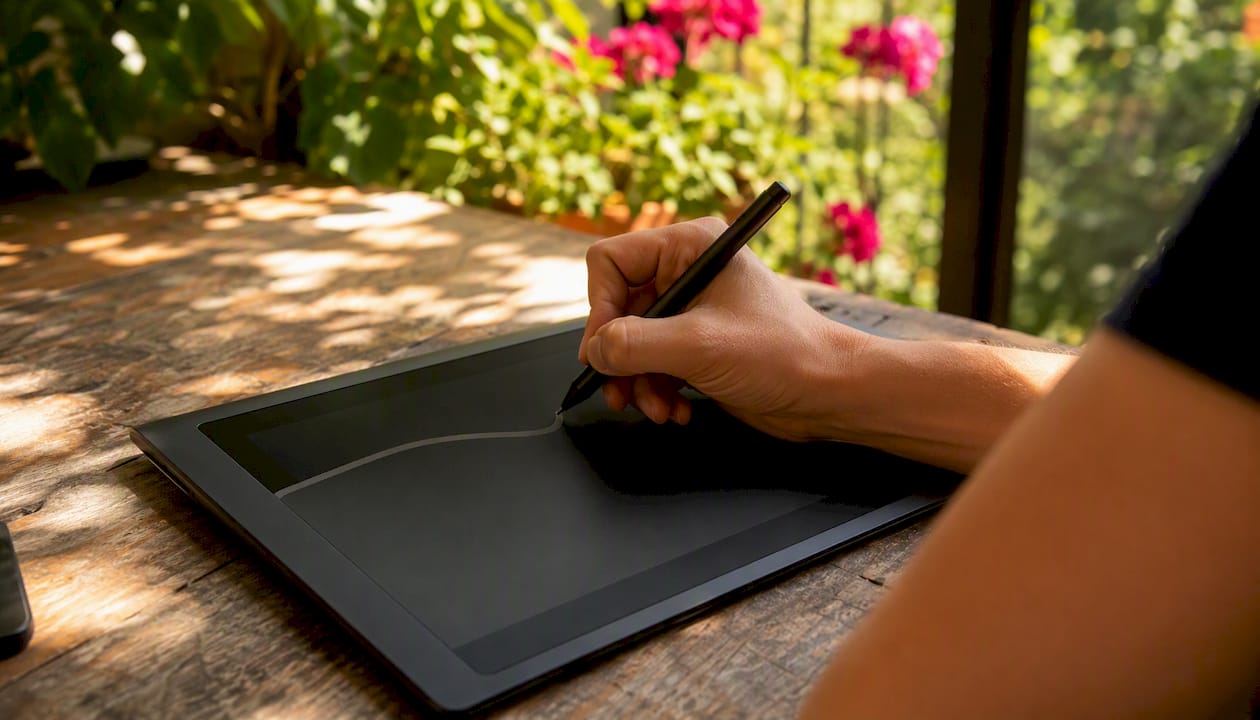
For practical ad campaign imagery strategies that translate these capabilities into campaign-ready visuals, the creative choices around composition and retouching still matter even when AI handles the generation.
How does the production workflow actually run?
A pilot that moves from brief to live campaign in a controlled, measurable way follows six steps.
- Prepare inputs. Collect your brand kit (logo, color palette, typography), high-res product images with clean backgrounds, your style guide, final destination URLs, top-performing creative examples, target audience definitions, and baseline KPIs (CTR, conversion rate, ROAS).
- Run generation. Select your model or pipeline, configure prompts or fine-tuning parameters, and generate an initial batch. For brand-critical campaigns, fine-tune on your own asset library before generating at scale.
- Quality control. Apply a manual QA gate to the first batch. Check for brand compliance, factual accuracy in copy, platform policy adherence, and any hallucinated product claims. Flag and remove before any spend is committed.
- Experiment. Set up multivariate or A/B tests with a holdout audience. Score creatives before launch using a creative scoring tool, and define a minimum score threshold below which assets don't run.
- Publish. Upload via platform APIs or ad manager. Microsoft Advertising's Copilot and asset APIs support operations like
CreateAssetGroupRecommendationandAddMediaprogrammatically, which reduces manual upload time for large asset sets. - Iterate. After the first two weeks, review performance by creative variant. Feed winning assets back into fine-tuning or use them as reference images for the next generation cycle.
Before you start, confirm you have these inputs ready:
- Final destination URLs for each ad variant
- High-res product images (minimum 2000px on the long edge, clean background)
- Brand style guide with approved color hex codes and typography
- Three to five top-performing creative examples from previous campaigns
- Defined target audiences and baseline KPI benchmarks
- Legal-cleared product claims for any copy the model will generate
A minimal pilot brief looks like this: "Objective: test AI-generated product images against current control creative for [Product X]. Constraints: no lifestyle imagery with people, US market only, brand kit v2.1. Duration: 30 days. Primary KPI: conversion rate at the product page level." That single paragraph prevents scope creep and gives your QA team a clear compliance checklist.
Governance checkpoints to build in: a creative score threshold (reject assets below your defined floor), a manual QA gate before any asset goes live, and a platform policy check against Meta, Google, or TikTok's current AI content policies.
How do AI models plug into ad platforms?
Integration paths vary by platform and technical maturity. The four main routes are native platform APIs, ad manager manual upload, managed customer partner (MCP/MCM) connections, and CDP or marketing stack connectors.
Microsoft Advertising's generative AI APIs let you programmatically create asset groups, generate responsive search ad recommendations, and upload media with defined limits per API call. This is the most direct path for teams running Performance Max or Smart campaigns at volume. Meta's Ads Manager accepts AI-generated images and video through standard asset upload, though Meta's own recommendation models (including GEM) operate at the platform level and are not directly configurable by advertisers.
Platform-specific constraints to plan for:
- Meta: Images must meet minimum resolution and aspect ratio specs (1:1, 4:5, 9:16 for Stories/Reels). AI-generated content is permitted but must comply with Meta's advertising policies on misleading visuals and undisclosed synthetic media where required.
- Google Performance Max: Asset groups accept up to 20 images, 5 videos, and multiple headline/description variants. AI-generated assets upload the same way as any other creative.
- TikTok: Vertical video (9:16) is the primary format. Short-form AI-generated video ads (6–15 seconds) fit natively, but TikTok's content policies on synthetic media are actively evolving.
- LinkedIn: Supports single-image, carousel, and video formats. Aspect ratio and file size limits apply per format.
For IT and ads ops teams, the technical checklist includes: API keys and OAuth credentials for each platform, rate limit awareness (especially for bulk asset uploads), a consistent asset naming convention that includes variant ID and date, and an asset library organized by campaign, format, and approval status. Open-source starter kits like the AI Creative Generator MCP Starter Kit demonstrate how to connect image and video models to export pipelines for multi-size platform outputs, though they require brand filters and governance layers before campaign use.
How do you measure success from AI-generated ad models?
The KPIs that matter most depend on which model type is driving the lift. Recommendation models like Meta's GEM produce platform-level gains in conversion rates and delivery efficiency. Generative models drive lift through creative quality, relevance, and volume of testable variants.
Meta reported that GEM drove a 5% increase in ad conversions on Instagram and a 3% increase on Facebook Feed after rollout. Those gains come from better audience matching and ranking, not from the creative itself. Generative model gains are typically measured at the creative level: CTR lift, conversion rate improvement per variant, and ROAS delta between AI-generated and control creative.
For a 30-day pilot, a practical experimental design looks like this: split your audience into a test group (AI-generated creative) and a holdout group (current control creative), with equal budget allocation. Score all creatives before launch using a creative scoring tool. Track CTR, conversion rate, ROAS, CPM, and creative score weekly.
| Metric | What it measures | Signal to watch |
|---|---|---|
| CTR | Creative relevance and attention | Lift vs. control indicates stronger visual or copy hook |
| Conversion rate | Full-funnel effectiveness | Flat CTR with rising CVR suggests landing page alignment |
| ROAS | Revenue efficiency | Primary business metric for budget decisions |
| Creative score | Pre-launch quality estimate | Low score predicts underperformance before spend |
| CPM | Auction competitiveness | Rising CPM with flat ROAS may indicate audience saturation |
Model drift shows up as a gradual decline in creative score or CTR over a 4–6 week window without changes to the audience or offer. Hallucination risk in copy (fabricated product specs, incorrect pricing) is caught at the QA gate, not post-launch.
What does AI ad production actually cost, and how fast is it?
Pricing follows three broad models, and the right choice depends on how much brand control and production quality your campaign requires.
Subscription (self-serve SaaS) tools charge a monthly fee for access to generation credits. These work well for volume-driven, lower-stakes campaigns where speed matters more than bespoke quality. Assets can be ready same-day from templates.
Per-asset credits suit teams that need occasional polished outputs without a retainer. Turnaround is typically 48–72 hours for a set of platform-sized variants.
Managed-service or project-based fees cover brand-trained, studio-supervised production. This lane takes 1–2 weeks for the first campaign set, accounting for fine-tuning, QA, and legal review. It costs more per asset but produces outputs that a self-serve tool cannot replicate for premium or regulated campaigns. The market momentum behind AI video ad generation reflects how quickly this space is maturing, with significant investment flowing into dedicated platforms.
| Production lane | Typical turnaround | Expected deliverables | Cost shape |
|---|---|---|---|
| Quick (self-serve templates) | Same day | 5–10 sized image variants, basic copy | Low monthly subscription |
| Standard (per-asset service) | 48–72 hours | Polished image set, copy variants, platform exports | Per-asset or credit bundle |
| Managed (studio, brand-trained) | 1–2 weeks | Brand-trained images, short-form video, multi-size exports, QA report | Project fee or retainer |
What determines cadence in the managed lane: fine-tuning time on brand assets, internal approval rounds, and legal review of any product claims in copy.
What risks should you plan for before deploying AI-generated ads?
Deploying AI-generated assets without a risk framework is where campaigns run into policy violations, brand damage, and legal exposure. The risks fall into six categories:
- Platform policy violations: AI-generated content that implies false endorsements, uses misleading visuals, or violates synthetic media disclosure rules can result in ad disapproval or account suspension.
- Copyright and ownership ambiguity: Training data provenance matters. If a model was trained on unlicensed imagery, outputs may carry IP risk. Ask vendors for explicit training data licensing documentation.
- Hallucinated claims in copy: Generative models can produce plausible-sounding but factually incorrect product descriptions, prices, or specifications. A manual QA gate before launch is non-negotiable.
- Off-brand visuals: Generic models without brand training produce outputs that look like stock photography, not your brand. Fine-tuning on your own asset library is the mitigation.
- Deepfake and celebrity likeness issues: Never use AI to generate recognizable faces or celebrity likenesses in ads without explicit consent and legal clearance.
- Data privacy when using customer data: If you're using customer behavioral data or PII to train or personalize models, you need documented consent records and compliance with applicable privacy regulations.
Practical mitigations: use brand kits and inpainting controls to constrain generation, apply a manual QA gate to the first 20–30 assets in any new campaign, store provenance and version metadata in your asset library, run legal review on any copy containing product claims, and maintain consent records for any PII used in training. For AI advertising strategy and risk management, the risk framework is as important as the creative workflow.
Avoid automation entirely for regulated ad copy (pharmaceutical, financial, legal), any creative involving sensitive imagery, and campaigns where a factual error carries significant legal or reputational cost.
Why does a specialist studio still win for high-stakes creative?
Self-serve tools handle volume. A specialist studio handles the campaigns where a single off-brand frame or a hallucinated product claim costs real money.
The studio workflow that produces reliable results follows a clear sequence: discovery and asset inventory (auditing existing brand assets and identifying gaps), brand training and fine-tuning (training the generative model on your approved asset library and best-performing historical ads), controlled generation using foreground perception modules and inpainting to lock product placement, bespoke QA and creative scoring against your brand standards, and campaign handoff with a monitoring plan for the first 30 days post-launch.
The Uni-AdGen foreground perception architecture illustrates why this matters technically: locking the product foreground before background generation prevents the distorted product placements that generic text-to-image models produce. Studios that implement this at the workflow level, rather than correcting errors in post, produce consistent outputs at scale.
A studio-managed pilot for a mid-sized campaign typically delivers: 15–25 final image variants across platform sizes, 3–5 short-form video edits (6–15 seconds), a multi-size export bundle covering Meta, Google, and TikTok specs, a creative score report for each asset, and a post-launch optimization plan covering the first four weeks. The benefits of AI imagery for marketers are most fully realized when the generation is paired with this kind of structured production discipline.

Agencies that have adopted AI-assisted workflows report measurable productivity gains from AI integration, particularly in asset turnaround time and the volume of testable variants per campaign. The studio model captures those gains while adding the brand-training and QA layers that self-serve tools don't provide.
The case for a hybrid approach, not a binary choice
The most common mistake we see is treating self-serve tools and managed studio work as an either/or decision. They serve different parts of the same campaign calendar.
Self-serve tools earn their place on UGC-style campaigns, seasonal volume pushes, and any creative test where the cost of a subpar asset is low. The iteration speed is real, and for performance marketers running 50-variant tests, the economics make sense.
Managed studio work is the right call for flagship product launches, premium brand imagery, regulated claims, and any campaign where the creative represents the brand to a new audience for the first time. A failing creative in that context doesn't just waste ad spend. It shapes brand perception.
The practical hybrid: start with a managed pilot to establish brand-trained baselines and a validated creative scoring threshold. Once you have a set of approved, high-performing assets as reference points, your team can run volume tactics with self-serve tools using those assets as style anchors. The studio handles the high-stakes work; the marketing team scales the proven concepts.
One rule of thumb worth keeping: if a failing creative costs incremental spend above your CPA buffer, choose managed.
What 35milimetre offers for your first AI-powered campaign
Marketers who want production-ready AI-generated ad assets without the risk of off-brand outputs have a concrete alternative to self-serve tools and generic platforms. 35milimetre runs brand-trained, studio-supervised pilots that move from brief to campaign-ready assets in 1–2 weeks, with QA gates built into every stage.

A managed pilot with 35milimetre includes:
- Brand training and fine-tuning on your approved asset library
- Controlled generation with foreground perception and inpainting for accurate product placement
- 15–25 final image variants sized for Meta, Google, and TikTok
- Short-form video edits (6–15 seconds) ready for platform upload
- A creative score report for every asset before launch
- A post-launch monitoring and optimization plan for the first 30 days
The studio's two decades of post-production experience in compositing, CGI, and visual post-production means the AI generation is always paired with the craft judgment that separates production-grade creative from template output. To request a pilot brief review or scope a managed pilot for your next campaign, reach out directly through the studio's website.
Sources
The sources below cover the engineering research, platform documentation, and practitioner toolkits referenced throughout this article. They range from Meta's engineering posts on recommendation model architecture to academic work on unified ad generation and open-source production toolkits.