
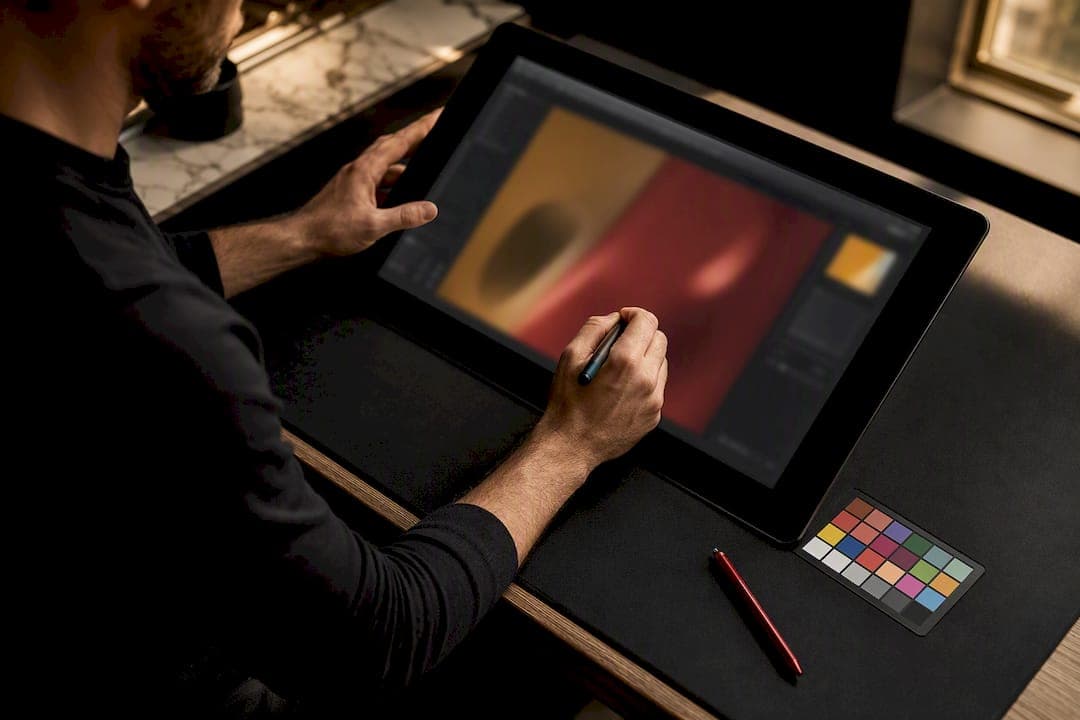
Advertising photo retouching turns raw campaign photography into brand-consistent, conversion-ready imagery through color grading, compositing, background work, and detailed surface correction. It matters because 67% of consumers say image quality directly influences purchase decisions, and campaign visuals carry that weight across every channel at once. Bring in a specialist studio when the imagery is campaign-critical, needs heavy compositing, or has to stay visually consistent across dozens of assets. Done right, the result is imagery your audience trusts on sight.
TL;DR:
- Use master files for batch consistency across large image sets to avoid re-editing and maintain brand uniformity.
- Different ad formats demand specific file types and resolution standards, with print requiring CMYK and high DPI, while digital needs sRGB and safe cropping.
- A clear, detailed briefing with reference images, crop requirements, and revision limits prevents costly rework and scope creep during retouching projects.
- Automotive and tech campaigns require advanced techniques like HDR merging and reflection cloning, with subtle retouching often outperforming heavily edited images.
- Confirm that the retouching studio provides layered files, process notes, and usage rights before starting to ensure transparency and proper asset management.
Table of Contents
- Core Services and Techniques Behind Advertising Retouching
- Which Retouching Specs Does Each Ad Format Need?
- What Does the Production Workflow and Handoff Actually Look Like?
- How Do You Choose a High-End Retouching Partner?
- What Do Advertising Retouching Projects Typically Cost?
- Real Campaign Work: Where Retouching Actually Moves the Needle
- Briefing Tips That Save an Advertising Campaign Weeks of Rework
- How 35milimetre Supports Advertising Teams
- Sources
Core Services and Techniques Behind Advertising Retouching
Commercial photo editing for advertising work covers a specific set of techniques, and knowing them helps you scope a project correctly instead of guessing at a quote. Industry practice groups the work into a few recognizable categories: color correction, blemish removal, background replacement, and compositing, often layered together on a single image.
Color correction fixes technical problems, exposure, white balance, and sensor noise. Color grading is a creative decision layered on top, usually driven by a brand LUT (a preset color transform) that keeps a tech brand's product shots looking identical whether they were shot in Tokyo or Toronto. Skin and model retouching splits into two philosophies: natural retouching, which smooths texture while keeping pores and fine lines intact, and stylized retouching, which pushes further toward an idealized look. Most advertising clients now lean natural, partly for authenticity and partly to avoid the backlash that overly smoothed imagery invites.
Compositing and background replacement give campaigns flexibility a single photo shoot never could. A product shot on a plain gray backdrop can become a beach scene, a city street, or a minimalist studio set, depending on which channel it's headed to. Packshot work for physical products demands its own discipline: correcting surface glare on glass or metal, cloning out unwanted reflections, and preserving the texture of fabric or plastic so the product still looks tactile after editing.
- Color grading applies brand-specific LUTs across every image in a set
- Natural retouching preserves skin texture; stylized retouching smooths more aggressively
- Compositing swaps backgrounds without reshooting
- Frequency separation techniques protect texture during skin and surface work
- Batch consistency tools flag color or exposure drift across large image sets
Pro Tip: Ask your retoucher for a "hero frame" first: one fully finished image that sets the color and retouching standard, then approve batch processing against that reference instead of reviewing every frame individually.
Which Retouching Specs Does Each Ad Format Need?
The same product photo needs different treatment depending on where it runs, and mismatched specs are the single most common cause of rejected campaign assets. A file built for Instagram will look flat and undersaturated on a billboard, and a file built for print will look garish on a phone screen.
- Print and out-of-home (OOH): requires CMYK conversion, a bleed margin, and resolution well above 300 DPI since billboard-scale enlargements expose every soft edge.
- Digital and social: needs sRGB export, safe crop zones for each platform's aspect ratio, and enough contrast to stay legible at thumbnail size.
- E-commerce: demands packshot consistency across a full product line, generated drop shadows, and multiple size or color variants from one master file.
- Editorial and fashion advertising: prioritizes texture fidelity, meaning skin, fabric, and hair need to survive close inspection rather than collapse into airbrushed mush.
- Repurposing: the efficient approach is building one high-resolution master file, then exporting channel-specific versions from it rather than re-editing from scratch each time.
Briefing your expected crops and channel destinations before the edit starts saves real rework later, since re-cropping or recompositing after delivery usually means reopening layered files that were already flattened for one specific use.
What Does the Production Workflow and Handoff Actually Look Like?
A predictable workflow is what separates a smooth retouching partnership from a frustrating one, and most professional studios follow a similar sequence: intake and brief review, a first-pass edit, client review, refinement, and final delivery. Two rounds of revision is standard for advertising work; anything beyond that usually signals the brief wasn't specific enough at the start.
What the retoucher needs from you matters as much as what they deliver back. That means RAW files (not compressed JPEGs), a written brief, brand color references or LUTs, and any approved reference imagery showing the look you're after. Studios that build efficient agency workflows lean heavily on style guides and master files supplied upfront, because guesswork at the intake stage costs far more time than a slightly longer brief.
Your deliverables checklist should specify file types explicitly: layered PSD or TIFF masters, flattened JPEGs or PNGs for immediate use, and clearly labeled color profiles (sRGB for screen, CMYK for print). Color workflow decisions, working space, soft-proofing before print delivery, and embedded profiles, prevent the classic problem of a photo looking perfect on a designer's monitor and wrong everywhere else.
- Request layered master files, not just flattened exports
- Confirm color profile and working space before the edit begins
- Set revision rounds and turnaround in writing, not verbally
- Ask for a consistency report on any batch larger than 10 to 15 images
Pro Tip: Keep one master PSD per product angle or model shot. Every channel export, print ad, Instagram carousel, product page, should trace back to that single file so brand consistency never depends on someone's memory.
How Do You Choose a High-End Retouching Partner?
Portfolio quality is the fastest signal of whether a studio can handle advertising-grade work, but the right portfolio review goes deeper than scrolling through pretty images. Look for campaign credits (real brand names, not stock samples), category experience that matches your product type, and before/after comparisons or layered file samples rather than only finished hero shots. Platforms built around creative portfolio review remain a common way agencies vet this work, though dedicated post-production studio sites often show deeper campaign context than a general gallery does.
Operational questions matter just as much as visual quality. Ask who actually touches your images (a named artist or an anonymous outsourced queue), what the revision policy covers, how many images the team can process per week, and whether there's a written service-level agreement for turnaround. On the commercial side, confirm image licensing and usage terms in writing, and get an NDA signed before sharing unreleased product photography.
A quick industry reality check: since image quality drives 67% of purchase decisions, the cost of choosing the wrong retouching partner isn't just a missed deadline. It shows up directly in conversion rate.
- Confirm who does the actual retouching, not just who sells the service
- Ask for two or three before/after examples in your product category
- Get usage rights and revision limits in writing before the project starts
- Red flag: a studio that won't show layered files or process notes
What Do Advertising Retouching Projects Typically Cost?
Pricing structures vary by project shape. Per-image pricing suits one-off product shots; hourly billing fits heavy compositing or CGI work where scope is harder to predict; retainers make sense for brands running continuous campaign output month after month. What drives the price up is complexity: multi-layer compositing, reflective surfaces, and multi-image consistency all take longer than a single clean product shot.
Turnaround for standard advertising retouching typically runs a few business days per batch, with rush delivery carrying a premium fee. Scoping a clear statement of work before the project starts, exact image count, revision rounds, deliverable formats, avoids the scope creep that turns a fixed quote into an open-ended bill.
- Batch similar images together to reduce per-image setup time
- Build one master file per product angle instead of paying for repeat edits
- Prioritize hero images for full treatment; simpler shots need lighter passes
- Lock revision rounds into the SOW before work begins, not after
Real Campaign Work: Where Retouching Actually Moves the Needle
Automotive and tech clients tend to push retouching skill hardest, since reflective surfaces punish sloppy work instantly. Automotive campaign work often combines HDR merging, reflection cloning, and frequency separation to keep specular highlights on chrome and glass intact without flattening the paint texture underneath, a technical balance that separates convincing product photography from imagery that looks obviously edited.
A compact, specialized team can scale surprisingly well for campaign volume, provided the workflow is built around master files and consistent process rather than raw headcount. AI tools now speed up routine fixes and help maintain batch consistency across large sets, but nuanced skin and texture work still benefits from a human retoucher's judgment, particularly on hero images where every pixel gets scrutinized.
The images that perform best in a campaign are rarely the most heavily edited. They're the ones where the retouching is invisible: the product looks real, the color feels right, and nothing pulls attention away from the thing you're actually selling.
Briefing Tips That Save an Advertising Campaign Weeks of Rework
The single biggest predictor of a smooth retouching project is the quality of the brief, not the skill of the retoucher. A vague brief ("make it pop") guarantees revision cycles no matter how talented the team is.
A workable brief includes reference images showing the target look, your brand's color guidelines or LUT, explicit crop and channel requirements, and a realistic revision count agreed upfront. The most common mistakes are missing references, undefined success criteria, and assuming unlimited revisions are included by default. Feedback moves faster when it's specific and consolidated: one clear round of notes on a hero frame beats five scattered comments across a dozen images.
— 35mm
How 35milimetre Supports Advertising Teams
35milimetre gives marketing teams a direct alternative to juggling multiple freelancers across retouching, compositing, and CGI. A compact team handles the full range under one workflow, so your automotive hero shot, packaging render, and social crop all come from a coordinated process instead of multiple disconnected vendors.

When you request an estimate, send your RAW files, a written brief with reference imagery, and your usage specs (print, OOH, social, or e-commerce). That's enough for the studio to scope turnaround and cost accurately instead of guessing. Whether the project calls for natural, campaign-ready beauty retouching or full CGI product visualization, the same intake process applies. Review the studio's portfolio and service details and request a brief to start scoping your next campaign.
Sources
For deeper technical and marketing context beyond this guide, these resources are worth bookmarking: