

3D design best practices are structured workflows and proven guidelines that reduce modeling errors, speed up production, and ensure your output holds up whether it ends up on screen or comes off a print bed. At 35milimetre, we've spent over two decades refining visual production pipelines for automotive and tech brands, and the difference between a chaotic project and a clean delivery almost always comes down to discipline at the process level. Mastering tools like PrusaSlicer, building parametric CAD habits, and using PDM systems for version control are not optional extras. They are the foundation of professional-grade 3D work.
1. what are the best 3d design practices for workflow efficiency?
A structured 3D design workflow follows five repeatable stages: gather references, build a blockout, model with shortcuts, refine iteratively, and check with quick renders. Structured pipelines and shortcut mastery reduce modeling time by 30–50%. That kind of efficiency gain compounds across every project you take on.
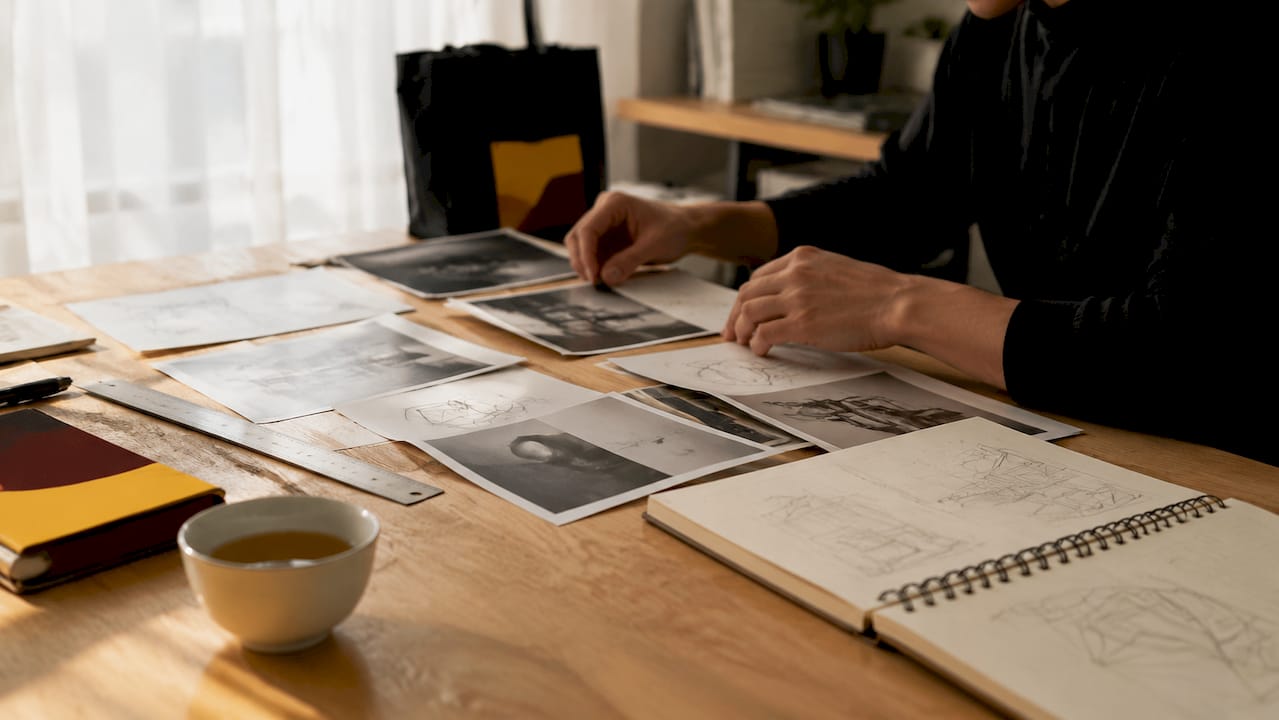
The reference stage is where most designers underinvest. Collecting orthographic photos, technical drawings, and material references before touching a single polygon prevents the guesswork that causes late-stage rework. Scene setup, including lighting rigs and camera presets saved as templates, removes repetitive decisions from every new file you open.
Shortcut mastery deserves its own attention. Remapping default hotkeys to match your hand position and building custom tool shelves in Blender, Maya, or Cinema 4D cuts the distance between intent and execution. The goal is to make the software disappear so you can focus on the design itself.
Pro Tip: Remap your five most-used commands to your non-dominant hand's home row. You'll notice the speed difference within a single session.
2. how to design 3d printable parts: FDM rules that matter
FDM 3D printing design is a discipline in itself, and ignoring its constraints at the modeling stage creates expensive reprints. Minimum wall thickness for FDM parts is at least twice the nozzle diameter, which means 0.8 mm for a standard 0.4 mm nozzle. For structural parts, three to four perimeters are the standard recommendation.
Overhang angles follow a clear rule. Angles from 0° to 45° are self-supporting. Angles from 45° to 60° are printable with caution. Anything above 60° needs support structures, which add print time and surface cleanup. Designing to stay under 45° wherever possible is one of the highest-value habits in print-focused modeling.
Chamfers outperform fillets on bottom edges for FDM parts. Fillets on bottom edges create steep overhangs that demand support. Chamfers achieve the same stress-relief function without triggering support generation. For internal corners, small 2 mm fillets still reduce stress concentrations without creating print problems.
Material choice also shapes your design decisions. PLA tolerates tight tolerances well but is brittle under impact. PETG and ASA offer better layer adhesion and UV resistance, which affects how you design snap fits and living hinges. Polycarbonate requires higher temperatures and a more controlled environment, so your design needs to account for warping risk.
Pro Tip: Use variable layer height in PrusaSlicer on curved surfaces. It reduces print time on flat regions while preserving detail where geometry gets complex.
3. professional CAD modeling best practices for robust designs
Good CAD design defines intent clearly, separating what must remain fixed from what is parametric. This distinction prevents geometric errors when dimensions change and makes your model adaptable rather than brittle. Parametric and constraint-based modeling lets the software update geometry automatically when a driving dimension changes, which is the core advantage of tools like SolidWorks, Fusion 360, and CATIA.
Naming conventions are not administrative overhead. They are a functional requirement. Descriptive feature names in your model tree, logical sub-assembly grouping, and consistent file naming across a project mean that anyone opening your file six months later, including future you, can navigate it without a map.
The table below summarizes the key CAD modeling disciplines and their practical impact:
| CAD Practice | Why It Matters |
|---|---|
| Define design intent upfront | Prevents circular references and geometry failures on revision |
| Use parametric constraints | Enables automatic updates when dimensions change |
| Apply strict naming conventions | Reduces navigation time and onboarding friction for collaborators |
| Organize with sub-assemblies | Keeps large projects manageable and ownership clear |
| Build reusable component libraries | Eliminates redundant modeling of standard parts |
Feature tree hygiene is the habit that separates intermediate modelers from professionals. Grouping related features, suppressing unused operations, and avoiding redundant sketches keeps your model tree readable. A bloated, unnamed feature tree is one of the most common 3D design mistakes we see in files that come through for post-production finishing.
4. blockout modeling: why skipping it costs you hours
Skipping blockout modeling is one of the most common and costly mistakes in 3D production. Fixing scale and proportion errors after topology work is done can cost 20–30 minutes per correction. On a complex model, those corrections stack up fast.
Blockout modeling means building a rough, low-detail version of your subject using basic primitives before committing to any final geometry. The goal is to lock in proportions, spatial relationships, and overall silhouette. Think of it as the sculptor's armature: you build the skeleton before adding the skin.
The blockout stage also forces you to make decisions about topology flow early. Where edge loops will run on a character's face, how a product's surface transitions between panels, where mechanical joints need clearance: all of these are far cheaper to solve at the blockout stage than after you've spent hours on detailed geometry. This is one of the best 3D design tips we consistently pass on to designers who want to improve their output quality.
5. NURBS, parametric CAD, and implicit modeling: choosing the right tool
Three modeling paradigms serve different stages of the design process: NURBS and subdivision modeling for concept and organic form, parametric CAD for dimension-driven documentation and manufacturing, and implicit or SDF modeling for performance-critical additive manufacturing. Using the wrong paradigm for the stage you're in creates unnecessary friction.
The table below maps each paradigm to its primary use case:
| Modeling Paradigm | Best Used For | Example Tools |
|---|---|---|
| NURBS / Subdivision | Organic shapes, concept exploration | Rhino, ZBrush, Blender |
| Parametric CAD | Mechanical parts, manufacturing documentation | SolidWorks, Fusion 360, CATIA |
| Implicit / SDF | Lattice structures, topology optimization | nTopology, Hyperganic |
Professional teams don't pick one paradigm and stay there. A product design workflow might start in Rhino for form exploration, move to SolidWorks for engineering detail, and then use nTopology to optimize an internal lattice for additive manufacturing. Knowing when to switch is a skill that comes from understanding what each tool is actually optimized for.
Pro Tip: Match your tool to your output, not your comfort zone. If your final deliverable is a technical drawing, parametric CAD is the right environment even if you prefer subdivision modeling.
6. how collaborative workflows prevent data loss and missed deadlines
PDM and PLM systems track file checkouts, version history, and access permissions in ways that shared folders simply cannot. When two designers edit the same assembly simultaneously without version control, data loss is not a risk. It is a certainty. Tools like SolidWorks PDM, PTC Windchill, and Siemens Teamcenter exist specifically to prevent this.
Templates and standardized assemblies reduce repetitive decisions and enforce consistency across a team. A part template with pre-configured material properties, units, and drawing standards means every designer starts from the same baseline. That consistency pays off during design reviews and downstream manufacturing handoffs.
Breaking large projects into sub-assemblies with clear ownership is the structural equivalent of blockout modeling at the team level. Each designer knows what they own, what interfaces with adjacent components, and what the acceptance criteria are. Regular design reviews, even informal ones, surface conflicts before they become structural problems. For teams working on ad agency visual pipelines, this kind of discipline is what separates a smooth delivery from a last-minute scramble.
Pro Tip: Document every non-obvious design decision in a comment or linked note inside your CAD file. The person who benefits most is usually you, six months later.
7. iterative refinement and render reviews as a quality gate
Iterative refinement with frequent render checks improves both model quality and workflow speed. A quick render at the end of each modeling session reveals surface problems, lighting issues, and proportion errors that are invisible in the viewport. Catching them early costs minutes. Catching them at final delivery costs hours.
The render review does not need to be a full production render. A fast preview render in Arnold, Cycles, or Redshift at low sample counts is enough to evaluate surface continuity, edge behavior, and material response. The goal is a quality gate, not a finished image. This habit is especially valuable when preparing assets for 3D advertising visuals, where surface quality is scrutinized at large formats.
Setting up a lightweight render template at the start of every project removes the friction from this habit. One click, thirty seconds, and you have a usable quality check. Designers who skip this step consistently deliver models with surface artifacts that only appear under production lighting.
Key takeaways
Disciplined 3D design workflows, from blockout to PDM-managed collaboration, are the single most reliable way to improve output quality and reduce project rework.
| Point | Details |
|---|---|
| Structure your workflow | Follow reference, blockout, shortcut modeling, iterative refinement, and render review stages every time. |
| Design for print from the start | Apply wall thickness, overhang, and chamfer rules during modeling, not as an afterthought. |
| Use parametric CAD discipline | Define design intent, name features descriptively, and build reusable component libraries. |
| Match modeling paradigm to stage | Use NURBS for concepts, parametric CAD for documentation, and implicit modeling for additive manufacturing. |
| Manage collaboration with PDM | Replace shared folders with PDM or PLM systems to protect version history and prevent data loss. |
What two decades of 3d production taught us about discipline
The projects that go wrong at 35milimetre almost never fail because of a lack of talent. They fail because someone skipped the blockout, ignored naming conventions, or assumed a shared folder was good enough for version control. These are not beginner mistakes. We've seen them in files from experienced designers who simply never built the habit.
The tension between creativity and constraint is real in 3D work. Printing rules feel restrictive when you're deep in a form exploration. Parametric discipline feels slow when you just want to push geometry. But the designers who produce the best work we've seen are the ones who internalized these constraints early enough that they stopped feeling like constraints at all. The rules become the medium.
Shortcut mastery and iterative render reviews are the two habits with the fastest return on investment. They cost almost nothing to implement and compound in value across every project. If you're looking to improve your 3D design skills right now, start there before you invest in new software or hardware.
The collaborative practices matter more as your projects grow. A solo designer can survive on folder-based file management. A team of three cannot, and we know this from direct experience. PDM systems feel like overhead until the day they save a project. After that, they feel like the minimum viable standard.
— 35milimetre
Take your 3d work further with professional post-production
Strong 3D design workflow gets your model to a high standard. Professional post-production takes it to the level that wins clients and stands out in competitive markets. At 35milimetre, we work with designers, ad agencies, and brands to deliver commercial retouching and compositing that makes 3D renders look like they belong in a global campaign. From color grading and CGI integration to packaging visuals and AI-enhanced imagery, we handle the finishing that transforms a great model into a market-ready image.
If you've applied solid 3D design practices and want your final output to reflect that quality at every level, we'd be glad to talk through what's possible.
FAQ
What is the minimum wall thickness for FDM 3d printing?
The minimum wall thickness for FDM printing is twice the nozzle diameter, which equals 0.8 mm for a standard 0.4 mm nozzle. For structural parts, three to four perimeters are recommended.
How much time can shortcuts and structured workflows save?
Keyboard shortcut mastery combined with a structured pipeline reduces modeling time by 30–50%. The gains are consistent across Blender, Maya, and Cinema 4D.
Why are chamfers better than fillets on bottom edges for 3d printing?
Fillets on bottom edges create steep overhangs that require support structures during printing. Chamfers achieve the same stress-relief function without generating supports, which saves print time and cleanup.
What is the difference between PDM and shared folders for CAD teams?
PDM systems like SolidWorks PDM track file checkouts, version history, and access permissions. Shared folders provide none of these controls, making simultaneous edits a direct cause of data loss.
When should you use NURBS modeling vs. parametric CAD?
Use NURBS or subdivision modeling for organic shapes and concept exploration, and switch to parametric CAD when you need dimension-driven geometry for manufacturing documentation or engineering review.